
15 Shopify Alternatives to Consider in 2026
Find the Perfect eCommerce Store for Selling Your Merch Online
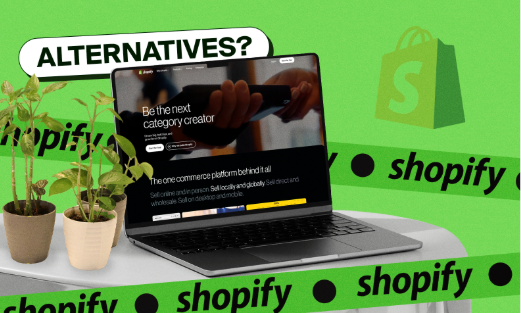


This roundup breaks down 15 Shopify alternatives for 2026, with Fourthwall highlighted for Creators wanting an all-in-one storefront for merch, digital products, and memberships, alongside broader ecommerce options like BigCommerce, WooCommerce, Wix, and Squarespace, plus budget-friendly picks like Big Cartel and Ecwid. Each platform is compared on pricing, customization, and built-in features to help sellers find an alternative that avoids Shopify's creeping extra costs and better fits their business size and goals.
Shopify can feel like the obvious choice for anyone looking to build an eCommerce store, but the truth is, once the extra costs start creeping in, it no longer looks like the “cheap and easy” solution as it first seemed.
A lot of small businesses hit that point where they realize they’re paying more than they expected and still don’t have full control over their store.
So instead of settling, we’ve compiled a comprehensive list of the best Shopify alternatives to help you find a setup that actually works for you.
Shopify Alternatives at a Glance
15 Shopify Alternatives to Try
While Shopify is one of the best-known eCommerce platforms, exploring competitors can open a whole new world of possibilities for creators.
Here are some noteworthy Shopify alternatives for your online store:
1. Fourthwall

Fourthwall is an all-in-one eCommerce platform for creatives, brands, and businesses looking to sell merch, digital products, and membership subscriptions on a single storefront.
Similar to Shopify, it combines website building, product creation, and monetization tools into one system, making it easier to manage an online business without relying on multiple third-party apps.
The platform is especially known for its integration with Printful, which removes the need for upfront inventory while offering a wide range of customizable products like apparel, accessories, drinkware, and home goods.
It also handles fulfillment, payments, and customer support behind the scenes, allowing sellers to focus more on growing their branding and building relationships with their audience.
Key Features That Make Fourthwall Stand Out
- Fully Branded Storefront Builder: Build your own website that looks and feels like your brand. You can control how everything is laid out without needing to code.
- Extensive Print-on-Demand Catalog: Choose from over 390 customizable products like clothing, accessories, and home items to sell, without managing inventory.
- Design Tools and Product Mockups: Fourthwall’s product editor provides AI design tools to customize your items with 3D rendering mockups that you can use for your store.
- No Upfront Inventory Costs: Products are only made after someone buys them, so you don’t have to spend money upfront.
- End-to-End Fulfillment and Support: Fourthwall handles production, shipping, and customer support for you.
- Digital Product Selling: Sell things like eBooks, videos, music, or courses, and they’ll be delivered automatically to customers.
- Fan Memberships: Offer paid memberships to your followers with gated content and exclusive perks like discounts, thank-you videos, and member badges.
- Donation Boxes: Let your audience send custom tips to support you directly.
- Social Commerce Integrations: Connect your store to YouTube Product Shelf, TikTok Shop, Twitch Gifting, and Meta Shopping so you can sell to your fans directly.
- Email Marketing & Promotional Tools: Use promo codes, newsletters, giveaway links, and product launches to bring in more customers and boost sales.
Pricing
Free Plan: $0/month
- 0% fee on physical products sold
- 5% fee on digital products and membership sales
- Access to website builder and product design tools
- Customer data and sales analytics
Pro Plan: $19/month or $180/year
Everything in the Free Plan, plus:
- 0% fees on digital product sales
- Free custom .store domain
- $10 monthly product sample credit
- Advanced analytics and reporting
- Unlimited team members
- Priority customer support
Pros
- Built for brands of all sizes
- Launch a fully branded storefront with zero upfront costs
- Sell print-on-demand products without holding inventory
- Fulfillment, shipping, and customer support included
- Sell digital downloads, videos, and courses
- Offer memberships and accept donations
- Social integrations with YouTube, TikTok, and Twitch
- Build your own custom mobile app
Cons
- Smaller app ecosystem compared to platforms like Shopify
- Limited control over backend fulfillment partners
2. BigCommerce

BigCommerce is a cloud-based SaaS eCommerce platform designed for any business that wants to grow its store online.
It works for everything from small brands to larger companies, offering strong built-in tools for selling products, managing inventory, and running your store without relying heavily on extra apps.
While platforms like Shopify are great for getting started, BigCommerce is often the better choice for long-term growth, providing more flexibility and more control over how your store works.
Key Features That Make BigCommerce Stand Out
- Multi-Channel Selling Integration: Sell on platforms like Amazon, eBay, Walmart, and Google Shopping, all while managing everything from one dashboard.
- No Additional Transaction Fees: You don’t pay extra platform fees on each sale, so you keep more of your money.
- Extensive App Marketplace: Add extra features with a large selection of apps for marketing, shipping, analytics, and more.
- Advanced SEO and Marketing Tools: Built-in tools help your store show up in search results and run better on mobile devices.
- International Selling Capabilities: Sell globally with support for multiple currencies, languages, and region-specific products.
- Customer Segmentation and Personalization: Group customers (like VIPs or wholesale buyers) and give them special offers or pricing.
- Abandoned Cart Recovery: Send email alerts to customers who didn’t finish checking out to help recover potential sales.
- Flexible Design and Customization: Pick from a wide range of templates and customize your store with an easy editor.
- B2B and Wholesale Features: Offer bulk pricing, tax perks, and special access for wholesale customers.
- Comprehensive Analytics and Reporting: Track your sales, customers, and performance with detailed reports and real-time data.
Standard Plan: $29/month
- Sell unlimited products
- No extra fees on your sales
- No limits on storage or traffic
- Ability to sell on major marketplaces
- Show real-time shipping costs and collect reviews
Plus Plan: $79/month
- Everything in Standard
- Recover lost sales with abandoned cart emails
- Group customers for better targeting
- Let customers save payment info for faster checkout
Pro Plan: $299/month
- Everything in Plus
- More detailed reports and analytics
- Connect with Google customer reviews
- Better tools for high-volume stores
Enterprise Plan: Custom Pricing
- Built for large businesses
- Custom features and integrations
- Priority support and dedicated account help
Pros
- Built to handle growth with powerful features for bigger businesses
- No extra platform fees on sales (just standard payment processing)
- Sell across marketplaces and social platforms
- Reliable tools for SEO and tracking performance
- Ready for global selling and wholesale (B2B) right away
- Lots of apps are available to customize your store
Cons
- Interface can feel complex for beginners
- Premium themes and advanced features can be expensive
- Not as beginner-friendly as other website builders
- Some features require higher-tier plans to unlock
3. WooCommerce

WooCommerce is an open-source eCommerce plugin that turns any WordPress website into a fully-hosted online store.
Unlike all-in-one platforms, you have to set up things like hosting, payments, and extra tools yourself, which gives you more control but also requires a bit more effort.
The upside is that it’s very flexible and packed with a ton of apps and features, so you can customize your store however you want. It can also be a more affordable option long term, especially if you’re comfortable managing the technical side of your store.
Key Features That Make WooCommerce Stand Out
- Open-Source Customization: Customize every part of your store, from how it looks to how checkout works, using themes, plugins, or custom code.
- Massive Plugin Ecosystem: Add extra features with hundreds of extensions and thousands of WordPress plugins for things like SEO, marketing, and automation.
- Unlimited Products and Variations: Sell as many products as you want, including physical items, digital downloads, subscriptions, and different product options.
- Built-In Inventory Management: Keep track of your stock, manage variations, and stay organized as your store grows.
- Flexible Payment Gateway Support: Accept payments through options like PayPal, Stripe, Square, Apple Pay, and even crypto.
- SEO and Blogging Integration: Use built-in blogging tools and plugins like Yoast SEO to get your site to rank higher and increase foot traffic.
- Multi-Channel Selling Capabilities: Sell on platforms like Amazon, eBay, Etsy, and Facebook while managing everything in one place.
- Advanced Marketing Tools: Run discounts, send emails, and recover lost sales using different plugins.
- Dropshipping and Print-on-Demand Support: Connect with services like Printful, Printify, Spocket, and AliExpress to sell without holding inventory.
- Detailed Analytics and Reporting: Track your sales, customers, and performance, and connect tools like Google Analytics for deeper insights.
Pricing
Core WooCommerce Plugin: Free
- Free to use with all the basic tools to run an online store
- Sell as many products and categories as you want
- Track inventory and manage your products
- View basic sales data and reports
- Accept payments through standard payment options
Pros
- Full control over how your store looks and works
- Tons of plugins to customize your site
- No extra platform fees on your sales
- Strong SEO tools through WordPress
- Can grow from a small shop to a large business
Cons
- Takes more time and technical setup than all-in-one platforms
- You have to manage updates, security, and maintenance yourself
- Extra plugins and hosting can add to the cost
- Site speed and performance depend on your hosting setup
4. Wix

Wix is an easy-to-use website builder that lets you sell products through its eCommerce plans.
You can design your site with drag-and-drop tools, choose from a bunch of templates, and even use AI to help build pages faster, all without needing technical skills.
It’s a great option for beginners or small businesses, but its online store features aren’t as advanced as platforms like Shopify, which can make it harder to scale a larger store over time.
Key Features That Make Wix Stand Out
- Drag-and-Drop Website Builder: Wix’s visual editor lets you place elements exactly where you want them, giving you near “pixel-perfect” control over your site’s design without technical skills.
- 900+ Designer Templates: Choose from a massive library of professionally designed templates tailored to industries like eCommerce, photography, music, and small businesses.
- AI Website Builder (Wix ADI): Answer a few questions, and Wix can generate a ready-to-use website for you, making it one of the fastest ways to get online.
- Built-In eCommerce Functionality: Sell physical and digital products, manage inventory, and offer subscriptions, all within Wix’s native store features.
- Wix App Market: Enhance your store with 800+ apps for marketing, bookings, live chat, email automation, and more, allowing you to expand functionality as needed.
- Integrated Marketing Tools: Access tools for email campaigns, SEO optimization, social media posting, and customer engagement directly from your dashboard.
- Mobile Editor: Customize your mobile site to make it look clean and optimized across all devices.
- Built-In SEO Tools and Guidance: Features like the SEO Wiz, customizable meta tags, and structured data can improve your site’s search results.
- Industry-Specific Solutions: Wix offers tailored tools like Wix Bookings, Wix Events, and Wix Restaurants, making it adaptable for different business models.
- Automatic Site Backup and Restore: Wix saves versions of your site automatically, allowing you to restore previous versions if something goes wrong.
Pricing
Free Plan: $0/month
- Build a website with Wix branding
- Use basic design and editing tools
Light Plan: $17/month
- Comes with ad removal
- Free domain for the first year
Core Plan: $29/month
- Unlock full eCommerce features
- Sell products and accept payments
- Access premium business apps
Business Plan: $39/month
- More advanced shipping options
- Automatic sales tax calculations
- Advance tools for growing your store
Business Elite Plan: $159/month
- Unlimited storage
- Advanced tools for developers
- Built to handle larger, high-volume stores
Pros
- Very easy to use, even if you’re just starting out
- Plenty of high-quality templates to choose from
- You can edit your site without coding
- Built-in tools mean you don’t need as many extra apps
- Covers a wide range of business needs
- Free plan lets you test things before committing
Cons
- Not the best choice for large or complex stores
- You can’t easily switch templates after your site is live
- Some features and apps cost extra
- Not as powerful as more advanced eCommerce platforms
5. Ecwid

Ecwid is a simple plugin tool that lets you add a store to your existing website instead of having to build one from scratch.
You can manage products and sell across channels like Instagram, Facebook, and even in person, all from one dashboard.
It’s a great pick if you want something quick and simple, though it does feel a bit more limited when it comes to design and customization.
Key Features That Make Ecwid Stand Out
- Add a Store to Any Website: Add your store to an existing site or blog without having to rebuild everything from scratch.
- Fast and Beginner-Friendly Setup: Set up your store quickly using simple tools, even if you’ve never done it before.
- Multi-Channel Selling Integration: Sell on platforms like Instagram, Facebook, Amazon, and eBay while managing everything in one place.
- Detailed Product Customization: Offer product options like sizes, colors, or custom inputs to give customers more choices.
- Flexible Shipping and Delivery Options: Set up shipping, local delivery, or in-store pickup with carriers like USPS, UPS, FedEx, and DHL.
- Built-In Marketing and Automation Tools: Run ads, create discounts, and send automated emails to help grow your sales.
- Mobile Store Management App: Manage your store, track orders, and check performance right from your phone.
- App Market for Extended Functionality: Add extra features with apps like QuickBooks and Zapier.
- Analytics and Performance Tracking: Track sales and customer behavior with built-in reports and insights (on higher plans).
- 0% Platform Transaction Fees: Keep more of your earnings since the platform doesn’t take a cut from your sales (you still pay payment processing fees).
Pricing
Starter Plan: $5/month
- Sell up to 10 products
- Choose from 70+ templates
- Use a basic domain
- Add your store to any website
- Get email support
Venture Plan: $29/month
- Sell up to 100 products, including digital items
- Sell on Instagram and Facebook
- Manage your store from a mobile app
- Offer discounts and customize checkout
- Access basic analytics and reports
- Get live chat support
Business Plan: $49/month
- Sell up to 2,500 products
- Connect to marketplaces like Amazon and eBay
- Offer subscriptions
- Recover abandoned carts
- Set wholesale pricing
- Support multiple languages
- Get phone support
Unlimited Plan: $119/month
- Sell unlimited products
- Accept in-person sales with POS
- Add unlimited team members
- Get priority support
- Use advanced tools for promotions and scaling
Pros
- Extremely easy to set up and manage
- Can be added to an existing website or used standalone
- Strong multi-channel selling capabilities
- No platform transaction fees
- Affordable entry-level pricing
- Great for beginners and small businesses
Cons
- Limited design customization compared to larger platforms
- Smaller template library than competitors
- Fewer advanced features for large-scale operations
- May not meet the needs of highly complex or enterprise-level stores
6. Sellfy

Sellfy is a super easy, eCommerce platform where you can sell digital products, merch, subscriptions, and even physical items without overcomplicating things.
It also comes with built-in tools for payments, marketing, and automatic product delivery, so you don’t have to mess with extra apps or setup.
On top of that, there are no platform fees per sale, which makes it a solid choice if you just want something simple that works and lets you focus on making money.
Key Features That Make Sellfy Stand Out
- Easy Store Setup: Set up your store quickly by adding products, customizing your site, and connecting payments in just a few steps.
- Sell Multiple Products: Sell things like digital downloads, subscriptions, videos, and custom merch all from one place.
- Print-on-Demand Merchandising: Create custom products like shirts, mugs, and posters, and the platform will handle making and shipping them after each order.
- Pre-Made Store Templates: Pick from ready-made templates to build a clean, professional-looking store without design skills.
- Built-In Marketing Tools: Use tools like email campaigns, discounts, upsells, and abandoned cart emails to help boost sales.
- Customer and Order Management: Keep track of customers, orders, subscriptions, and delivery status in one dashboard.
- Third-Party Integrations: Connect your account with Google Analytics, Facebook Pixel, Discord, and Zapier to help scale your store.
- Payment Integrations: Accept payments through Stripe and PayPal, as well as Apple Pay, Google Pay, and standard credit cards.
- Easy Store Embedding: Add your store or products to another website or page using simple buttons or widgets.
- Analytics and Performance Tracking: Track things like sales, traffic, and which products are performing best.
Pricing
Starter Plan: $29/month
- Sell digital, physical, and subscription products
- Basic customization tools
- Discount codes and email marketing
- Stripe and PayPal integrations
Business Plan: $79/month
- Everything in Starter
- Higher revenue limits
- Advanced marketing tools
- Upselling features
- Priority customer support
Premium Plan: $159/month
- Everything in Business
- Highest revenue limits
- Advanced product migration tools
- Expanded customization options
- Premium customer support
Pros
- Extremely easy to set up and use
- Supports multiple product types in one platform
- Built-in marketing tools reduce the need for extra apps
- No transaction fees on sales
- Great for creators selling digital products or merch
- Fast launch compared to more complex platforms
Cons
- Limited design customization compared to advanced platforms
- Fewer integrations than larger eCommerce ecosystems
- Not ideal for large-scale or enterprise-level stores
- Template selection is relatively small
7. Squarespace

Squarespace is a cloud-based hosting platform that helps anyone create a clean, professional-looking website without needing to know any coding.
It has plenty of eCommerce features that enable you to sell physical products, digital downloads, and services, all while managing inventory, payments, and orders in one place.
With built-in tools for blogging, marketing, SEO, and email campaigns, Squarespace gives you everything you need to design and run a successful online store.
Key Features That Make Squarespace Stand Out
- Premium Templates: Choose from a large selection of 180+ professionally designed templates that look good on any device.
- Drag-and-Drop Editor: Build your site by simply moving elements around on the page—no coding needed.
- Built-In Blogging Tools: Write and schedule blog posts, manage multiple writers, and even run a podcast all in one place.
- Integrated eCommerce Tools: Sell physical products, digital items, subscriptions, or services with built-in tools to manage orders and inventory.
- Squarespace Blueprint & AI Tools: Use AI to help design your site, write product descriptions, and improve your SEO faster.
- Membership Areas and Subscriptions: Create paid content, courses, or memberships to earn recurring income.
- Built-In Marketing Features: Use email campaigns, pop-ups, and social media tools to promote your store.
- Comprehensive Analytics: Track traffic, sales, and customer behavior to see what’s working.
- Mobile App Management: Manage your site, orders, and performance right from your phone.
- All-in-One Hosting and Security: Everything is handled for you, including hosting, security, and updates, so you don’t have to worry about the technical side.
Pricing
Basic Plan: $16/month
- Free domain for the first year
- Unlimited storage and bandwidth
- No selling features included
Core Plan: $23/month
- Ability to sell products
- Use simple marketing tools like pop-ups
- 3% fees on each sale
Plus Plan: $39/month
- No extra fees on sales
- Sell products and services
- Accept in-person payments
Advanced Plan: $99/month
- More advanced selling tools
- Recover lost sales with abandoned cart emails
- Sell subscriptions and view detailed reports
Pros
- High-quality templates
- Blogging and content tools
- Everything is handled in one place (hosting + security)
- Great for creators and content-focused brands
- Solid customer support and resources
Cons
- It can take time to learn how to use
- Fewer apps than platforms like Shopify
- Pricing can feel high compared to simpler options
- Not the best choice for more complex stores
8. Big Cartel

Big Cartel is a straightforward eCommerce platform for small shops and solo creators who don’t need a lot of complicated features.
It keeps things simple, which makes it easy to set up and start selling, but it also means it’s not as powerful or scalable as bigger platforms.
It’s a good option if you’re just starting out or have a small product lineup, especially since the free plan lets you test things before upgrading.
Key Features That Make Big Cartel Stand Out
- Beginner-Friendly Storefront: You can set up a store quickly, even if you’ve never built a website before.
- Free Plan with Core Features: Start selling for free with basic tools like product listings, order tracking, and simple stats.
- Artist-Focused Platform: Made for creatives like artists and designers who want to sell their work independently.
- Simple Product Management: Add products, track inventory, and manage orders from a clean, easy-to-use dashboard.
- Mobile-Responsive Themes: Pick from simple templates that look good on phones and other devices.
- No Platform Transaction Fees: Keep all your earnings since the platform doesn’t take a cut (you only pay standard payment fees).
- Basic Marketing Tools: Use discount codes and simple promos to help bring in more customers.
- Dropshipping and POD Integrations: Connect with services like Printful to sell custom merch without handling production or shipping.
- Zapier Integrations for Automation: Link your store to thousands of apps using Zapier to automate tasks.
- Automatic Sales Tax Handling: Taxes are calculated for you, so you don’t have to deal with it manually.
Pricing
Gold Plan: $0/month
- Sell up to 5 products
- Free themes and basic customization
- Real-time stats and order tracking
- Discount codes and promotions
Platinum Plan: $9.99/month
- Sell up to 50 products
- Advanced customization options
- Inventory tracking
- Google Analytics integration
Diamond Plan: $19.99/month
- Sell up to 500 products
- Full feature access
- Priority support
- Advanced tracking and analytics
Pros
- Very easy to use, even if you’re just starting out
- Free plan with the basics to get going
- No extra platform fees on your sales
- Great for artists and small creative brands
- Clean and simple store design
- Lower cost compared to bigger platforms
Cons
- Not the best option if you plan to scale a large business
- Fewer features than bigger competitors
- Limited apps and integrations
- No built-in blog or advanced marketing tools
- Limits on how many products you can list, depending on your plan
9. Weebly

Weebly is a super beginner-friendly website builder that makes creating a site feel easy from the start, even if you’ve never built one before.
Its drag-and-drop editor is simple to use, so adding products and setting up your store doesn’t feel complicated or overwhelming.
And since it’s powered by Square, you can manage both online and in-person sales in one place. However, it can feel a bit limited if you’re trying to grow a larger or more advanced business.
Key Features That Make Weebly Stand Out
- Easy Drag-and-Drop Builder: Build your website by clicking and moving things where you want them. No coding or technical experience required.
- Free Plan for Selling Online: Get started at no cost and use basic selling tools, so you can try things out before investing any money.
- Square Integration: Works directly with Square, so you can manage payments, inventory, and sales all in one place.
- All-in-One Selling Tools: Sell physical and digital products, manage your inventory, and handle shipping or local pickup all from one place.
- Affordable Pricing Plans: Paid plans are pretty low-cost, making it a good option if you’re on a budget.
- Basic Marketing Features: Use simple tools for email marketing, social media, and tracking how your store is doing.
- Responsive Templates: Pick from 50+ templates that automatically look good on phones, tablets, and desktops.
- Simple Inventory Management: Track stock, manage product options, and handle orders without confusion.
- SEO and Optimization Tools: Adjust things like page titles and URLs to help your site show up in search results.
- App Center for Added Functionality: Add extra features with apps for marketing and automation, though there aren’t as many options as bigger platforms.
Pricing
Free Plan: $0/month
- 500MB of storage
- Basic website builder with security included
- Weebly branding on your site
- Limited tools for selling products
Personal Plan: $10/month
- Add your own domain
- Ability to sell digital products
- Access to basic shipping tools
Professional Plan: $12/month
- Remove Weebly ads
- Unlimited storage
- More advanced site features and support
Performance Plan: $26/month
- Advanced tools for selling online
- Send emails to recover abandoned carts
- Add product reviews and get priority support
Pros
- Very easy to use, even for beginners
- Lower pricing compared to most platforms
- Free plan available with basic selling tools
- Works smoothly with Square for payments
- Good set of basic features for small stores
- Quick and simple setup
Cons
- Not ideal for scaling a bigger business
- Fewer apps compared to platforms like Shopify
- Limited design and customization options
- eCommerce tools aren’t as advanced as higher-end platforms
- Can slow down with larger or more complex websites
10. OpenCart

OpenCart is a free eCommerce platform that lets you build and run your own online store with full control over how everything works.
Since it’s self-hosted, you manage things like hosting and setup yourself, but that also means you can customize your store however you want.
It does take a bit more effort to set up compared to platforms like Shopify, but it’s a solid option if you want more control without paying monthly platform fees.
Key Features That Make OpenCart Stand Out
- Open-Source Flexibility: You can fully customize your store since you have access to the code. This gives you more control over how everything looks and works.
- Multi-Store Management: Run multiple stores from one dashboard, so you can manage everything in one place.
- Extensive Extension Marketplace: Add extra features with thousands of plugins for things like payments, shipping, and marketing.
- Built-In Product and Inventory Management: Keep track of your products and stock levels in real time so you don’t run out or oversell.
- Wide Range of Payment Gateways: Accept payments through many different options, with even more available through add-ons.
- Custom Marketing and Promotions: Create discount codes, run affiliate programs, and track how your promotions are performing.
- SEO and URL Customization: Adjust your pages and links to help your store show up better in search results.
- POS and Offline Selling Integrations: Connect tools to sell both online and in person.
- Detailed Analytics with Google Integration: Track sales and customer behavior using tools like Google Analytics.
Pricing
OpenCart (Open-Source Version): Free
- No licensing fees
- Full access to core eCommerce features
- Unlimited products and store customization
- Requires separate hosting, domain, and setup
OpenCart Cloud (Hosted Option): $59–$199/month
- Managed hosting included
- Easier setup compared to the self-hosted version
- Built-in maintenance and support
Pros
- Completely free and open-source platform
- High level of customization and flexibility
- Large extension library for added functionality
- No platform transaction fees
- Provides multi-store management
- Suitable for both small and large eCommerce businesses
Cons
- Design templates are limited
- Site performance depends on hosting and maintenance
- Additional costs for extensions, which can add up
- Not as beginner-friendly as other hosted platforms
11. Hostinger

Hostinger has primarily been known as a web hosting provider, but lately, it’s evolved into a full website-building solution that’s equipped with a ton of eCommerce features.
With its built-in website builder, AI tools, and affordable hosting plans, Hostinger allows users to create and launch an online store without needing advanced technical skills.
Unlike traditional eCommerce platforms, the platform gives you more control over your site’s infrastructure while still keeping the setup process simple and beginner-friendly.
Key Features That Make Hostinger Stand Out
- Hosting and Website Builder: Build and run your website in one place without needing separate hosting or design tools.
- AI-Powered Website Creation: Use AI tools to create a full website quickly, including design and content, with very little effort.
- Affordable Pricing Plans: Plans are low-cost, making it a budget-friendly way to start a website or store.
- Fast Loading Speeds with LiteSpeed Servers: Sites load quickly, which helps with user experience and search rankings.
- Global Data Centers and CDN Support: Your website can load fast for people around the world by using servers in different locations.
- Flexible Hosting Options (Shared, Cloud, VPS): Start small and upgrade as your site grows, with options for more power and performance when needed.
- One-Click App Installations: Install tools like WordPress or WooCommerce in seconds without complicated setup.
- Custom hPanel Dashboard: Manage your site, domains, and settings through an easy-to-use control panel.
- Free Domain and SSL Certificate: Get a free domain for the first year and built-in security to protect your site.
- Built-In Security and Backups: Sites are protected with tools like malware scans and automatic backups to keep everything safe.
Pricing
Premium Plan: $1.99/month
- 20 GB of storage
- Run multiple websites
- Free domain and SSL with yearly plans
- Comes with a website builder
Business Plan: $2.99/month
- More storage and better performance
- Daily backups to protect your site
- Extra features for building your website
Cloud Hosting: $6.99/month
- More power and storage
- Handles higher traffic without slowing down
VPS Hosting: $4.99/month
- Full control over your server
- Includes a dedicated IP address
- More advanced setup and customization options
Pros
- Much cheaper than most other platforms
- Loads quickly, so your site runs smoothly
- Can grow with your site as your business gets bigger
- Easy to set up and simple to use
- AI tools help you build your site faster
- Reliable servers that keep your site running well worldwide
Cons
- Not built specifically for eCommerce like Shopify
- Takes more setup to fully run an online store
- No phone support
- Some advanced features can be harder to use
- Fewer built-in eCommerce tools compared to specialized platforms
12. Shift4Shop
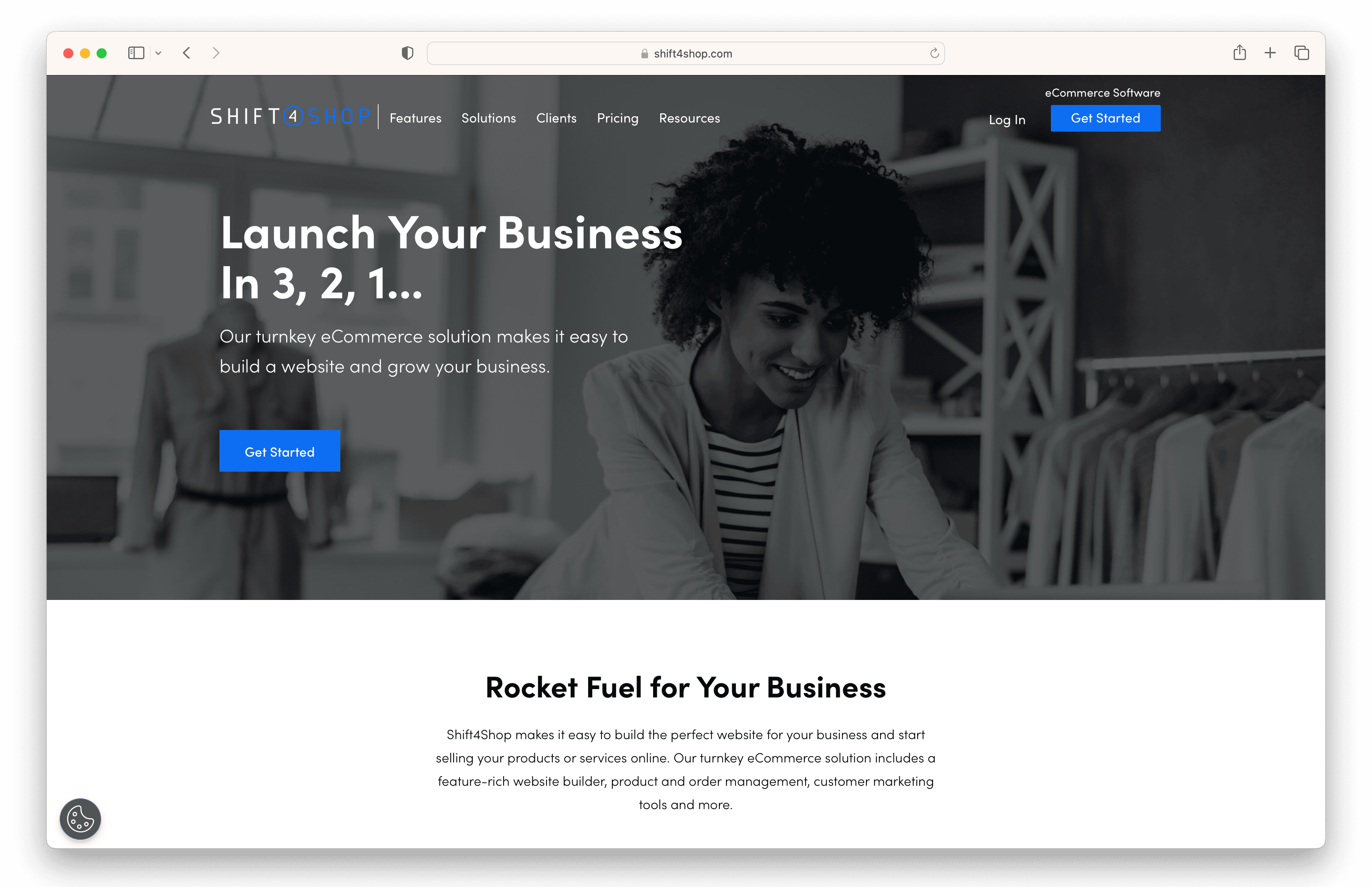
Originally known as 3DCart, Shift4Shop is an eCommerce platform designed for businesses that want a comprehensive set of built-in tools without relying heavily on third-party apps.
It offers everything from storefront design and product management to marketing, SEO, and order fulfillment in one system.
While its interface can feel a bit dated compared to newer platforms, its wide variety of features makes it a solid alternative to Shopify for those who prioritize functionality over simplicity.
Key Features That Make Shift4Shop Stand Out
- All-in-One eCommerce Feature Set: Comes with a lot of built-in tools for running your store, so you don’t need to rely on extra apps.
- Potentially Free Pricing Model: If you process enough sales using their payment system, you can use the platform without paying a monthly fee.
- Advanced Product and Inventory Options: Create as many product variations as you want and manage things like sizes, colors, and custom options.
- Built-In Marketing and SEO Tools: Use tools to improve search rankings, run promotions, and connect with customers through email and campaigns.
- Subscription and Recurring Orders: Offer subscription products or enable repeat orders to bring in steady income.
- Dropshipping and Digital Product Support: Sell physical items, digital downloads, or dropship products from suppliers.
- Robust Reporting and Analytics: Track sales, customers, and performance so you know what’s working.
- Large Selection of Free Themes: Choose from a wide range of templates that look good on any device.
- Secure Hosting and Performance Features: Your store is protected and runs smoothly with built-in security and reliable hosting.
Pricing
End-to-End Plan: $0/month (U.S. only)
- Requires $500/month in sales
- Must use Shift4 Payments
- Comes with full access to platform features
Paid Plan: $29/month
- No sales minimum required
- Access to full eCommerce features
- Suitable for businesses not using Shift4 Payments
Pros
- Extensive built-in features reduce the need for third-party apps
- Potentially free plan for qualifying merchants
- Strong SEO and marketing capabilities
- Supports multiple product types, including subscriptions
- No transaction fees when using Shift4 Payments
- 24/7 customer support available
Cons
- Interface and design feel outdated compared to competitors
- Customization workflow can be unintuitive
- Limited to U.S. merchants for free plan eligibility
- Fewer modern design and UX features
- Learning curve for managing products and store settings
13. PinnacleCart

PinnacleCart is an all-in-one eCommerce platform that lets you run an online store without needing a bunch of extra tools.
It includes hosting, security, and built-in features for managing products, marketing, and tracking sales, so you can get up and running pretty quickly.
While it doesn’t have as many templates or integrations as platforms like Shopify, it’s a solid option if you want something simple, flexible, and free from extra transaction fees.
Key Features That Make PinnacleCart Stand Out
- All-in-One Hosted Solution: Everything is handled in one place, including hosting, security, and store tools. You don’t need to set up anything separately.
- Unlimited Products and Categories: Sell as many products as you want and organize them however you like as your store grows.
- No Transaction Fees: You keep more of your money since there are no extra platform fees on each sale.
- Drag-and-Drop Store Builder: Customize your store by moving things around visually. No coding needed.
- Built-In Marketing and SEO Tools: Use tools to help people find your store, run discounts, collect reviews, and recover missed sales.
- Multi-Channel Selling Integrations: Sell through Amazon, eBay, or your social media channels.
- QuickBooks and Business Integrations: Connect tools like QuickBooks for finances and Google Analytics or Google Ads for tracking and marketing.
- Flexible Payment Options: Accept payments through PayPal and other payment providers, depending on your plan.
- Mobile-Responsive Themes: Pick from templates that automatically adjust to phones and tablets, and switch designs without losing your content.
- Guided Store Setup and Support: Follow a step-by-step setup guide and get help through email, chat, or phone (on higher plans).
Pricing
Standard Plan: $79.95/month
- 10 GB of storage
- Basic tools to run your online store
- Sell as many products as you want
- Limited payment options like PayPal
Advanced Plan: $200/month
- Unlimited storage
- Access to multiple payment options
- More advanced features for growing and scaling your store
Pros
- No extra fees taken from your sales
- Hosting and security included
- Sell unlimited products and grow your store over time
- Built-in tools for marketing and SEO
- Can sell across multiple platforms
- Connects with tools like QuickBooks
Cons
- Monthly cost is higher than some other platforms
- Not many templates to choose from
- No built-in system for in-person sales
- Interface can feel a bit outdated
14. Square Online
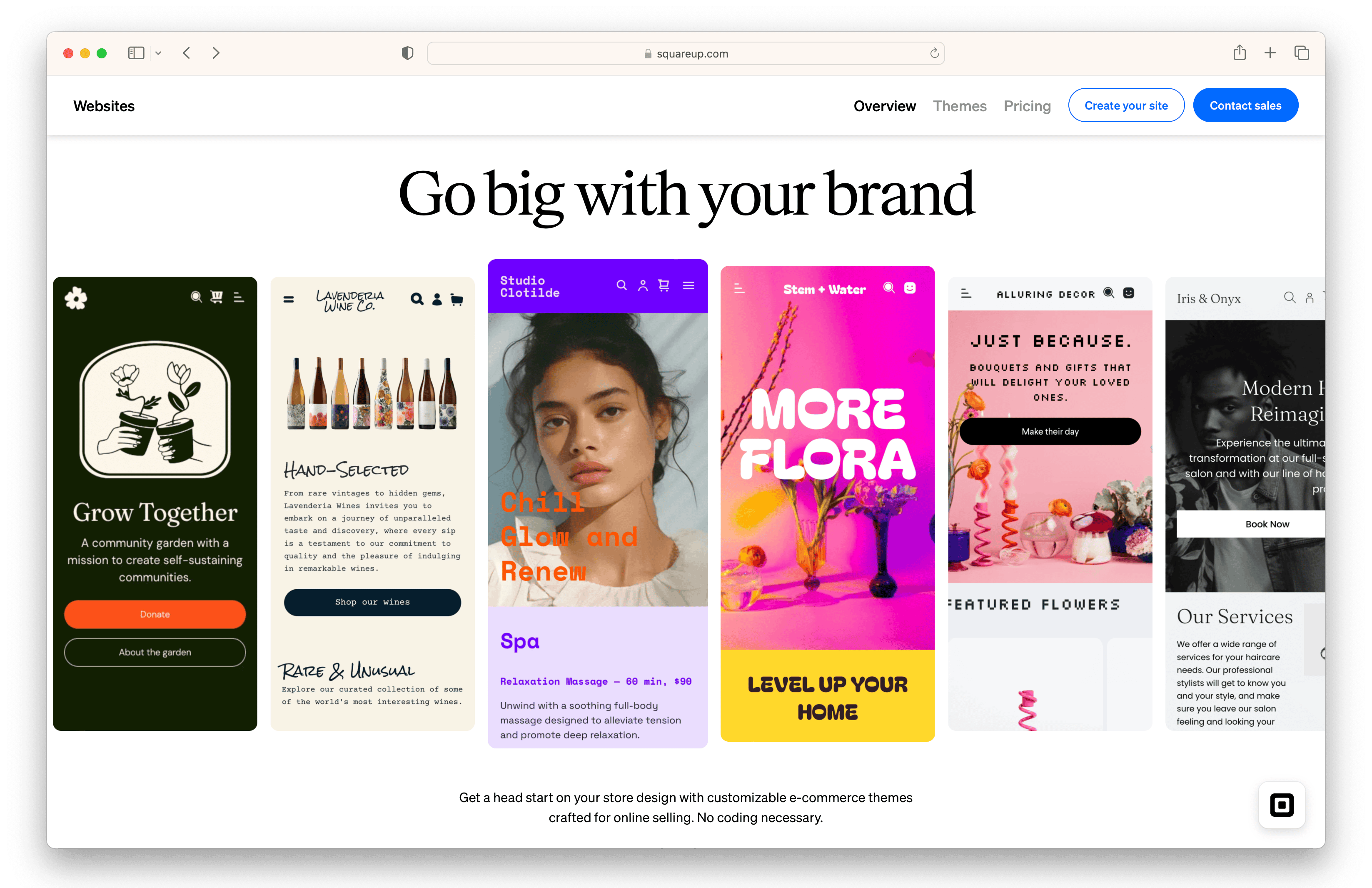
Square Online is a flexible eCommerce platform designed to help small businesses sell both online and in person from a single system.
Built on top of the Square ecosystem, it combines a website builder with powerful payment processing and POS tools, making it especially appealing for businesses that already operate offline.
Square Online offers a clean, easy-to-navigate dashboard and a solid set of built-in features for managing products, orders, and customer interactions.
Key Features That Make Square Online Stand Out
- Online and In-Person Selling: Run your online store and in-person sales together. Everything, like inventory and payments, stays synced in one place.
- Free Plan with Unlimited Products: Start selling for free and list as many products as you want.
- Flexible Product Types: Sell physical items, digital products, services, subscriptions, tickets, or even accept donations.
- Customizable Website Builder: Use drag-and-drop tools to edit sections on your site without needing to code.
- Built-In Marketing and Social Selling Tools: Promote your products on platforms like Facebook and Instagram, send emails, and run ads or discounts to boost sales.
- Integrated Payment Processing: Take payments through Square, Apple Pay, Google Pay, and PayPal (on higher plans).
- Local Delivery and Pickup Options: Offer options like in-store pickup, local delivery, or regular shipping.
- SEO and Blogging Features: Improve your visibility on search engines and post blog content to bring in more traffic.
- Abandoned Cart Recovery and Product Reviews: Send reminders to customers who didn’t finish checkout and collect reviews to build trust (on higher plans).
- App Marketplace and Integrations: Connect extra tools for things like marketing, accounting, and managing your business.
Pricing
Free Plan: $0/month
- No monthly fee, pay only when you make a sale
- POS system for in-person, online, and mobile payments
- Online storefront and item management tools
- Invoicing, bookings, and basic financial tools included
- Processing fees — In-person: 2.6% + $0.15; Online: 3.3% + $0.30
Plus Plan: $49/month
Everything in the Free Plan, plus:
- Industry-specific POS features for retail, food, and services
- Built-in loyalty programs and customer rewards
- Email and SMS marketing tools
- Staff and team management features
- Lower processing fees — In-person: 2.5% + $0.15; Online: 2.9% + $0.30
Premium Plan: $149/month)
Everything in the Plus Plan, plus:
- 24/7 priority customer support
- Advanced reporting and business analytics
- Expanded SMS marketing capabilities
- No fees on gift card loads
- Lowest processing rates — In-person: 2.4% + $0.15; Online: 2.9% + $0.30
Pros
- Free plan with solid features to get started
- Works smoothly with Square for in-person and online sales
- Easy to set up and use
- Let's you sell different types of products
- Budget-friendly for small businesses
- Good for both online and in-person selling
Cons
- Limited design templates to choose from
- Less flexibility when customizing your store
- Fewer payment options are available
- Bulk editing can be limited for products
- Not the best fit for large stores
15. PrestaShop

PrestaShop is an eCommerce platform you host yourself, which means you have full control over how your store works.
You can build a custom online shop and sell physical products, digital items, or even personalized goods.
It also offers tons of add-ons and themes, so you can customize your store to fit your needs, whether you’re running a small shop or a more advanced business.
Key Features That Make PrestaShop Stand Out
- Open-Source Customization: You can change pretty much anything in your store, from how it looks to how checkout works, since you have full access to the code.
- Wide Range of Product Types: Sell physical products, digital downloads, bundles, or even items customers can customize.
- Extensive Module Marketplace: Add extra features with thousands of plugins for payments, marketing, shipping, and more.
- Flexible Product and Inventory Management: Organize your products, track stock, and manage suppliers all in one place.
- Built-In Marketing and Promotions: Run discounts, free shipping deals, upsells, and abandoned cart emails to increase sales.
- SEO and Content Optimization Tools: Adjust your pages so your store shows up better in search results to get more traffic.
- Multiple Payment Gateway Options: Accept payments through PayPal, Stripe, Amazon Pay, Klarna, and more.
- Custom Shipping Configuration: Set your own shipping rates based on things like weight, order value, or location.
- One-Page Checkout Experience: Keep checkout simple and quick so customers are more likely to complete their purchase.
- Multi-Language and Global Selling Support: Sell to customers around the world by offering different languages and localized experiences.
Pricing
PrestaShop (Open-Source): Free
- No licensing fees
- Access to core eCommerce features
Additional Costs to Consider
- Hosting and domain fees
- Paid modules and extensions (often $50–$1,000+)
- Premium themes (starting around $100+)
- Optional developer costs for setup and customization
Pros
- Free to use and open-source
- Tons of add-ons to customize your store
- Works for many different types of products and businesses
- Strong tools for promotions and marketing
- Flexible options for payments and shipping
- Good for selling in different countries and languages
Cons
- Takes some technical knowledge to set up and manage
- Can feel a bit confusing or not very user-friendly
- Many important features require paid add-ons
- Harder to customize without coding or extra tools
- Doesn’t include hosting or built-in support
Choosing the Right Platform: Try Fourthwall
As you can see from the list above, every platform takes a different approach, but very few are built specifically for content creators who want to sell products and grow a community at the same time.
Fourthwall stands out because it puts everything you need in one place—you can sell merch, digital products, and memberships, all from your own branded store.
Plus, you don’t have to pay up front or deal with inventory, which makes it easy to get started without risk
If you’re ready to sell smarter, build deeper connections with your audience, and keep full control of your brand, explore Fourthwall and start building your creator business today.
FAQ: Shopify Alternatives
Are there any free Shopify alternatives?
Yes, there are a few platforms you can use for free, like Square Online, Big Cartel, and Fourthwall, for example.
These options are great for getting started, but most of them still take a small cut from each sale or will require you to upgrade later as your store grows.
Which Shopify alternative is best for content creators?
Platforms like Fourthwall are built specifically for creators, combining merch, digital products, and memberships in one place.
This makes it easier to monetize your audience without stitching together multiple tools.
What is the cheapest eCommerce platform to use?
Affordable options include Ecwid, Hostinger, and Weebly, since they offer low monthly prices or even free plans to get started.
Just keep in mind, costs can go up over time with things like extra features, payment fees, or as your store grows.
What is the easiest Shopify alternative to use?
Some beginner-friendly platforms like Wix, Squarespace, and Fourthwall are known for their intuitive drag-and-drop builders and can be set up within minutes.
They can be a great option if you’re looking to launch a store quickly without having to deal with any technical setup or complex integrations.
Matt Keyser is a writer at Fourthwall who lives at the intersection of social media and Creator culture. With 4+ years of experience covering industry trends, his work focuses on helping Creators and brands understand how to turn their passion into a thriving business while maintaining a constant pulse on the latest eCommerce and social media trends.


You might also like

8 Best TeePublic Alternatives for Artists in 2026

9 Best Printify Alternatives for Print-on-Demand in 2026

8 Best Spring (Teespring) Alternatives for Creators After Its Shutdown

30 Best Print on Demand Products for Creators in 2026 (From Tees to Plushies)

9 Best Kajabi Alternatives for Course Creators in 2026

What to Sell Online: How to Find a Product People Want

8 Best Spreadshirt Alternatives for Print-on-Demand in 2026

7 Best Sellfy Alternatives for Creators and Brands in 2026

27 Best Digital Products to Sell as a Creator

Keep up with the latest from Fourthwall
New features, product updates, trend breakdowns, and creator stories — straight to your inbox.