
10 Best WooCommerce Alternatives for Building Your eCommerce Store
Comparing the Top eCommerce Platforms for WordPress and Beyond


Trying to choose the right eCommerce platform to launch your online store can feel overwhelming, especially when every option promises flexibility and growth.
If you’ve researched selling online at all, you’ve likely run into WooCommerce, the WordPress-based solution that powers millions of stores worldwide.
It’s known for offering deep customization, full ownership, and low upfront costs, but that freedom often comes with trade-offs.
In this article, we’ll explain where WooCommerce shines, where it can fall short, and walk through the best alternatives depending on your business model, technical comfort level, and long-term goals.
What Is WooCommerce?
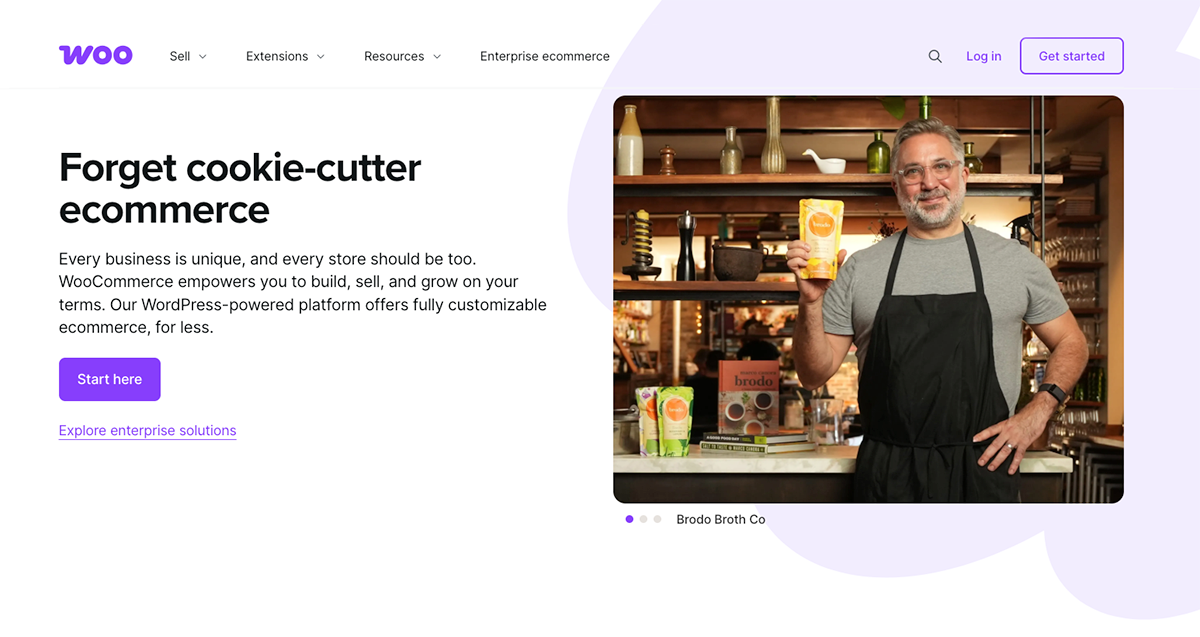
WooCommerce is a free, open-source eCommerce plugin built specifically for WordPress.
It was first released in 2011 and later acquired by Automattic, the company behind WordPress.com, which cemented its role as WordPress’s native commerce solution.
Instead of being a standalone platform, WooCommerce turns an existing WordPress site into a fully functional online store.
Its mission has always been flexibility first, giving store owners full control over design, data, and functionality.
That flexibility is exactly what makes WooCommerce powerful, and also what makes it more complex than many hosted platforms.
What Makes WooCommerce Stand Out?
WooCommerce has earned its place as one of the most widely used eCommerce platforms in the world because it gives store owners real ownership over how they sell online.
Instead of forcing you into a fixed builder or rigid pricing tiers, it adapts to your goals, workflow, and how you want your business to grow.
Below, we’ll break down the core strengths that make WooCommerce stand out and explain why so many businesses choose it as their long-term eCommerce solution.
Open-source Customization
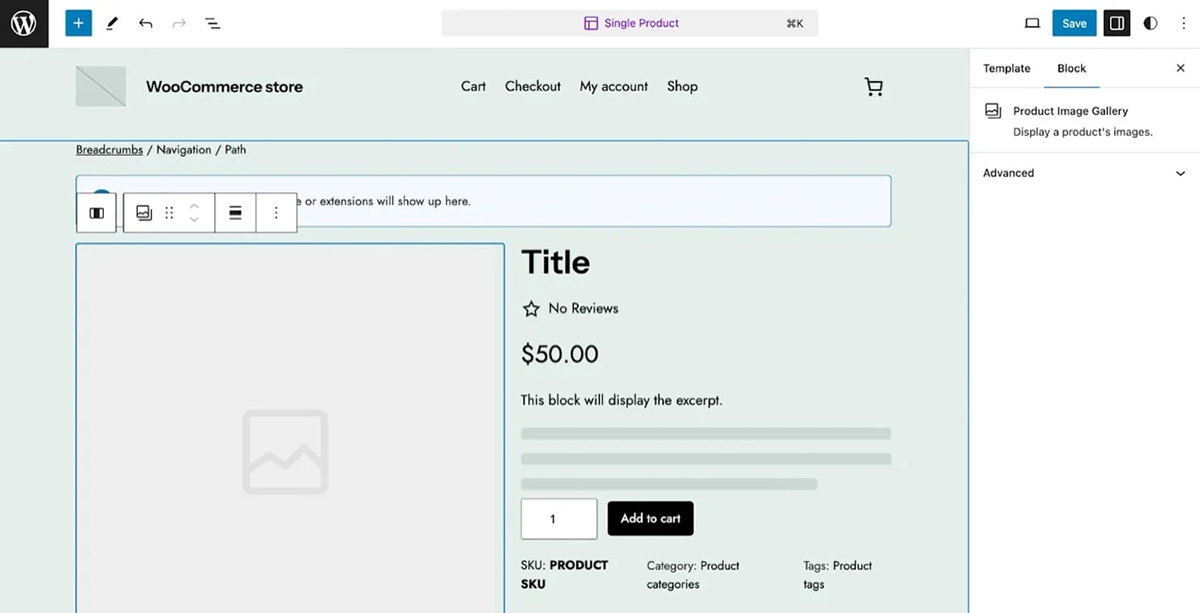
Because WooCommerce is open source, you get direct access to the code behind your online store.
That means you can tailor everything from product page layouts to how your checkout works, instead of being boxed into a rigid website builder.
If you have a developer (or you’re comfortable in WP yourself), you can create a shopping experience that feels truly custom.
Pricing
WooCommerce itself is free, but the real budget depends on what you add around it.
You’ll typically pay for hosting, a domain, and possibly a premium theme, plus optional plugins for things like recurring payments, advanced shipping, or better reporting.
Payments usually run through providers like Stripe or PayPal, so you'll also have standard processing fees, and costs can rise as you add premium extensions and scale up your store.
Massive Plugin Ecosystem
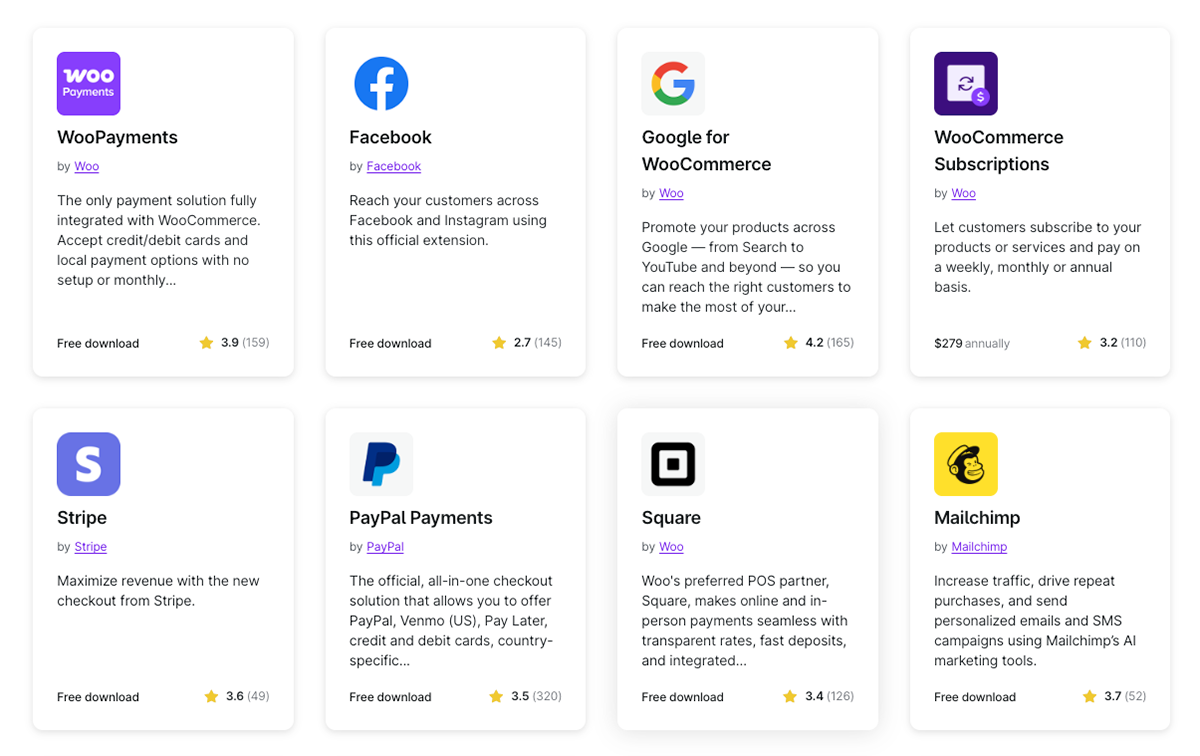
WooCommerce’s biggest advantage is its ease of expansion through plugins and add-ons.
Need a subscription product, bookings, advanced shipping rules, better inventory management, or smarter payment processing? There’s almost always a plugin for that.
The platform lets you build functionality as your store grows, rather than paying for features you don’t need yet.
Strong SEO and Content Tools
WooCommerce inherits WordPress's content power, which remains one of the best platforms for publishing and SEO.
You can create blog content, landing pages, and product pages in the same system, then fine-tune URLs, metadata, and on-page structure without fighting the platform.
That combination of content + commerce is a major reason WooCommerce is such a popular WordPress eCommerce setup.
Flexible Product Types
WooCommerce isn’t just for shipping boxes.
It can handle physical goods, digital downloads, services, memberships, selling digital products, and even affiliate-style listings, all inside your WordPress dashboard.
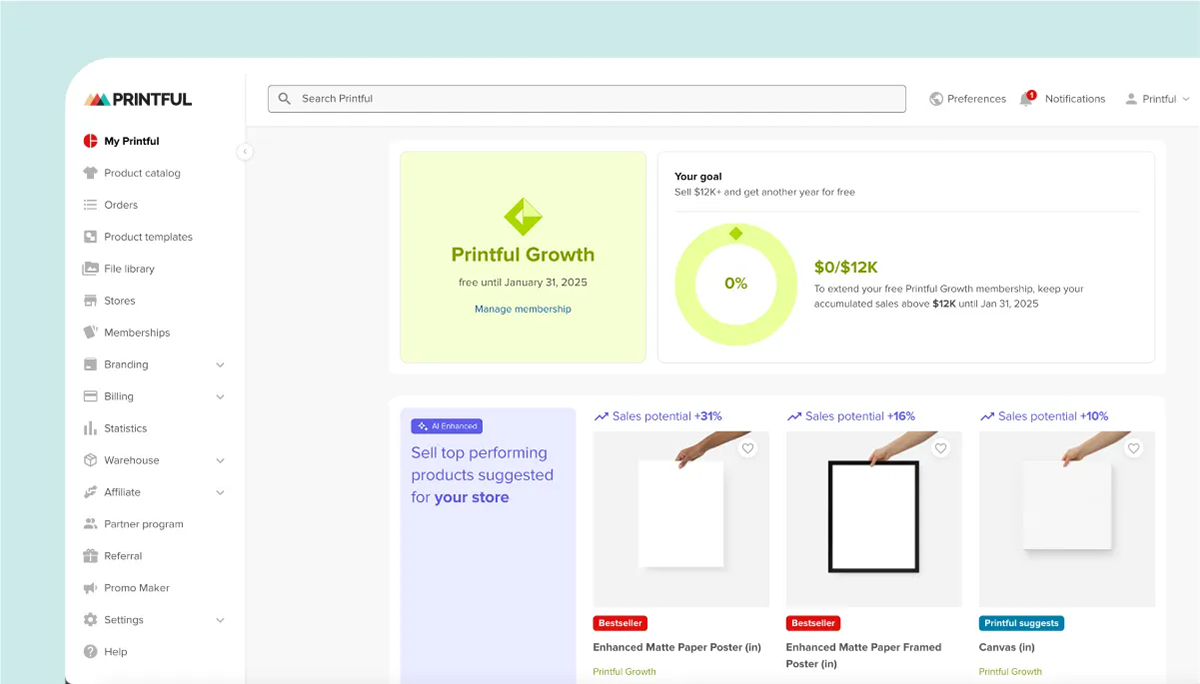
It also supports Printful's product catalog with over 340 print-on-demand products to customize and sell directly through your store.
Why You Might Want a WooCommerce Alternative
There’s no doubt that WooCommerce offers a lot of power, but that flexibility doesn’t come free.
For many businesses, especially those focused on speed and simplicity, the trade-offs can outweigh the benefits, making other eCommerce platforms a better fit.
Here’s where the platform lacks compared to others:
⤵️ Steep Learning Curve
WooCommerce assumes you’re already comfortable running a WordPress site or willing to learn how to run one.
Between hosting, themes, plugins, and store settings, the initial setup can feel intimidating for non-technical users.
If your goal is to launch an online store quickly with a drag-and-drop builder, WooCommerce may slow you down.
🛠️ Ongoing Maintenance Responsibility
With WooCommerce, you’re responsible for maintaining the entire stack: WordPress, your store, themes, and every plugin you install.
Updates can conflict, break your checkout, or interfere with payment processing, forcing you to troubleshoot or hire help.
Unlike hosted eCommerce platforms, there’s no safety net handling this for you.
💸 Hidden and Growing Costs
Although WooCommerce itself is free, many essential features are available only through paid extensions.
Tools for subscriptions, advanced shipping, recurring payments, or selling digital products often require premium add-ons with yearly fees.
Over time, these costs can rival or exceed the price of all-in-one paid plans on other platforms.
🔌 Performance Depends on Hosting
WooCommerce performance is tied directly to your hosting provider and how well your WordPress site is optimized.
Large product catalogs, high traffic, or poorly coded plugins can slow down your store and hurt conversions.
For businesses that want guaranteed speed and stability, a managed eCommerce solution can be less stressful.
💬 Limited Direct Support
There’s no built-in live support for WooCommerce’s free core plugin.
Most assistance comes from forums, documentation, or third-party developers, which can be time-consuming when something breaks.
If your business needs fast answers or hands-on help, this lack of direct support is often the tipping point for exploring alternatives for WordPress or fully hosted eCommerce platforms.
Overall Thoughts
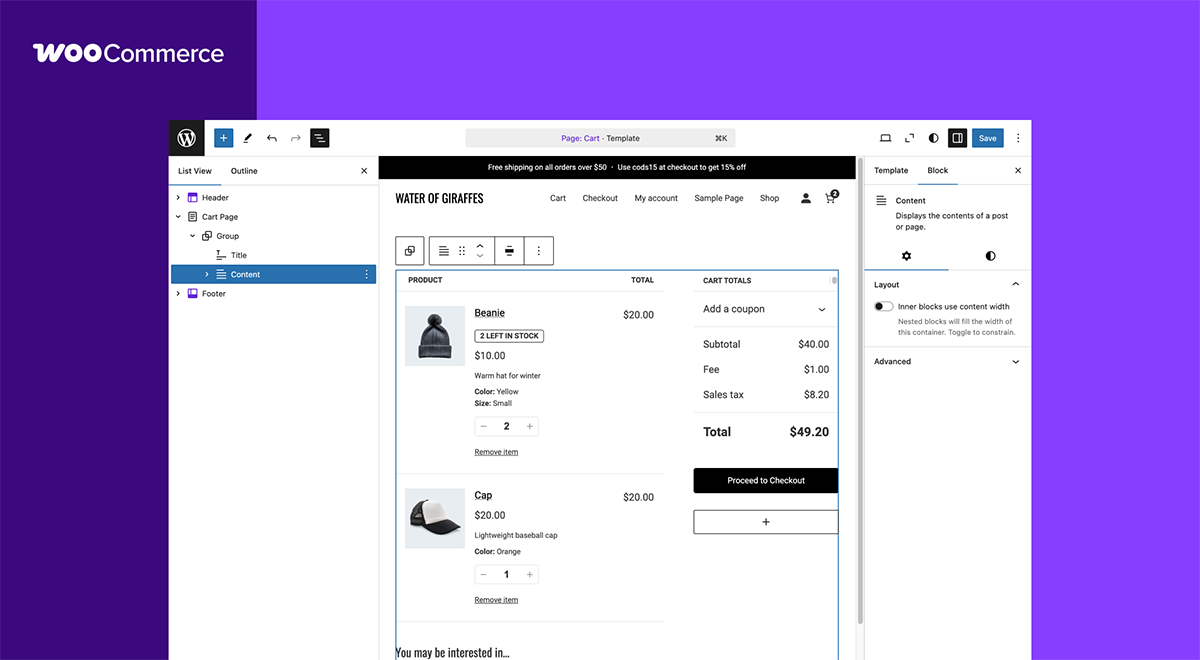
WooCommerce is one of the most capable eCommerce solutions available, but it isn’t automatically the best choice for everyone.
It shines when full control matters, especially for businesses already running a WordPress site that want to deeply customize how their store looks, functions, and processes payments.
That same flexibility, however, comes with real responsibility, from managing plugins and updates to handling performance and security as your store grows.
For technically confident teams or businesses with a developer, WooCommerce can scale into a powerful long-term eCommerce platform.
For creators or small businesses who value speed, simplicity, and minimal upkeep, the extra complexity may outweigh the benefits, making a more managed alternative the smarter option.
10 WooCommerce Alternatives for Building an Online Store
1. Fourthwall

Fourthwall flips the WooCommerce model on its head by removing the technical burden and putting creators and brands first.
Instead of stitching together hosting, plugins, payment processors, and fulfillment tools, Fourthwall gives you a complete eCommerce solution from day one.
You can sell physical products, digital downloads, memberships, subscriptions, donations, and gated content all from a single dashboard, without touching code or worrying about a broken checkout.
The platform includes clean storefront design tools, built-in email marketing, audience monetization features like tips and paywalls, and native integrations with platforms where creators already live.
On top of that, Fourthwall handles production, global fulfillment, taxes, and payment processing, making it a true end-to-end alternative to managing a complex WordPress eCommerce stack.
💰Pricing
- Free Plan: $0/month — No platform fees on physical products, 5% fee on memberships and digital product sales.
- Pro Plan: $19/month or $180/year — 0% fees on digital product sales, free .store domain, $10/month in sample credits, unlimited team members, and priority customer support.
✅ Pros
- All-in-one eCommerce platform for physical products, digital products, memberships, and donations
- Provides video and audio hosting behind a secure paywall
- No need to manage hosting, plugins, or third-party checkout tools
- Built-in fulfillment, taxes, and payments reduce operational overhead
- Product catalog of over 370 premium POD items with various printing methods
- Clean, professional storefronts without a drag-and-drop website builder
- Integrates with TikTok Shop, YouTube Product Shelf, Twitch Gifting, and Meta Shopping
❌ Cons
- Less low-level customization compared to an open WordPress setup
- Not ideal for businesses that need deep backend code control
2. BigCommerce
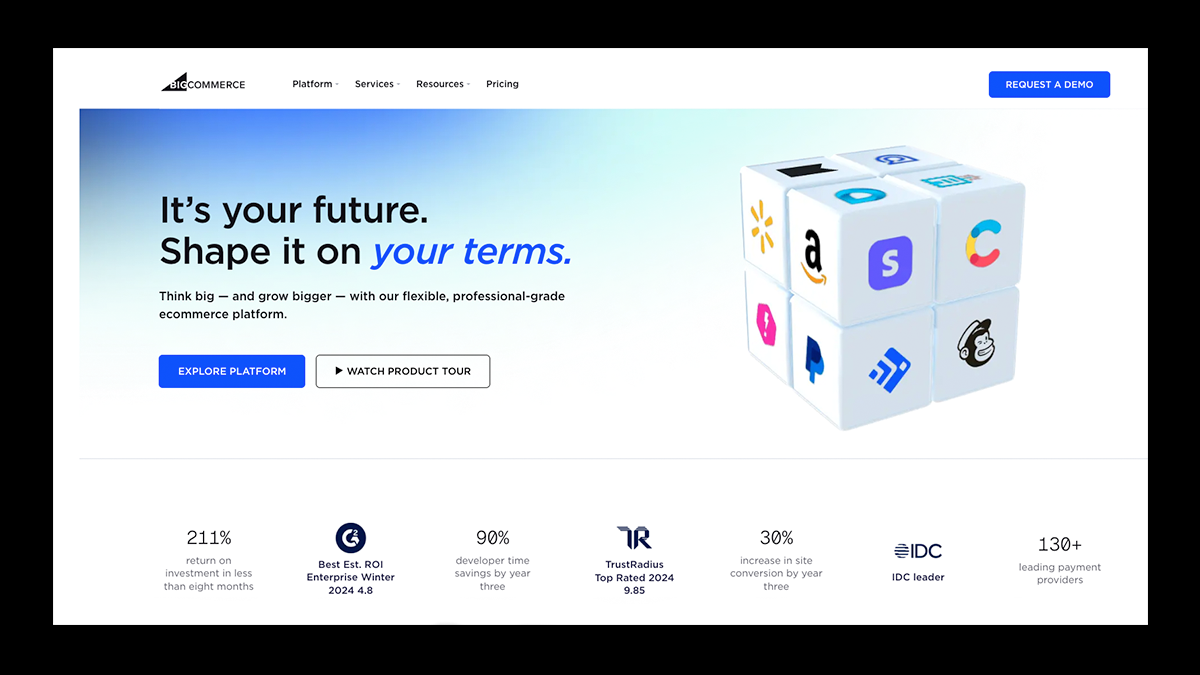
BigCommerce is designed for businesses that want the flexibility of WordPress without taking on the full technical load of running an eCommerce system.
It uses a hosted, headless setup that lets WordPress focus on content and design, while BigCommerce powers products, checkout, and payments behind the scenes.
The setup requires creating a BigCommerce account and connecting it to your site, which is more involved than installing a typical plugin.
That said, the process is well documented and structured, making it manageable for teams that want a more robust foundation.
The biggest advantage of this approach is performance and stability. BigCommerce processes inventory, orders, and payment transactions on its own servers, reducing strain on your website and keeping pages loading quickly.
As traffic and order volume grow, this separation helps stores scale smoothly without the performance issues that often appear on self-hosted platforms.
💰 Pricing
- Standard Plan: $29/month (billed annually) — Designed for individuals and small brands, with support for up to $50K in online revenue, unlimited products, 0% added payment fees, and 24/7 live phone and chat support.
- Plus Plan: $79/month (billed annually) — Built for growing businesses, this plan supports up to $180K in annual revenue and adds more advanced selling tools while still charging no extra transaction fees.
- Pro Plan: $299/month (billed annually) — Best for fast-scaling stores, with support for $400K+ in online revenue, advanced features, and the same 0% added payment fees and round-the-clock support.
- Enterprise Plan: Custom pricing — Tailored for established businesses earning $1M+ annually, offering custom terms, advanced capabilities, and dedicated support.
✅ Pros
- Highly scalable infrastructure built for large catalogs and high traffic
- Hosted eCommerce backend reduces technical maintenance
- Built-in multi-channel selling across marketplaces and social platforms
- Strong security with managed PCI compliance and payment processing
- No additional transaction fees on standard plans
❌ Cons
- Monthly cost is higher than plugin-based solutions like WooCommerce
- More complex initial setup, especially with WordPress headless integration
- Requires managing two dashboards for content and commerce
- Less backend code control compared to fully self-hosted platforms
3. Shopify

Shopify is the go-to choice for sellers who want to launch an online store without getting stuck in technical setup or platform maintenance.
It’s a fully hosted eCommerce solution that handles hosting, security, updates, and checkout, so you can focus on products and sales rather than infrastructure.
Shopify supports physical goods, digital products, subscriptions, and services, with built-in payment processing and access to a massive app marketplace for added functionality.
Its drag-and-drop editor makes store design simple, while Shopify POS allows you to sell in person and keep inventory, orders, and customer data in sync.
With robust tools for dropshipping, print-on-demand, marketing, and analytics, Shopify is especially well-suited for beginners and fast-growing brands that need reliability and scalability.
💰Pricing
- Basic: $39/month ($29/month billed annually) — Full online store with core eCommerce features.
- Grow: $105/month ($79/month billed annually) — Advanced reports, lower transaction fees, more staff accounts.
- Advanced: $399/month ($299/month billed annually) — Custom reports, advanced shipping, lowest transaction fees.
- Plus: Custom pricing — Enterprise features for large, high-volume businesses.
✅ Pros
- Very easy to use, even with no technical experience
- Fully hosted with reliable performance and strong security
- Large app ecosystem for marketing, dropshipping, and fulfillment
- Excellent point-of-sale tools for in-person selling
- 24/7 customer support via chat and email
❌ Cons
- Monthly fees add up as you scale
- Many key features require paid apps
- Limited checkout and backend customization
- Extra transaction fees if not using Shopify Payments
4. Sellfy
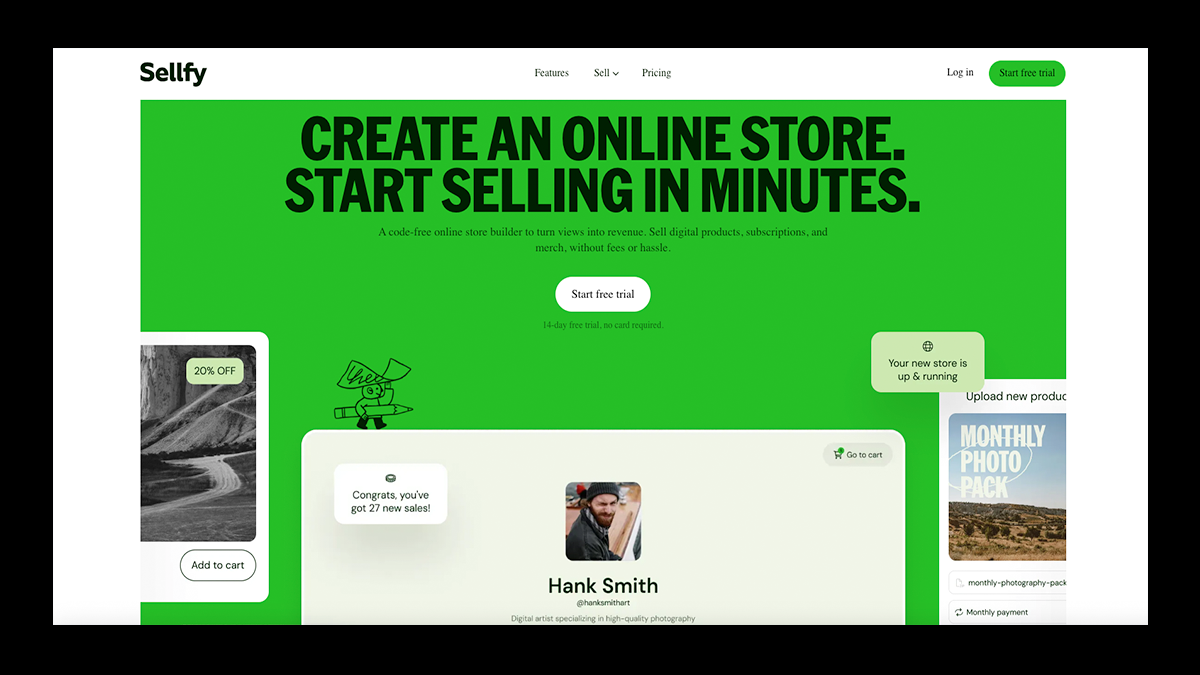
Sellfy is what you use when you want to turn your ideas into products and start selling the same day.
Built for creators and small businesses, it makes it easy to sell digital products, subscriptions, print-on-demand merch, and simple physical goods without the complexity of a store setup.
The platform includes a ready-made storefront, embeddable checkout options, and built-in marketing tools, including email campaigns, upsells, discounts, and cart abandonment recovery.
Payments run through Stripe and PayPal, print-on-demand fulfillment is handled for you, and analytics stay simple and readable.
For anyone looking for a fast, affordable, low-maintenance way to sell online, Sellfy keeps eCommerce refreshingly straightforward.
💰Pricing
- Starter: $22/month — For creators starting out, up to $10K in annual sales.
- Business: $59/month — For growing brands, up to $50K in annual sales, includes upsells and cart abandonment.
- Premium: $119/month — For high-volume sellers, up to $200K in annual sales with priority support.
✅ Pros
- Extremely easy to set up and use, even for first-time sellers
- Built-in marketing tools like email campaigns, upsells, and cart recovery
- Strong focus on digital products, subscriptions, and print-on-demand
- No transaction fees, which protects margins
- Easy embedding into existing websites and social platforms
❌ Cons
- Limited design customization compared to larger platforms
- Not ideal for large stores or complex product catalogs
- Smaller app and integration ecosystem than WooCommerce or Shopify
5. Ecwid

Ecwid is a smart choice for businesses that already have a website and want to start selling without rebuilding everything from scratch.
Instead of forcing you into a full site migration, Ecwid lets you embed a complete online store into almost any website, blog, or social platform using simple widgets.
It supports physical products, digital goods, subscriptions, and even dropshipping, while handling hosting, security, and PCI compliance behind the scenes.
Ecwid also shines with multi-channel selling, allowing you to sell on your site, social media, marketplaces, and in person via POS integrations.
For small catalogs and growing brands, it offers a lightweight, flexible eCommerce setup without the overhead of a full WooCommerce build.
💰Pricing
- Starter: $5/month — Small catalogs and basic selling.
- Venture: $30/month — Up to 100 products, app access, custom domain.
- Business: $55/month — Larger catalogs, mobile POS, product filters.
- Unlimited: $130/month — Unlimited products, advanced POS, priority features.
✅ Pros
- Easy to embed into existing websites and social platforms
- No transaction fees on top of payment processor costs
- Supports multi-channel selling and POS options
- Strong product management for small to mid-size stores
- Lower pricing than many full eCommerce platforms
❌ Cons
- Limited design flexibility in the built-in site builder
- Checkout and settings can feel fragmented
- Advanced features require higher-tier plans
- Not ideal for very large or highly customized stores
6. SureCart
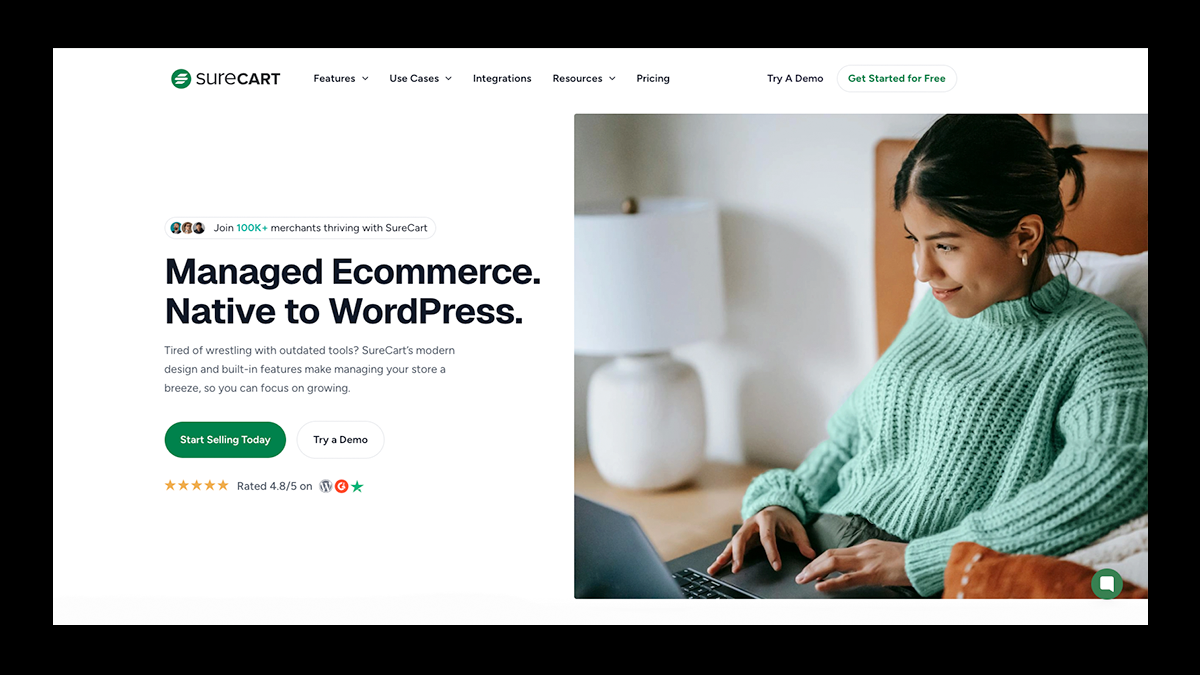
SureCart is for WordPress users who want to sell online without dealing with heavy plugins or complicated setups.
It does a great job of adding eCommerce features to your site in a clean, lightweight way that keeps pages fast and easy to manage.
You can sell digital products, subscriptions, services, and physical items using a modern checkout that looks polished and converts well.
Payments, taxes, VAT, and currency conversion are handled automatically, reducing much of the manual work store owners usually handle.
With built-in tools for upsells, order bumps, abandoned cart recovery, and recurring payments, SureCart makes it easier to focus on selling rather than maintaining your store.
💰Pricing:
- Launch Plan: $0 — Built for startups and freelancers who want to get started quickly. Includes all core eCommerce features with a 1.9% transaction fee on sales.
- Pro (Pay Yearly): $179/year — Best for growing businesses that want predictable costs. This plan removes transaction fees and includes full access to every feature SureCart offers. Introductory pricing applies; renewals are billed at the standard rate shown at checkout.
- Pro (Lifetime): $599 one-time — Designed for businesses that prefer to pay once and keep full access forever. There are no transaction fees, and all future updates and features are included.
✅ Pros
- Very fast, lightweight plugin that doesn’t bloat WordPress sites
- Excellent support for subscriptions, installments, and recurring payments
- Modern, customizable checkout with strong conversion tools
- Handles taxes, VAT, and currency conversion automatically
- Easier setup and cleaner workflow than WooCommerce
❌ Cons
- Smaller ecosystem than WooCommerce
- Limited bulk inventory and order editing tools
- Works only with WordPress
- Some advanced features include additional usage-based fees
7. MemberPress
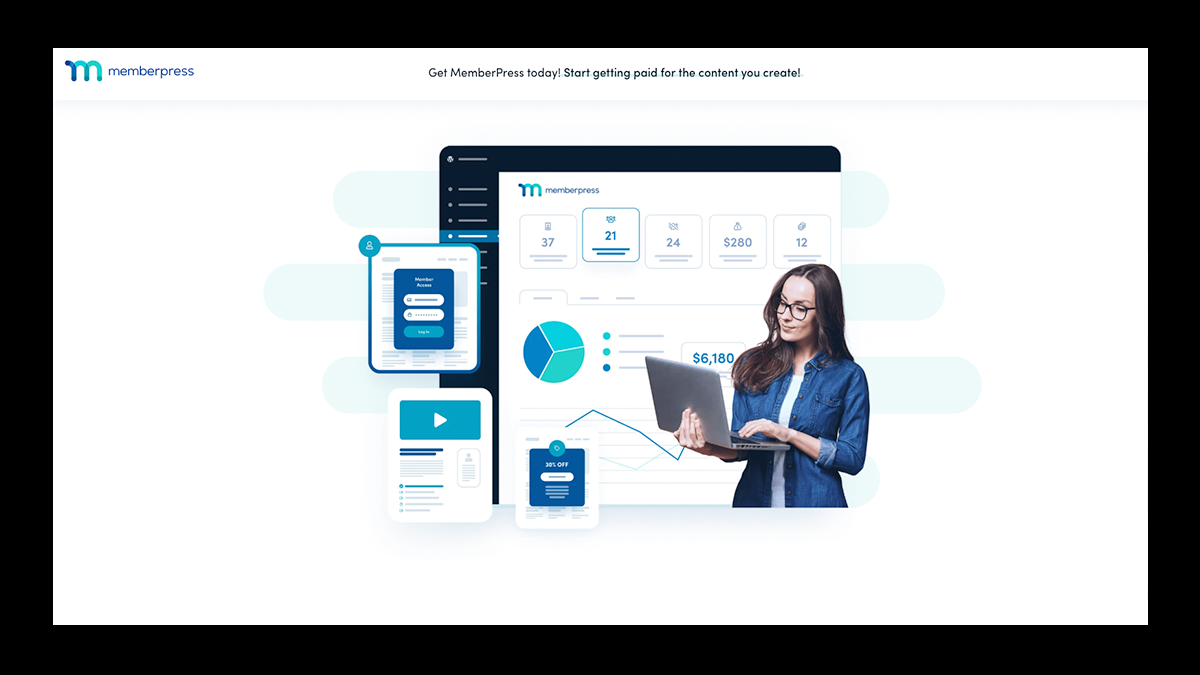
MemberPress is a WordPress plugin designed for memberships, courses, and subscriptions.
You can protect pages, posts, categories, and files with detailed access rules, then drip content over time to keep members engaged.
MemberPress also includes built-in course creation, flexible pricing tiers, and native support for one-time payments and recurring billing without relying on extra extensions.
For digital-first businesses, it offers a cleaner and more focused alternative to WooCommerce’s store-first approach.
💰Pricing
- Launch Plan: $199.50/year — Includes unlimited members, full subscription management, content protection, unlimited courses and lessons, coupons, and essential LMS tools.
- Growth Plan: $349.50/year — Removes transaction fees and adds community features, advanced LMS tools, certificates, content dripping, expanded payment options, marketing integrations, and priority support.
- Scale Plan: $499.50/year — Includes everything in Growth plus affiliate tools, gifting, advanced file protection, developer APIs, and premium support.
✅ Pros
- Excellent tools for memberships, subscriptions, and gated content
- Built-in course creation and learning features
- Simple setup with a beginner-friendly WordPress dashboard
- Strong support for recurring payments and flexible pricing
- Integrates well with email tools, payment gateways, and LMS platforms
❌ Cons
- Not designed for selling physical products
- Limited storefront and catalog features
- Design flexibility depends on your WordPress theme
8. Squarespace

Squarespace works best for businesses that want their storefront to feel like a brand experience, not just a product catalog.
It combines a powerful website builder with native eCommerce tools, so you can sell products, services, digital downloads, and subscriptions without relying on plugins or third-party add-ons.
Blueprint AI helps you launch quickly by generating layouts, pages, and styling based on your business goals, while Squarespace’s templates deliver a clean, professional look out of the box.
Selling features like abandoned cart emails, product reviews, discounts, and flexible shipping are built in and easy to manage.
For creatives and service-driven brands that want simplicity, strong design control, and reliable hosting, Squarespace offers a more curated alternative to WooCommerce.
💰Pricing
- Basic: $16/month (billed annually) — Entry-level selling with transaction fees.
- Core: $23/month — Better analytics and selling tools for small businesses.
- Plus: $39/month — Advanced discounts, subscriptions, and integrations.
- Advanced: $99/month — Built for established stores with deeper commerce features
14-day free trial included.
✅ Pros
- Industry-leading templates with strong visual customization
- Built-in eCommerce features without third-party plugins
- AI tools for site setup, branding, copywriting, and SEO
- Sell products, services, digital downloads, and subscriptions
- Reliable hosting with 24/7 support
❌ Cons
- Limited currency display for international selling
- Smaller extension ecosystem than WooCommerce or Shopify
- Less backend flexibility for complex eCommerce workflows
9. Easy Digital Downloads
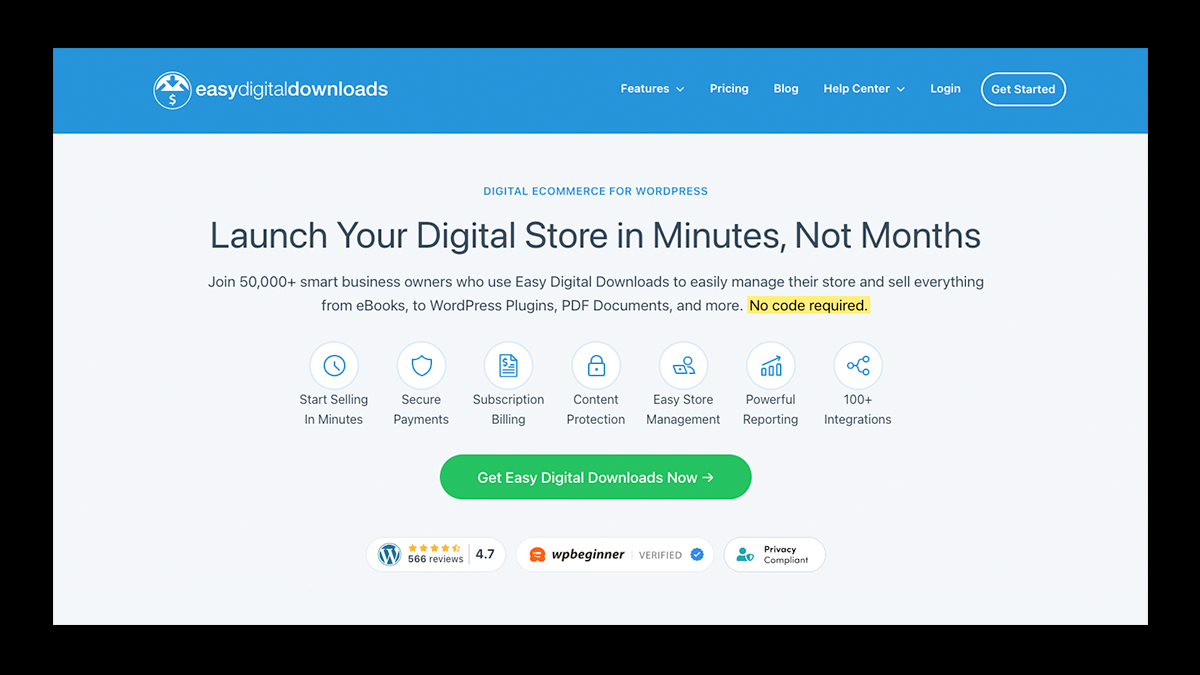
Another WordPress plugin designed from the ground up for creators who want to sell digital products without the extra complexity WooCommerce brings along.
It includes tools for secure file delivery, download limits, licensing, subscriptions, and recurring payments, all managed from a streamlined dashboard.
The plugin also offers detailed sales reports, customer management, and flexible checkout options tailored for digital goods.
Because it’s lightweight and purpose-built, stores tend to load faster and feel easier to manage than general eCommerce setups.
For digital-first businesses, Easy Digital Downloads provides a simpler, more focused way to sell online.
💰Pricing
- Free: $0 — Unlimited digital products, Stripe and PayPal payments, basic cart, download tracking.
- Personal: $199/year — Marketing integrations, upsells, lead magnets, standard support.
- Extended: $399/year — Subscriptions, multi-currency, additional payment methods.
- Professional: $599/year — Software licensing, key generation, premium support.
- All Access Pass: $999/year — Full feature set, advanced security, enhanced customer tools.
✅ Pros
- Built specifically for selling digital products
- Lightweight and faster than general eCommerce plugins
- Strong tools for downloads, subscriptions, and licensing
- Integrates smoothly with WordPress themes and workflows
- Supports major payment gateways like Stripe, PayPal, Apple Pay, and Google Pay
❌ Cons
- Not suitable for physical products
- Advanced features require paid extensions
- Smaller ecosystem than WooCommerce
- Can feel complex for beginners at first
10. Adobe Commerce

Formerly known as Magento, Adobe Commerce is an enterprise-grade platform designed to handle complex product catalogs, custom pricing rules, multi-storefront setups, and global selling at scale.
Teams can customize everything from checkout logic to backend workflows, connect deeply with ERPs and CRMs, and even run headless storefronts using PWA Studio.
Adobe Commerce also includes advanced B2B features, powerful APIs, and personalization tools through Adobe’s broader Experience Cloud.
For large brands with development resources, it offers flexibility and scalability that WooCommerce simply can’t match.
💰Pricing
- Custom Enterprise Pricing: Based on annual revenue — Licenses typically start at $22,000 per year, with total costs increasing based on hosting, development, and ongoing maintenance.
✅ Pros
- Extremely powerful and flexible with full code-level control
- Built-in support for large catalogs, multi-storefronts, and international selling
- Advanced B2B features like custom pricing, company accounts, and purchase orders
- Strong integration capabilities via REST and GraphQL APIs
- Scales reliably for high traffic and enterprise-level operations
❌ Cons
- High upfront and ongoing costs
- Steep learning curve for non-technical teams
- Requires developers or an agency for setup and maintenance
- Not suitable for small businesses or simple stores
Ready to Build Your Store Without the Extra Work?
If you want a high-performance eCommerce solution that removes friction rather than adds it, Fourthwall is worth a serious look.
It gives you everything you need to launch a polished online store, whether you’re selling physical products, digital downloads, memberships, or subscriptions.
Production, payments, taxes, and fulfillment are handled for you, so you can focus on growing your brand instead of managing plugins and updates.
If your business needs lean toward speed, simplicity, and built-in monetization tools, Fourthwall offers a cleaner path forward than traditional WordPress setups.
Start for free, test your ideas quickly, and scale only when you’re ready.
FAQ: WooCommerce Alternatives
Is WooCommerce good for beginners?
WooCommerce can work for beginners, but it has a steeper learning curve than many hosted platforms.
You’re responsible for hosting, updates, plugins, and security, which can feel overwhelming if you’re new to WordPress.
Many beginners prefer a more managed eCommerce platform to launch faster.
What is the best WooCommerce alternative for small businesses?
The best alternative depends on your goals and technical comfort level.
Platforms like Fourthwall and Shopify are popular for ease of use, while tools like Ecwid work well if you already have a website.
Creator-focused platforms are often better for selling digital downloads or memberships.
How does Shopify compare to WooCommerce?
Shopify is a fully hosted platform that handles hosting, security, updates, and checkout, so you don’t have to manage the technical side of your store.
WooCommerce, on the other hand, runs on WordPress and offers deeper customization, but it also requires you to handle hosting, updates, and maintenance yourself.
When it comes down to it, Shopify prioritizes ease of use and speed to launch, while WooCommerce prioritizes flexibility and control.
Is BigCommerce better than WooCommerce?
BigCommerce is better for businesses that want strong performance and scalability without managing servers.
It offloads checkout, inventory management, and payment gateways to its own infrastructure.
WooCommerce is more flexible but puts more responsibility on the store owner.
Can I sell digital downloads without WooCommerce?
Yes, you can sell digital downloads without WooCommerce using platforms like Fourthwall, Sellfy, Easy Digital Downloads, or MemberPress.
These tools are built specifically for digital products and subscriptions, making them easier to manage than a full WooCommerce setup.
They also handle secure delivery, payments through Stripe or PayPal, and recurring billing with fewer moving parts.
Matt Keyser is a writer at Fourthwall who lives at the intersection of social media and Creator culture. With 4+ years of experience covering industry trends, his work focuses on helping Creators and brands understand how to turn their passion into a thriving business while maintaining a constant pulse on the latest eCommerce and social media trends.


You might also like

What to Sell Online: How to Find a Product People Want

8 Best Spreadshirt Alternatives for Print-on-Demand in 2026

7 Best Sellfy Alternatives for Creators and Brands in 2026

27 Best Digital Products to Sell as a Creator
.webp)
Top 8 Wix Alternatives for Creators Building an Online Store in 2026

How to Create and Sell Print on Demand Journals and Notebooks

9 Gumroad Alternatives for Digital Creators in 2026

10 Best Stan Store Alternatives for Creators in 2026

9 Best Patreon Alternatives for Creators in 2026

Keep up with the latest from Fourthwall
New features, product updates, trend breakdowns, and creator stories — straight to your inbox.