
Top 8 Wix Alternatives for Creators Building an Online Store in 2026
Compare fees, features, and fit across 8 Wix alternatives to find the platform that matches how you sell.
.webp)


The best Wix alternatives in 2026 are Fourthwall, Squarespace, Shopify, WordPress, Webflow, Hostinger, GoDaddy, and Weebly. Fourthwall is the best pick for creators building an online store who want merch, memberships, and digital products in one branded storefront with no monthly fee. Creators typically switch from Wix because paid plans get expensive as they scale, native ecommerce falls short of dedicated stores, and the free plan forces a Wix-branded subdomain.
Creators pick Wix for its drag-and-drop editor, template library, and the fact that a beginner can put a site online in an afternoon.
For a portfolio, a small brochure site, or a personal page, Wix is often enough.
The trouble starts when you want to earn money through your site. Wix paid plans get expensive quickly as you grow, its native ecommerce is narrower than platforms built for selling, and the free plan forces a Wix-branded subdomain instead of your custom domain.
In this guide, we'll explore the best Wix alternatives to help you find a platform that fits how you actually plan to make money online.
Wix Alternatives at a Glance
1. Fourthwall
Average customer rating: Trustpilot: 4.3 (350+ reviews)
Fourthwall is the best alternative to Wix for creators building an online store, especially anyone who wants merch, memberships, and digital products living in one branded storefront rather than bolted onto a general website builder.
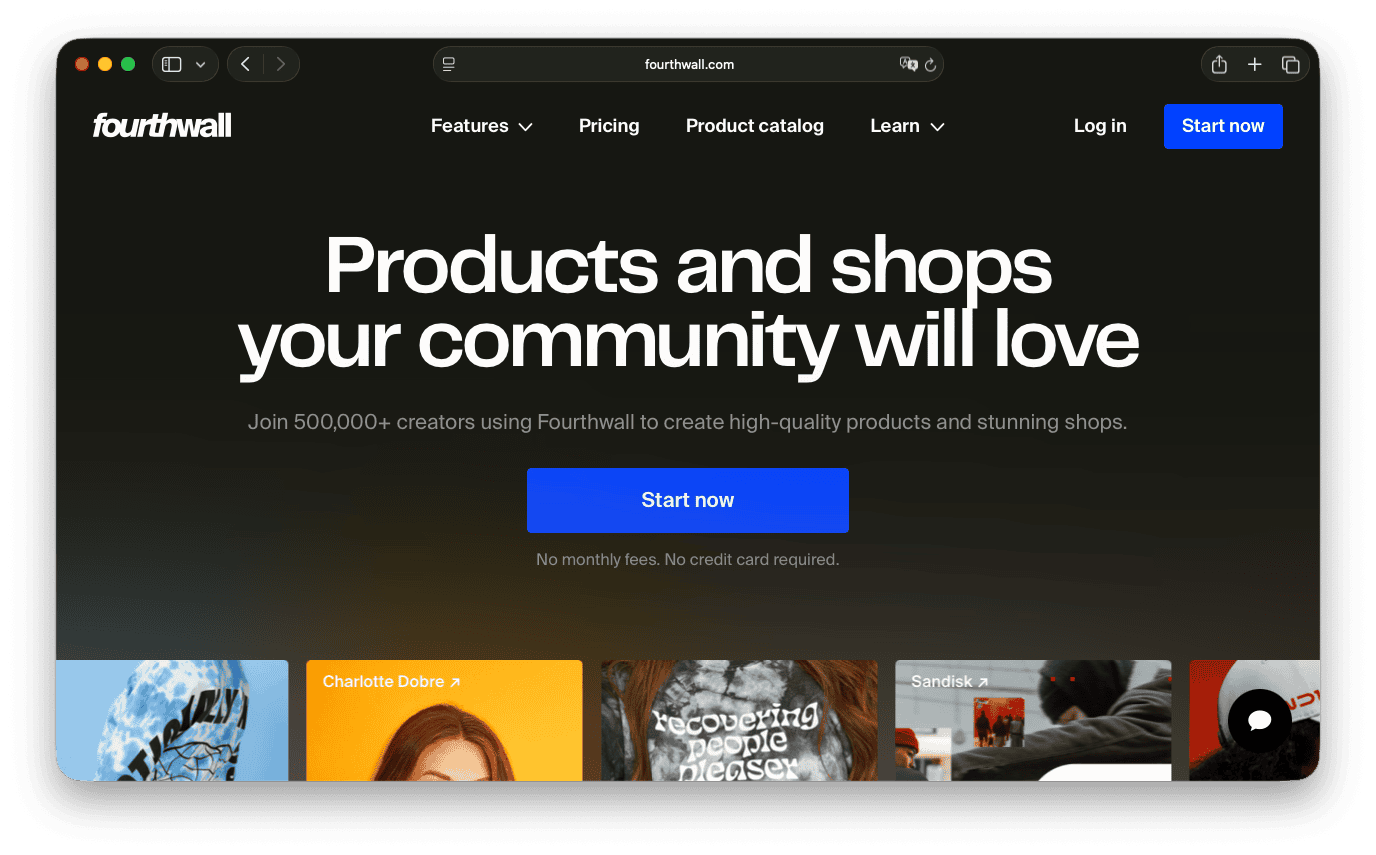
Fourthwall is an all-in-one commerce platform for creators, combining a fully branded online shop, a no-code website builder, print-on-demand merch, digital products, and memberships.
You design the storefront yourself with 1,000+ fonts available, layouts you can drag around, and full custom HTML and CSS when you need it. On the free plan, you can even connect your own domain, something most website builders reserve for paid tiers.
Unlike Wix, Fourthwall acts as Merchant of Record for applicable transactions, so it calculates, collects, and remits sales tax and VAT on your behalf. For its catalog products, Fourthwall handles production, shipping, and end-customer support through its fulfillment network. You set the retail price above the product's base cost and keep the margin.
One reviewer summed up the fit for creators shopping for a website plus a store, Gallagher Green on Trustpilot, put it directly:
Pros of Fourthwall
- All-in-one creator commerce with branded storefront, physical products, digital products, memberships, and donations in one dashboard
- Merchant of Record handles sales tax and VAT for you on applicable transactions
- Free plan with a custom domain, plus $0 monthly subscription and no upfront inventory
- Hundreds of print-on-demand products with multiple production methods, no order minimums, and international fulfillment
- Native creator integrations including TikTok Shop, YouTube Product Shelf, Twitch Gifting, Discord role sync, and Instagram and Facebook shopping
- No-code website builder with 1,000+ fonts, drag-and-drop sections, custom HTML/CSS, and members-only pages
Cons of Fourthwall
- Built for creators with an audience rather than as a general small-business site builder, so it's a weaker fit if you don't plan to sell merch, digital products, or memberships
- Fewer template categories than a general website builder like Wix or Squarespace, since the design tools are tuned for creator storefronts
- No built-in marketplace discovery, so you need to bring your own audience through social, email, or SEO
A Summary of Fourthwall's Trustpilot Reviews
Across 350+ reviews, customers consistently point to how easy the platform makes it to set up and run a store, calling out the clean interface, flexible customization options, and dependable daily analytics.
Fourthwall Pricing
Getting started with Fourthwall is free. There's no monthly fee to launch your storefront and start listing digital products, merch, or memberships. Fees only kick in once you're generating sales:
- Digital products: 5% fee on Free, 0% on Pro
- Memberships: 5% fee on Free and Pro
- Card processing: 2.9% + $0.30 per transaction
Upgrading to Pro costs $19/month (or $15/month if billed annually) and removes the digital product fee entirely, while unlocking higher product and team limits, 24/7 priority support, and a free .store domain.
2. Squarespace
Average customer rating: Trustpilot: 3.5 (5.1K+ reviews)
Squarespace is the best alternative to Wix for creators building an online store who care about design polish and want a single tool for a marketing site and a small shop.

Squarespace's template library leans design-forward, and reviewers generally consider it one of the more polished starting points in the category.
The editor uses structured sections rather than the free-form drag-and-drop of Wix, which is more constrained but tends to produce cleaner-looking sites with less fiddling.
Every paid plan lets you sell products, services, or digital downloads, and Squarespace bundles blogging, email, scheduling with Acuity, and basic analytics into the same platform. That makes it a solid pick for service-based businesses, portfolios that also sell, and small stores where design credibility is more important than deep ecommerce operations.
Pros of Squarespace
- Polished, design-forward templates across most business categories
- Ecommerce, blog, scheduling, and email marketing available across paid plans
- Structured editor produces cleaner, more consistent layouts than free-form builders
- Free custom domain for the first year on annual plans
Cons of Squarespace
- No free plan, only a 14-day trial
- Transaction fees on the entry-level Basic plan run 2% on physical products and 7% on digital content and memberships, dropping on higher tiers
- Fewer third-party integrations than open platforms like WordPress or Shopify
A Summary of Squarespace's Trustpilot Reviews
Reviewers found the platform intuitive, praised responsive staff during setup, and said page-building was straightforward with efficient technical support. Complaints centered on domain linking and builder navigation difficulties, slow or unhelpful email support, and frustration over unexpected account-management limitations and extra steps.
Squarespace Pricing
Squarespace does not offer a free plan, but every site starts with a 14-day free trial.
Pricing starts at $12/month for Basic (billed annually), with a Core plan at $17/month and Advanced at $25/month.
A custom-quote Premium tier is available for larger service businesses.
3. Shopify
Average customer rating: G2: 4.4 (5K+ reviews)
Shopify is the best alternative to Wix for creators building an online store who need serious ecommerce infrastructure, large catalogs, complex inventory, or a mix of online and in-person sales.

Shopify is a dedicated ecommerce platform, not a general website builder. The store side is deep, with unlimited products, robust inventory, shipping labels, and carrier-negotiated rates. Discount rules, abandoned cart recovery, and a POS that ties online and in-person sales together round out the dashboard.
The other reason high-volume sellers choose Shopify is the app ecosystem. There are thousands of Shopify apps for print-on-demand, dropshipping, subscriptions, reviews, loyalty, and everything in between.
Shopify's downside is that adding those apps stacks monthly fees on top of the plan price, and the customization ceiling on the storefront is real unless you're comfortable with the Liquid template language or a headless setup.
Pros of Shopify
- Deep ecommerce built for high-volume selling, with strong inventory, shipping, and tax tools
- Huge app ecosystem to extend functionality, including print-on-demand and subscriptions
- Integrated online and in-person sales through Shopify POS
- Scales to enterprise volume through Shopify Plus
Cons of Shopify
- No free plan, only a 3-day trial (then $1/month for 3 months)
- App costs stack up quickly for anything Shopify doesn't do natively, like memberships or complex digital delivery
- Third-party transaction fees apply (2% on Basic) unless you use Shopify Payments
A Summary of Shopify's G2 Reviews
Shopify reviewers describe the setup process and store management as straightforward, even for non-technical users. The platform's depth, particularly its product management tools and app integrations, is often cited as a driver of efficiency and growth. A recurring caveat in reviews is the cost curve, with app add-ons and transaction fees frequently cited as expenses that build up faster than expected.
Shopify Pricing
Shopify starts with a Basic plan at $39/month billed monthly, or $29/month if you pay annually. Sellers who skip Shopify Payments pay an additional 2% fee on top of the standard processing fee, which is 2.9% + $0.30 online on Basic. That added fee drops as you move up tiers:
- Basic: 2%
- Grow: 1%
- Advanced: 0.6%
Card processing rates also improve at each tier. Shopify currently offers a 3-day free trial, followed by $1/month for the next 3 months.
4. WordPress
Average customer rating: Trustpilot: 3.7 (4.1K+ reviews)
WordPress is the best alternative to Wix for creators building an online store who want maximum long-term flexibility, control over their own site and data, and a platform they can grow into for years.

WordPress splits into two distinct versions:
- WordPress.com is the hosted, managed version with tiered plans
- WordPress.org is the free open-source software you install on your own hosting
Both share the same underlying platform, roughly 70,000 plugins, and thousands of themes, so the ceiling on what you can build comes down to what a developer is capable of coding.
For selling, WordPress typically pairs with WooCommerce, a free open-source ecommerce plugin.
Together, they scale from a small shop to a large product catalog, but the setup demands more from you than a hosted builder. You'll need to choose a host, keep WordPress and its plugins updated, and configure the ecommerce, tax, and shipping settings yourself.
Pros of WordPress
- Open-source and portable, you can move your site and data between hosts
- 70,000+ plugins and thousands of themes for anything from portfolios to large stores
- WooCommerce ecommerce with no platform revenue share
- Strong blogging and SEO tooling built into the core
Cons of WordPress
- Steeper learning curve than hosted builders like Wix or Squarespace
- Higher maintenance responsibility: Updates, security, and backups fall on you (or your host)
- True cost adds up across hosting, premium themes, plugins, and any developer help
A Summary of WordPress's Trustpilot Reviews
Reviewers were happy with the helpful staff and onboarding team for making site-building easy for beginners, with smooth, well-guided design results. On the negative side, a smaller group found the platform overly complicated and hard to navigate, and reported serious frustrations with website downtime, disappearing projects, unresponsive support, broken pages, and confusing layout tools.
WordPress Pricing
WordPress.com offers a free plan, then paid plans starting at $4/month for Personal (billed annually), with Premium at $8/month, Business at $25/month, and Commerce at $45/month. These are introductory annual rates that renew at a higher rate after the first term.
Payment fees run from 10% on Free down to 0% on Commerce, plus Stripe's standard 2.9% + $0.30 per transaction.
5. Webflow
Average customer rating: Trustpilot: 1.4 (230+ reviews)
Webflow is the best alternative to Wix for creators building an online store who care about design control, want production-quality code, and are willing to spend time in a more powerful editor.

Webflow is a visual designer aimed at designers, developers, and marketing teams that want the output of a hand-coded site without writing the HTML and CSS themselves.
Instead of pre-built blocks you rearrange, Webflow gives you the underlying box model, flexbox, grid, and CMS collections to work with, which means the design ceiling is very high, but the learning curve is steep.
It's a strong fit for brands where design and content strategy are important, and less obviously so for a simple store where the design speed of Squarespace or the ecommerce depth of Shopify would win.
Pros of Webflow
- Visual designer with real HTML/CSS output and full control over layout, typography, and interactions
- CMS collections for dynamic content like blog posts, case studies, or product catalogs
- Staging environments and version history for team workflows
- Free Starter plan for building and testing before publishing
Cons of Webflow
- Steeper learning curve than Wix, Squarespace, or Weebly
- Ecommerce works well but lacks depth, with lower product ceilings and fewer built-in commerce features than Shopify.
- Pricing gets complex quickly, since Site plans, Workspace plans, and add-ons like Optimize and Localize are billed separately
A Summary of Webflow's Trustpilot Reviews
A group of experienced creators highlighted the platform's deep customizability and its strength for building polished designs over the long term. Other reviewers found the builder complex to work with while getting sites fully functional, and noted costs could add up with add-ons and fees on top of the base plan.
Webflow Pricing
Webflow's core pricing covers site building and hosting, with ecommerce sold as a separate add-on plan.
Site plans:
- Starter: Free, build on a Webflow.io subdomain
- Basic: $15/month, custom domain, 300 static pages
- Premium: $25/month, adds Webflow CMS
For stores, Webflow layers on one of three ecommerce plans, priced by product volume and billed yearly:
- Standard: $29/month, 500 items, 2% transaction fee, custom shopping cart and checkout
- Plus: $74/month, 5,000 items, 0% transaction fee, unbranded emails
- Advanced: $212/month, 15,000 items, 0% transaction fee, unbranded emails
6. Hostinger
Average customer rating: Trustpilot: 4.6 (72K+ reviews)
Hostinger Website Builder is the best alternative to Wix for creators building an online store who want a functional site at the lowest possible starting price.

Hostinger keeps it simple, offering affordable hosting paired with an AI-assisted drag-and-drop builder at prices well below the rest of the category.
The editor covers the essentials (300+ templates, an AI website generator, a logo maker, and basic SEO) without trying to compete on depth with Squarespace or design flexibility with Webflow.
Ecommerce is available on paid tiers with no transaction fees and 100+ payment methods supported. It's a good fit for a lean small-business site, a portfolio, or a simple online store where price is the deciding factor.
The main downside is renewal pricing. Like most low-cost hosts, Hostinger's intro rates jump on renewal, so the second-year cost is what you should actually plan around.
Pros of Hostinger
- Lowest starting price in the category, well below Wix
- AI-assisted site builder with 300+ templates and a logo maker
- Ecommerce on paid tiers with 0% transaction fees and 100+ payment methods
- Bundled hosting, SSL, and email in the plan price
Cons of Hostinger
- Renewal pricing is meaningfully higher than the intro rate; plan for the second-year cost, not year one
- No free plan and no trial; plans are paid upfront, backed by a 30-day money-back guarantee
- Less design flexibility than Squarespace or Webflow, and fewer creator-specific features than a dedicated platform like Fourthwall
A Summary of Hostinger's Trustpilot Reviews
Reviewers praised responsive, helpful support staff who quickly resolved technical issues and guided them through setup, plus a user-friendly, reliable interface that made managing multiple domains and projects easy. A smaller number were unhappy with unexpected auto-renewal charges and occasional prolonged downtime, and some found it hard to reach human support for critical automated errors or account recovery issues.
Hostinger Pricing
Hostinger doesn't offer a free plan, but backs paid plans with a 30-day money-back guarantee rather than a trial. All plans are paid upfront for the full term, with the monthly rate reflecting that total divided by the number of months.
- Premium: $2.99/month intro, renews at $10.99/month
- Unlimited: $3.99/month intro, adds integrated ecommerce, renews at $16.99/month
- Cloud Startup: $7.99/month intro, renews at $25.99/month
Transaction fees are 0% across all plans.
7. GoDaddy
Average customer rating: Trustpilot: 4.4 (142K+ reviews)
GoDaddy Website Builder is the best alternative to Wix for creators building an online store who want the fastest possible path from "I need a website" to "my site is live," with domain, email, and builder all bundled.

GoDaddy's approach centers on getting you online fast and without friction.
Its Airo builder uses AI to generate a starter site from a short description in minutes, and every paid plan bundles a free domain, professional email, and hosting together, so beginners don't have to figure out which pieces they need.
GoDaddy’s main downsides are design and flexibility. Templates and the editor are more constrained than Squarespace, Wix, or Webflow, and the platform is priced and positioned for solo owners and very small businesses rather than serious ecommerce operators. It's a strong choice if you value setup speed and one-stop billing over design control or deep store features.
Pros of GoDaddy
- Fastest setup, with an AI site generator that produces a working starter in minutes
- Bundled domain, professional email, and hosting on paid plans
- Free plan available with 50 AI credits per month and no credit card required
- Simple, predictable pricing tiers without add-on plan sprawl
Cons of GoDaddy
- Design flexibility is limited compared with Wix, Squarespace, or Webflow
- Renewal prices are higher than intro rates and not always plainly shown on the plan cards
A Summary of GoDaddy's Trustpilot Reviews
Reviewers described the support staff as extremely helpful, patient, and knowledgeable, with attentive phone assistance that made even complex website setups feel straightforward and stress-free. Some noted frustrations with website instability, platform bugs, and account access issues, and a few felt support didn't always resolve these glitches effectively.
GoDaddy Pricing
GoDaddy offers a free plan with 50 AI credits per month and no credit card required.
Paid plans start at these rates when billed annually:
- Starter: $9.99/month, 150 AI credits/month, 1 site, sell unlimited products and services
- Professional: $24.99/month, 300 AI credits/month, 10 sites, advanced analytics
- Ultimate: $99.99/month, 750 AI credits/month, 50 sites, built for agencies and larger stores
8. Weebly
Average customer rating: Trustpilot: 1.2 (790+ reviews)
Weebly is the best alternative to Wix for creators building an online store who want a free plan with basic ecommerce and don't need much beyond a simple, straightforward site.

Weebly's drag-and-drop editor is one of the easiest to use among these platforms. Its free plan lets you sell, which is rare, and Square integration means payments, invoicing, and in-person Square hardware all plug in without any separate setup.
But templates and design flexibility have not kept pace with Squarespace or Webflow, third-party app support is thinner than Wix or Shopify, and the platform has not seen major feature investment in years.
It's a solid pick for a very simple site or a small Square-based business, and a poor fit for anyone who expects to grow into complex ecommerce or design-heavy content.
Pros of Weebly
- Genuinely free plan that includes basic ecommerce
- Straightforward drag-and-drop editor with a shallow learning curve
- Square integration for payments, POS, and in-person selling
- Custom domain on paid plans starting at $13/month
Cons of Weebly
- Templates and design tools feel dated compared with Squarespace, Wix, or Webflow
- Limited app ecosystem and fewer third-party integrations than Wix or Shopify
- Ongoing product investment is minimal, so major new features rarely land
A Summary of Weebly's Trustpilot Reviews
Some reviewers were satisfied with the basic platform, finding the simple setup well-suited for straightforward blogging and easy initial setup. Others found customer service slower to reach during urgent issues, and mentioned technical hiccups like login loops, disappearing pages, and editor glitches. A few also noted some disruption and billing confusion following a recent acquisition.
Weebly Pricing
Weebly has a free plan with basic ecommerce, including a shopping cart, unlimited items, and item options. Paid plans (billed annually) are:
- Personal: $13/month, connects a custom domain ($16 month-to-month)
- Professional: $15/month, adds customization ($20 month-to-month)
- Performance: $32/month, growth and operations features ($36 month-to-month)
Monthly billing costs more across all tiers.
How to choose the right Wix alternative
The fastest way to choose a Wix alternative is to weigh the criteria that will actually decide whether the platform still fits in a year, rather than which one looks best in a demo today.
Of everything in the table, one fit stands out for creators specifically. If you have, or are building, an audience and want a branded storefront that handles merch, memberships, and digital products in one place, start a Fourthwall shop for free and connect your own domain from day one.
FAQ
Fourthwall is the clearest Wix alternative for creators combining memberships and digital products with physical merch, running all three from one dashboard. Memberships carry a 5% fee with tiered pricing, perks, and Discord role sync; digital products carry a 5% fee on Free plan, dropping to 0% on the $19/month Pro plan. Wix lacks native memberships or digital-product delivery at this depth, so creators typically need multiple add-ons to replicate it.
The best way to add a print-on-demand store to an existing Wix site is to link out to a separate Fourthwall storefront through a menu link, "Shop" button, or subdomain. Wix supports embedding individual product pages via custom code, but not a full storefront, and checkout still routes back to Fourthwall. With 0% platform fees on physical merch on Fourthwall's free plan, most creators find it simpler to run the store standalone.
Streamers and YouTubers are typically better served by Fourthwall than Wix, since Fourthwall natively integrates with YouTube Product Shelf, Twitch Gifting, Twitch subscriber discounts, and TikTok Shop, letting fans buy merch without leaving the platforms they already watch on. Wix offers no equivalent creator-specific integrations. Fourthwall also supports membership tiers with Discord role sync, at a 5% platform fee on memberships, which matters for streamers building a paid community alongside merch sales.
The best Wix alternative for creators who want to sell merch is Fourthwall, since it combines a branded storefront with print-on-demand fulfillment, no order minimums, and a free plan with no monthly fee. It handles production, shipping, and end-customer support on catalog orders and acts as Merchant of Record for applicable sales tax, removing the operational friction Wix leaves to you.
Wix suits general-purpose sites, portfolios, blogs, or service businesses that sell occasionally, with a larger template library and more design flexibility. Fourthwall fits creator commerce specifically: merch, memberships, and digital products in one branded storefront, with fulfillment and sales tax handled as Merchant of Record. Wix's ecommerce also requires a paid plan, while Fourthwall is free to start. Choose based on whether your site's job is content or active selling.
Richard is Head of Organic Growth at Fourthwall, with 14+ years of experience in the creator economy and ecommerce. He’s built businesses across the spectrum—from print-on-demand stores to custom cut-and-sew clothing lines, as well as selling digital products. He helps creators navigate merch strategy and build sustainable businesses.


You might also like

8 Best TeePublic Alternatives for Artists in 2026

9 Best Printify Alternatives for Print-on-Demand in 2026

8 Best Spring (Teespring) Alternatives for Creators After Its Shutdown

30 Best Print on Demand Products for Creators in 2026 (From Tees to Plushies)

9 Best Kajabi Alternatives for Course Creators in 2026

What to Sell Online: How to Find a Product People Want

8 Best Spreadshirt Alternatives for Print-on-Demand in 2026

7 Best Sellfy Alternatives for Creators and Brands in 2026

27 Best Digital Products to Sell as a Creator

Keep up with the latest from Fourthwall
New features, product updates, trend breakdowns, and creator stories — straight to your inbox.