
10 Best Swarm Alternatives for Community Engagement


Building a successful online community requires more than just opening a Discord channel or a Facebook Group these days.
As a creator, you need to build a community space that not only provides your members with a place to post updates but also encourages meaningful interactions, ongoing participation, and genuine connections among them.
That’s where Swarm comes in. It's a video-first community platform that enables bite-sized video exchanges, letting members connect face-to-face in real time rather than chatting on discussion boards.
In this guide, we’ll break down how Swarm works, examine its pricing plans and features, and explore where it fits into today’s community builder landscape.
We’ll also highlight 10 alternative platforms that offer different tools for gamification, course creation, analytics, and monetization, so you can choose the right solution to grow and monetize your audience.
What Makes Swarm Stand Out?
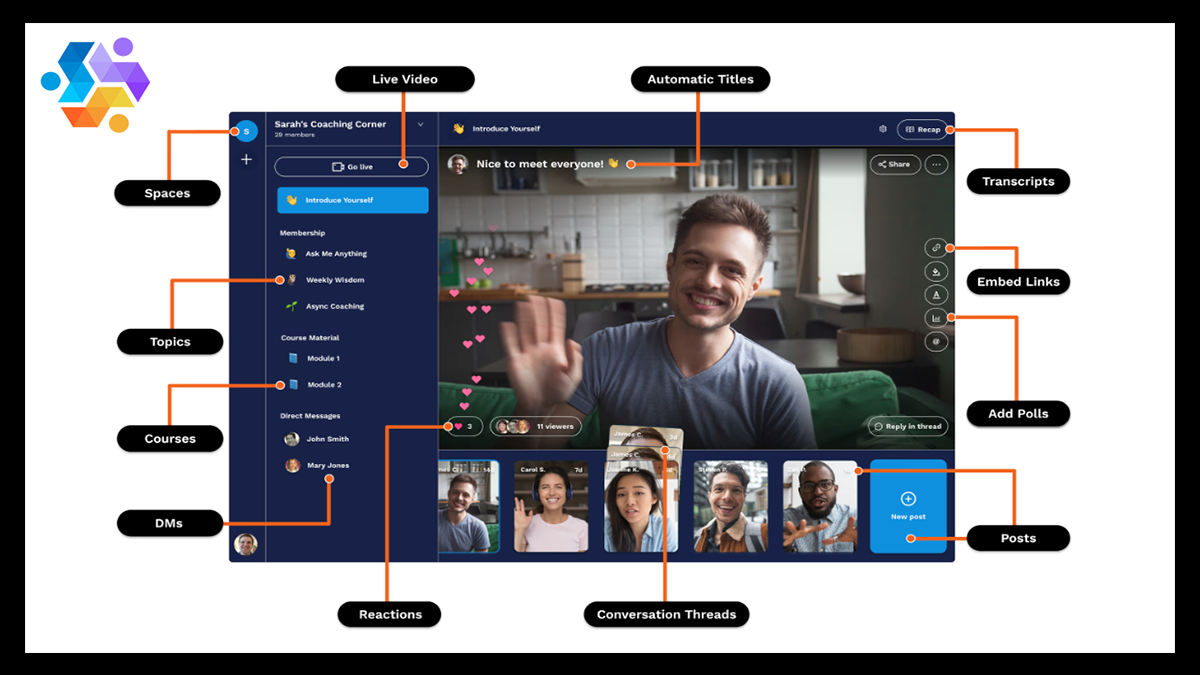
Community-driven tools are evolving fast, and creators now have more ways than ever to engage directly with their fans without relying solely on crowded social feeds.
Platforms like Swarm reflect that shift by offering a video-first community space where members connect through short, face-to-face exchanges that feel personal and authentic.
If you're looking to build stronger relationships with your followers by creating a more human experience, Swarm delivers the kind of connection that brings them back.
Here's why it stands out:
- Video-First Conversations: Swarm centers your community around bite-sized, asynchronous video exchanges that create face-to-face connections without requiring live meetings.
- Asynchronous Coaching & Discussions: Members can exchange video, voice, screen recordings, or text in threaded conversations that feel personal but don’t lock anyone into a schedule.
- White-Label Branded App: You can launch your own fully branded mobile and desktop app with a custom domain, logo, and push notifications.
- Built-In Monetization Tools: Swarm allows you to sell memberships, courses, digital downloads, masterclasses, and private coaching directly from your swarm.store URL.
- Live Video Hosting: Host webinars, masterminds, and group coaching sessions directly inside your community, with recordings automatically saved for replay.
- AI Assist: You get an integrated AI assistant that helps summarize conversations, generate responses, and streamline content creation inside your community.
- Searchable Video & Audio Transcripts: Members can instantly search keywords across video, audio, and text conversations, making content easy to revisit.
- Rich Messaging Threads: Organize discussions with video, screen sharing, voice notes, and text inside structured, topic-based threads.
- Course Creation Capabilities: Build structured lessons, add quizzes, and deliver educational content directly within your community space.
- Scalable Membership Plans: With tiered pricing plans that support up to unlimited members, Swarm is built to grow from a small coaching cohort to a large, revenue-generating community.
Swarm's Pricing Plans
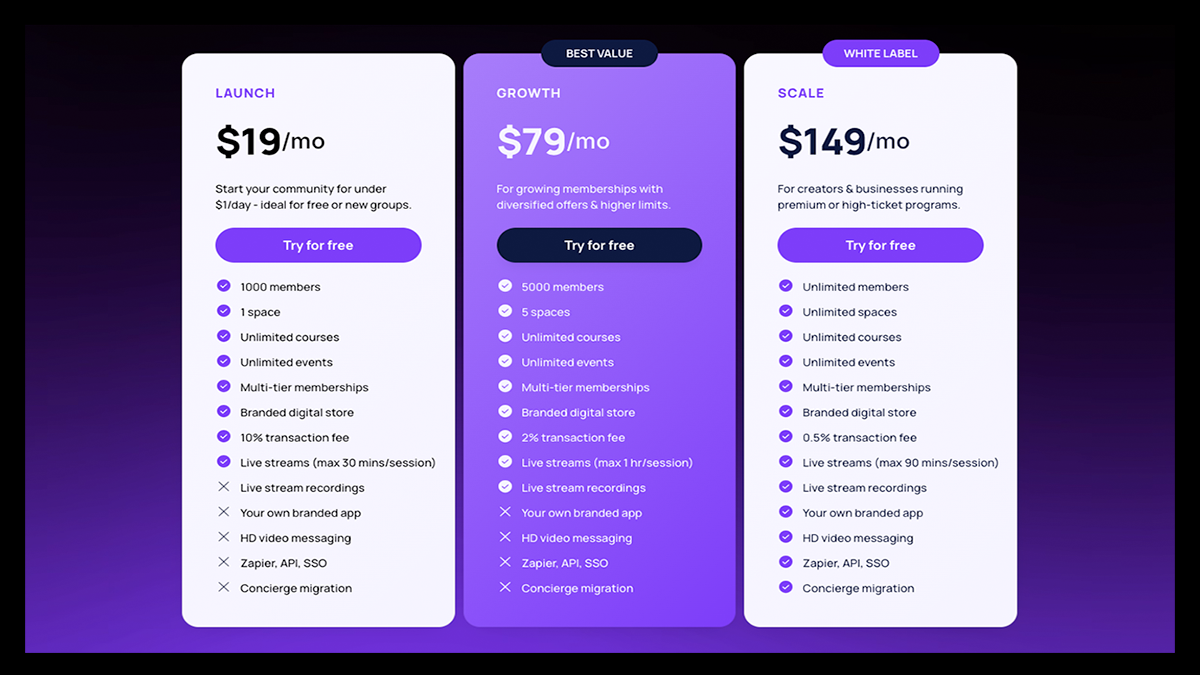
Swarm offers three scalable pricing plans designed to grow alongside your community.
As you move up, your member capacity limits expand and platform fees decrease, making it more cost-efficient for higher-volume communities.
Why You Might Want a Swarm Alternative?
There's no doubt that Swarm brings serious innovation to community building.
But let’s be real, no platform is perfect for everyone. What feels like a game-changer for one creator might feel limiting for another, especially as your audience grows.
If you’re thinking long-term about scale and flexibility, it’s worth taking a closer look at where Swarm shines and where another platform might give you more room to run.
- Limited Built-In Gamification: Unlike platforms such as Skool, Swarm doesn’t heavily emphasize gamification features like leaderboards, points systems, or achievement tracking to drive engagement.
- Learning Curve for Video-First Format: While asynchronous video is powerful, creators and members who prefer simple text-based forums may find the video-centric structure overwhelming at first.
- Less Advanced Marketing Automation: Swarm integrates with tools like Zapier, but it doesn’t offer the deep, native email marketing funnels and CRM systems that all-in-one platforms like Kajabi or GoHighLevel provide.
- Fewer Advanced Customization Options for Community Structure: Some competitors offer more flexibility in layout design, custom workflows, and modular community architecture.
- Pricing at Scale: While Swarm is affordable at entry-level tiers, its higher plans may seem too expensive as you start to grow. Other platforms offer more bundled marketing, funnel-building, or sales tools at comparable price points.
- Primarily Built for Coaches and Experts: Swarm shines for coaching and expertise-based communities, but creators focused on large-scale content networks, marketplace exposure, or public-facing discovery may prefer platforms designed around broader audience growth.
10 Swarm Alternatives for Community Building
1. Fourthwall
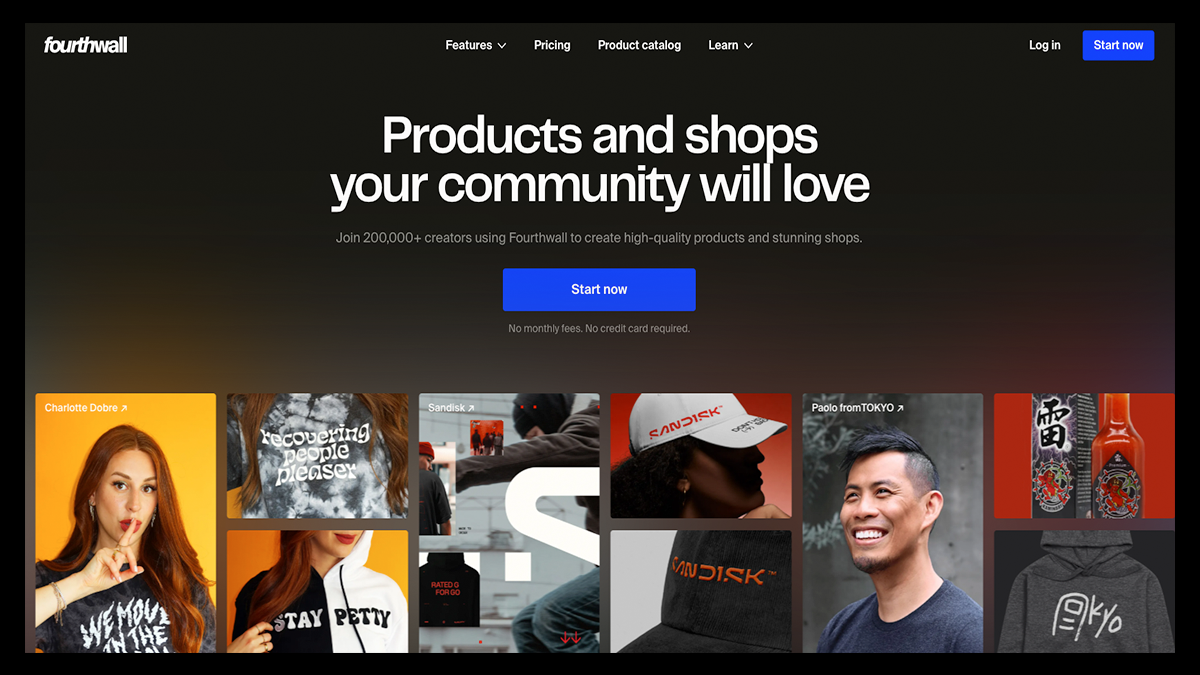
If your goal isn’t just to host conversations but to build a loyal, paying community around your brand, Fourthwall gives you the infrastructure to do exactly that.
It’s a private-label membership platform that lets you create a fully branded community space where your content, products, and identity stay front and center.
Instead of renting space on someone else’s platform, you can build a community you fully control while strengthening direct relationships with the people who genuinely support your work.
From hosting high-quality video content to sending targeted direct messages and tracking subscriber retention, Fourthwall is designed to help you grow, nurture, and monetize your community in one place.
Key Features That Make Fourthwall Stand Out
- Fully Custom Website Builder: Launch a professionally branded website with customizable layouts, landing pages, and product sections tailored to your audience.
- Print-on-Demand Merch Fulfillment: Design and sell 370+ physical products without holding inventory or handling shipping logistics.
- Digital Products & Online Course Sales: Sell eBooks, templates, gated videos, and downloadable resources directly from your storefront.
- Tiered Memberships & Subscriptions: Create recurring revenue with exclusive content, private posts, and members-only perks.
- YouTube Merch Shelf Integration: Display your products directly under your YouTube videos to capture high-intent buyers instantly.
- Twitch, TikTok Shop & Instagram Integrations: Connect your storefront to your social platforms for seamless, in-platform selling.
- Live Stream Purchase Alerts: Trigger real-time alerts through Streamlabs and StreamElements when fans buy during your streams.
- Built-In Email & Advanced Integrations: Sync with tools like Klaviyo and beehiiv to automate marketing and nurture your audience.
- Multiple Payment Options: Fourthwall accepts PayPal, Klarna, Apple Pay, and major credit cards to reduce friction at checkout.
- Advanced Analytics & Team Access: Track performance insights and collaborate with unlimited team members on higher tiers to scale efficiently.
Pricing
Free Plan: $0/month
- No platform fee on physical products
- 5% fee on digital products and memberships
- Fully customizable website builder
- Sell merch, digital products, and memberships
- Accept donations and tips
- Host gated video content
- Built-in email marketing tools
- Promo codes and giveaway links
- Sales tax, fulfillment, and shipping handled for you
Pro Plan: $19/month or $180/year
Everything in the Free Plan, plus:
- 0% digital product fees
- Free .store domain
- $10 monthly sample credit
- Advanced analytics
- Unlimited team members
- Priority support
2. Circle
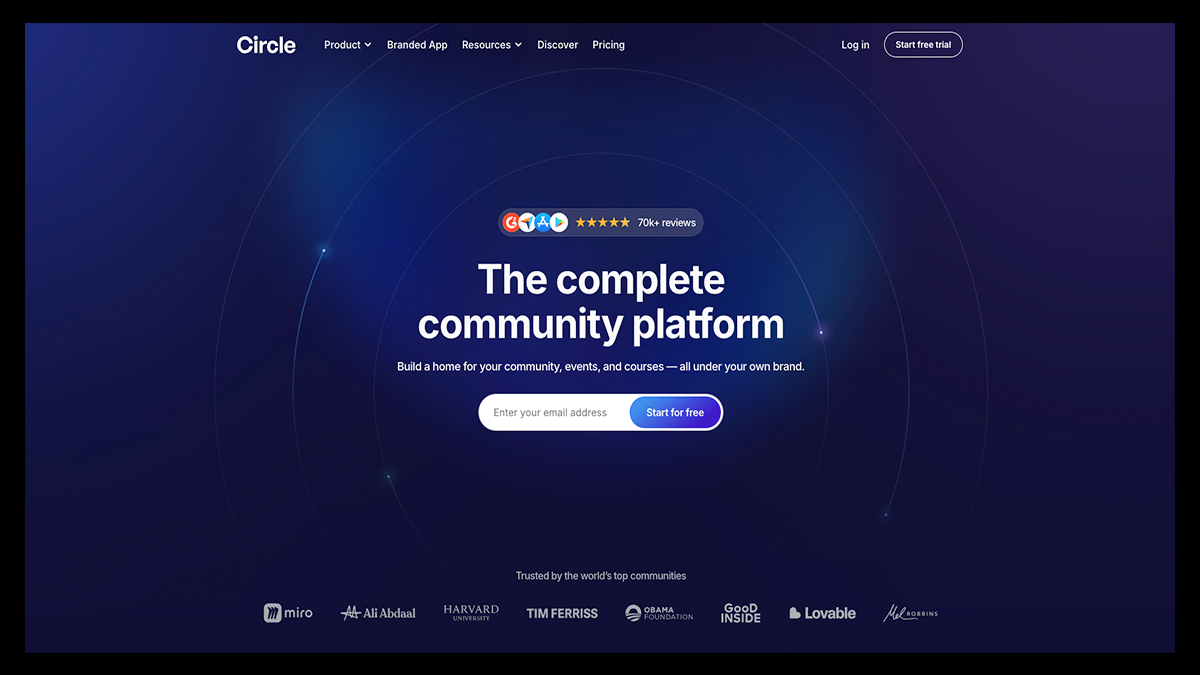
Circle continues to rank as one of the best overall community-building platforms thanks to its powerful organization system, strong branding controls, and advanced growth toolset.
It’s designed for creators, educators, and entrepreneurs who want more than just conversations but a fully operational community business with automation and clean architecture.
What really separates Circle from simpler platforms is how it organizes everything. Instead of throwing discussions and events into one endless feed, Circle uses Spaces and Space Groups to create a clean, hierarchical structure that keeps your community easy to navigate as it grows.
Key Features That Make Circle Stand Out
- Spaces & Space Groups Architecture: Organize discussions, courses, events, chats, and resource libraries into structured sections that prevent your community from becoming chaotic.
- Access Groups for Smart Permission Control: Bundle multiple spaces into centralized access groups so you can grant or update member permissions instantly without manual repetition.
- Native Paywalls with Flexible Pricing: Gate your entire community or specific spaces with subscriptions, one-time payments, installment plans, coupons, and free trials.
- AI Agents & AI Workflows: Deploy AI-powered assistants to onboard members, moderate posts, and automate repetitive tasks so your community runs 24/7 without burning you out.
- Gamification & Engagement Tools: Use leaderboards, badges, polls, live sessions, and activity scores to increase participation and retention.
- Built-In Website & Landing Page Builder: Create branded storefront pages, lead capture pages, and sales pages directly inside Circle.
- Advanced Automation & Email Campaigns: Run behavior-based email workflows and broadcasts through its Email Hub add-on for full-funnel engagement.
- Custom Branding & White-Labeling: Add your own logo, theme colors, custom domain, and even launch fully branded mobile apps with higher plans.
- Robust Analytics & Reporting: Track member activity across posts, spaces, events, and paywalls with deep insights into engagement and revenue.
- API & Third-Party Integrations: Connect to 30+ integrations or embed Circle functionality into custom websites using its headless Member API.
Pricing
Professional: $89/month
Includes core community-building features with a 14-day free trial.
- Unlimited members
- Courses, discussions, and events
- Website builder
- Live streams and live rooms
- Custom branding and custom domain
- Reporting and analytics
- Searchable member directory with rich profiles
- Paid memberships
- Gamification tools
- Weekly community digest
- Migration services for payments
Business: $199/month
Everything in Professional, plus advanced customization and automation tools.
- Workflows for automation
- Custom profile fields
- Headless Member API and Admin API
- Branded email notifications
- Content co-pilot
- Automated transcriptions
- Activity scores
Circle Plus: Custom Pricing
Everything in Business, plus enterprise-level features and dedicated support.
- AI Agents and AI-powered workflows
- Custom single sign-on (SSO)
- Highest limits for live sessions, storage, and workflows
- 10,000 Email Hub contacts included
- Lower transaction fees
- Advanced analytics
- Sandbox community for testing
- Priority technical support
- Concierge onboarding
3. Mighty Networks
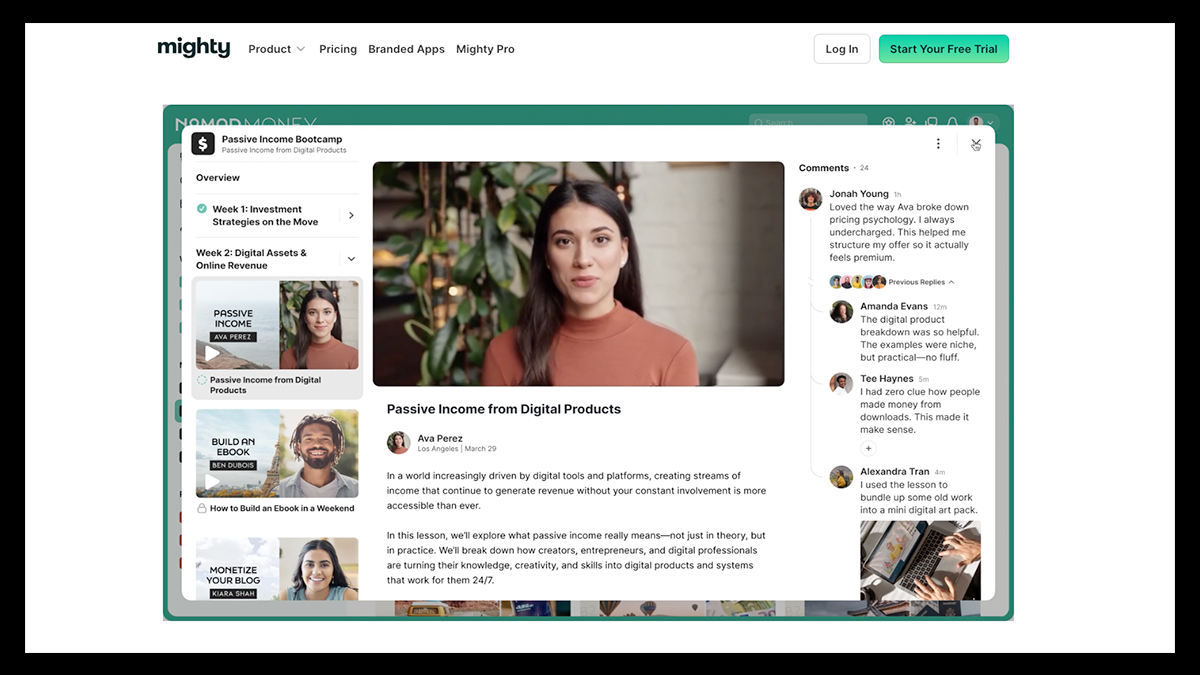
Mighty Networks is a community management platform built for creators who want to combine social interaction, courses, and live experiences into one cohesive environment.
Similar to Circle, it offers customizable Spaces that can house discussions, events, and learning programs, while providing a more flexible structure than many traditional community tools.
Its engagement-driven features are designed to encourage meaningful member participation while keeping everything centralized inside a branded, independent platform.
Key Features That Make Mighty Networks Stand Out
- Flexible Multi-Feature Spaces: Customize each Space to include feeds, chats, courses, events, and member directories all in one place, rather than separating features into rigid sections.
- Advanced Social Engagement Tools: Use icebreaker questions, streaks, and challenges to drive participation from the moment members join.
- People Magic Member Matching: Automatically highlight shared interests, professional backgrounds, or geographic proximity to spark meaningful connections.
- Visually Engaging Poll Formats: Create interactive polls like hot-or-cold voting, sliders, and open-ended responses that feel more native and harder to ignore.
- Native Livestreaming & Event Management: Host live workshops and masterminds with built-in RSVPs, reminders, and attendance tracking.
- Zoom Integration: Sync Zoom meetings and webinars directly into your event calendar while keeping attendance data centralized.
- Self-Paced & Cohort-Based Courses: Offer structured programs with drip content, quizzes, and community collaboration built directly into the learning experience.
- Smart Feed & Personalization Tools: Deliver a more relevant content experience with feed algorithms that prioritize engagement.
- Strong Membership Access Controls: Gate specific spaces, courses, and experiences with flexible membership rules.
- Branded Mobile Apps (Mighty Pro): Launch fully branded iOS and Android apps with your own identity on higher-tier plans.
Pricing
Launch: $95/month
- 3 hosts
- 10 moderators
- 20 single-feature spaces
- Unlimited members
- Mobile apps included
Scale: $215/month
- 5 hosts
- 15 moderators
- 40 multi-feature spaces
- Unlimited members
- Mobile apps included
Growth: $425/month
- 10 hosts
- 100 moderators
- 80 multi-feature spaces
- Unlimited members
- Mobile apps included
Mighty Pro: Custom Pricing
- Unlimited hosts, moderators, and spaces
- Fully branded mobile apps
- Dedicated strategy team
4. Bettermode
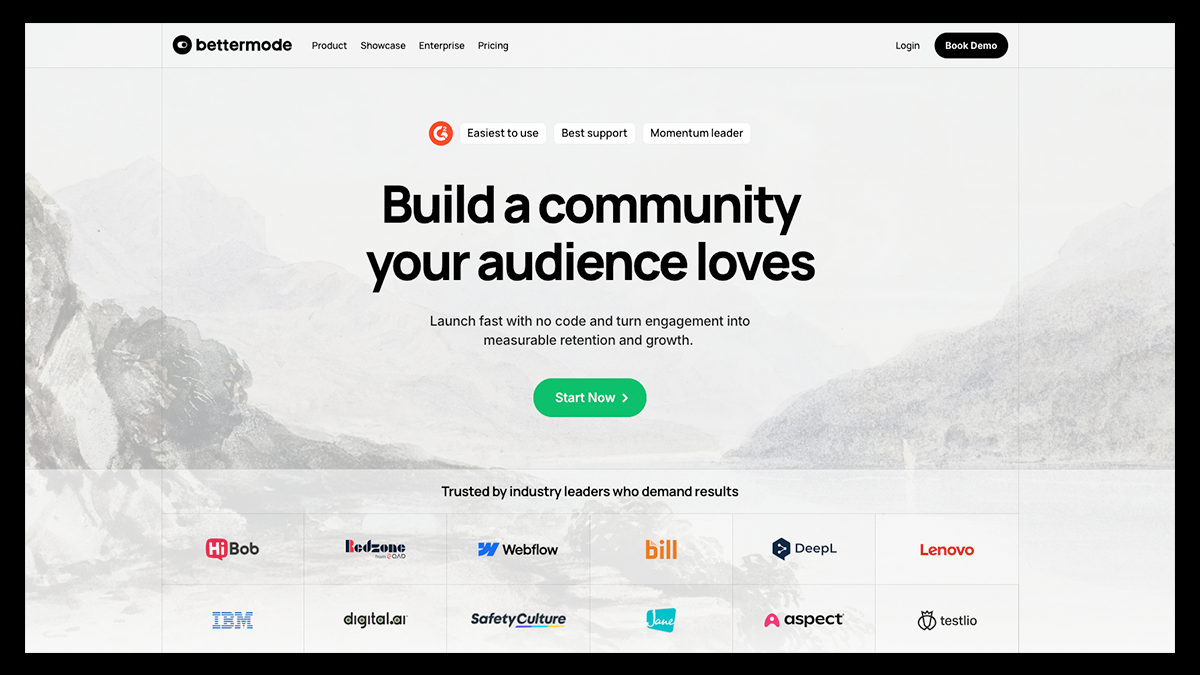
Bettermode is designed for startups, SaaS companies, and enterprise brands that want deep customization, structured content hubs, and serious moderation tools.
While platforms like Swarm prioritize conversational engagement, Bettermode focuses on infrastructure by giving you the flexibility to design a community that mirrors your brand’s identity down to the smallest detail.
Although it’s one of the more expensive options on this list, Bettermode isn’t built as a simple plug-and-play tool. Instead, it’s designed to help you create a fully customized ecosystem where members feel immersed in your brand experience rather than just participating in another generic social platform.
Key Features That Make Bettermode Stand Out
- 30+ Prebuilt Community Templates: Launch faster with ready-made templates for support forums, developer hubs, learning communities, job boards, and more.
- Advanced Block Builder: Design fully custom layouts for each Space using drag-and-drop blocks like leaderboards, accordions, tag filters, and embedded HTML.
- Custom App Builder (API & Webhooks): Create unique extensions and automate workflows by connecting your community directly to CRMs, analytics tools, and other platforms.
- Deep Branding & White-Labeling: Customize fonts, colors, layouts, domain, and UI elements to deliver a completely on-brand experience.
- Structured CMS Models: Build custom content types like knowledge bases, documentation, tutorials, or job listings with defined fields and publishing controls.
- AI-Powered Moderation Tools: Automatically detect spam, flag sensitive keywords, and monitor member behavior with built-in moderation systems.
- Detailed Analytics & Reporting: Track engagement, membership growth, moderation activity, and content performance with granular insights.
- Native Messaging & Group Chats: Enable private conversations and group messaging directly within your community environment.
- Event Hosting & RSVP Tools: Schedule and manage virtual events while allowing members to RSVP and receive reminders.
- Multi-Language Support: Localize your community interface so members can interact in their preferred language.
Pricing
Starter: $399/month
- Up to 10,000 members
- Up to 5 collaborators
- Custom domain
- Basic analytics
- Core apps (Q&A, discussions, events, polls)
- Private messaging and chat
- Social login
- Chat and email support
- Integrations
Growth: $1,500/month
- Up to 25,000 members
- Up to 10 collaborators
- Ask AI and federated search
- Remove “Powered by Bettermode” branding
- Sender email customization
- API, webhooks, and sandbox environment
- Activity log
- Onboarding and migration support
- OAuth2
- Integrations
Premium: Contact for pricing
- Up to 100,000 members (overages may apply)
- Up to 20 collaborators (overages may apply)
- Audit log (90 days)
- SOC 2, JWT, and SAML
- Customer Success Manager
- 99.9% uptime SLA
- Custom billing
- Security and legal review
5. Skool
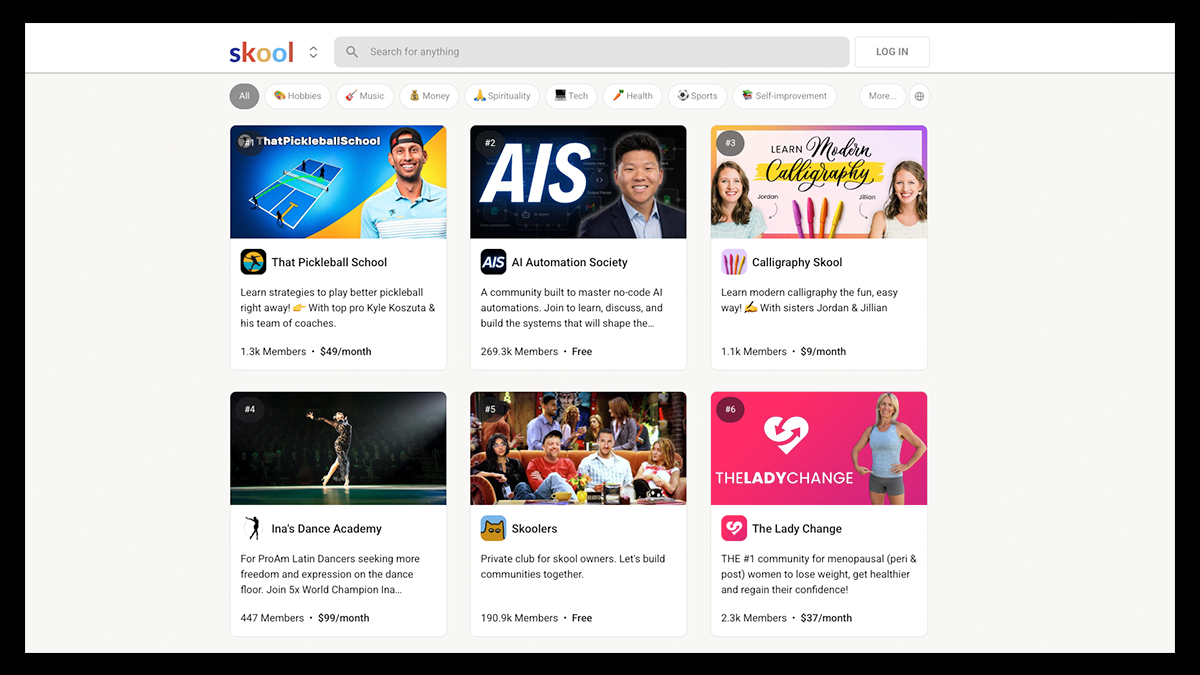
Skool puts community at the center of it's platform…literally!
The moment members log in, they’re greeted by an active community feed designed for conversations and to keep engagement flowing before they ever dive into a course.
It combines structured discussions, built-in classrooms, and gamified leaderboards in one streamlined dashboard, making it easy for creators to turn their audience into an interactive, paying community without juggling multiple tools.
Key Features That Make Skool Stand Out
- Simple, Structured Layout: A clean interface that keeps your community feed, classroom, calendar, and members organized without unnecessary complexity.
- Built-In Classroom for Courses: Host unlimited courses, embed videos, upload PDFs, and organize lessons so members can easily find what they need.
- Native Video Hosting: Upload videos directly to the platform for a seamless, distraction-free learning experience.
- Gamification with Leaderboards: Reward engagement through points, rankings, and unlockable content that keeps members participating.
- Calendar for Live Events: Schedule Zoom meetings, livestreams, and coaching calls with automatic time zone adjustments to avoid confusion.
- Multiple Membership Tiers: Offer free, monthly, annual, and VIP tiers within a single community to create clear upgrade paths.
- One-Time Course Sales: Sell standalone programs alongside recurring memberships for added monetization flexibility.
- In-House Payment Processing: Collect payments directly through Skool or connect your own system if preferred.
- Distraction-Free Environment: Unlike Facebook Groups, Skool keeps members focused without algorithm chaos or outside noise.
- Generous Affiliate Program: Earn recurring commissions by referring new creators to the platform.
Pricing
Hobby Plan: $9/month
- Access to all core Skool features
- Ideal for beginners or smaller communities
- 14-day free trial included
Pro Plan: $99/month
- Everything in Hobby
- Built for serious creators and scaling businesses
- 14-day free trial included
6. Discord
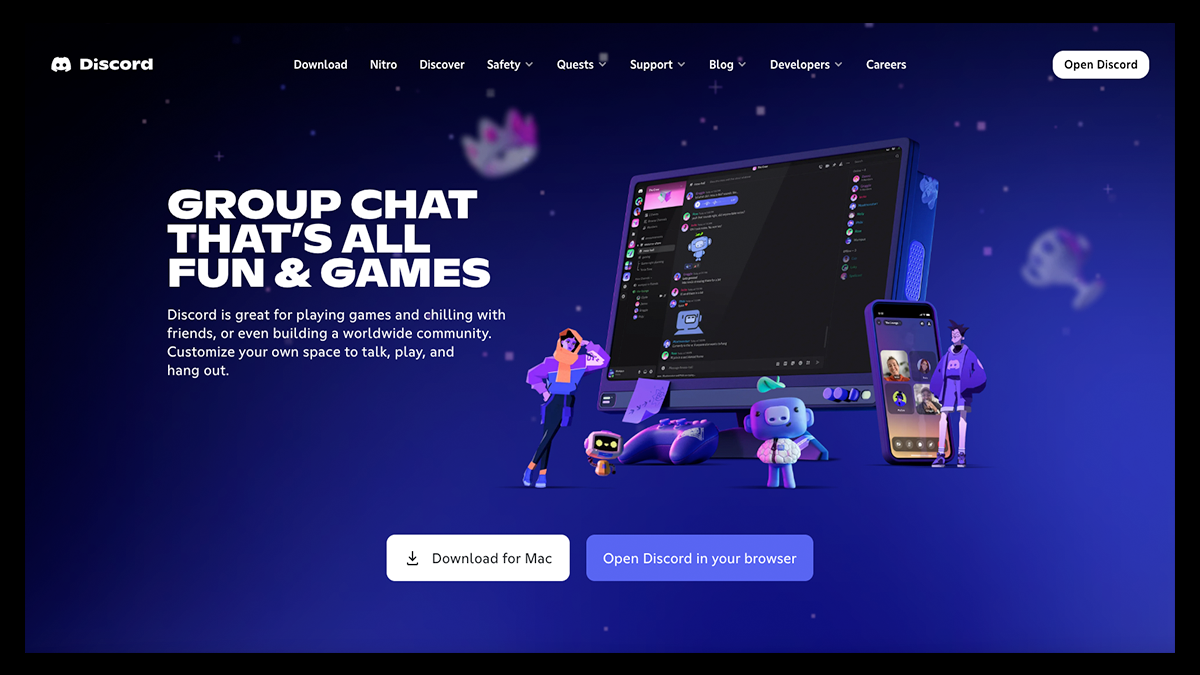
What started as a voice-chat tool for multiplayer raids is now one of the most active real-time community platforms on the internet.
With Discord, users engage their followers through servers where they can organize their community into channels for announcements, discussions, events, and voice hangouts.
Unlike structured course-first platforms, Discord shines when the goal is instant engagement with quick replies, spontaneous voice chats, and members jumping into conversations as they happen.
Though you can't upload courses or monetize gated content natively, Discord's strength lies in running high-energy communities that thrive on real-time interaction and organic connection.
Key Features That Make Discord Stand Out
- Real-Time Voice, Video & Text Chat: Host live conversations through always-on voice channels, instant messaging, or video calls.
- Customizable Servers & Channels: Create private, invite-only servers with organized text and voice channels grouped into categories.
- Roles & Permission Controls: Assign roles (admins, moderators, VIP members) to manage access and structure your community hierarchy.
- Live Streaming & Screen Sharing: Stream gameplay, host Q&As, or run workshops directly inside voice channels.
- Bot Integrations for Automation: Use bots to automate moderation, onboarding messages, community engagement, and even daily check-ins.
- Unlimited Message History (Free Plan): Keep searchable records of conversations without worrying about message caps.
- Threaded Conversations: Keep discussions organized inside channels using thread replies.
- Cross-Platform Access: Available on desktop (Mac & Windows), iOS, Android, and web for seamless community access.
- Event Scheduling: Create in-app events with set dates, recurring schedules, and dedicated channels.
- Flexible Channel Limits: Build large-scale communities with hundreds of channels and categories for detailed organization.
Pricing
Free Plan: $0/month
- Unlimited message history
- Up to 500 text and voice channels
- Video calls with up to 25 participants
- Core moderation and customization tools
Discord Nitro: Starting at $9.99/month
- Higher-quality streaming
- Increased file upload limits
- Custom themes and profile upgrades
- Occasional free trial availability
7. Hivebrite
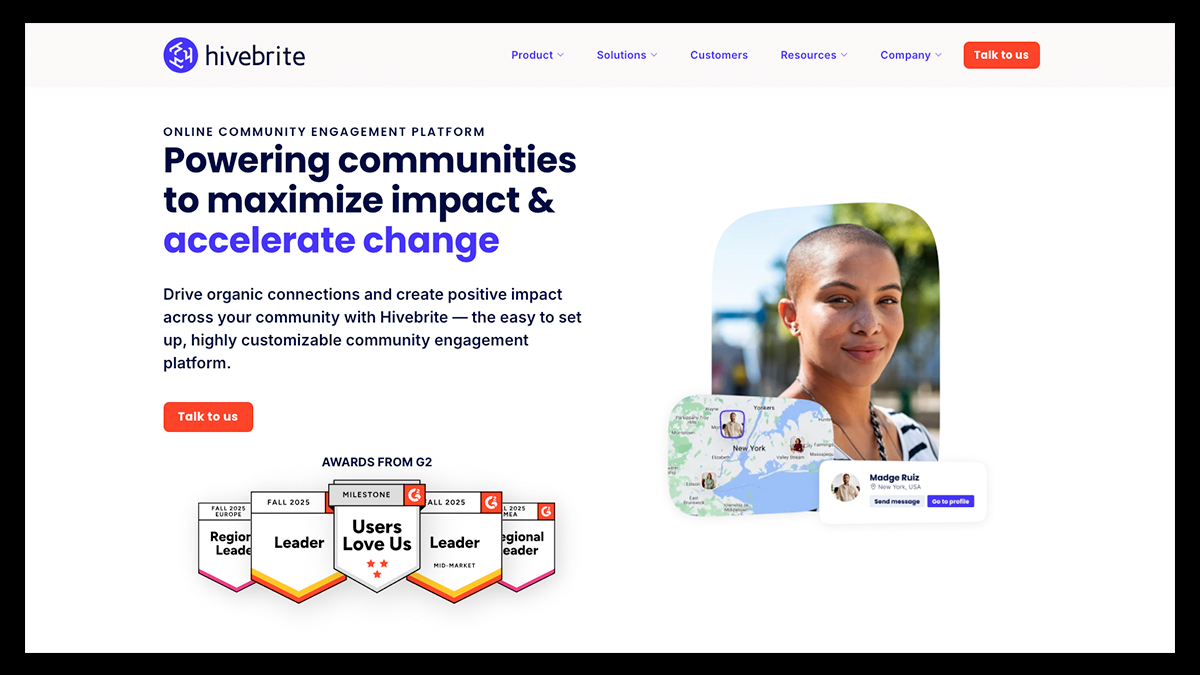
Hivebrite is less about being a “casual hangout” and more of a “digital headquarters” for alumni networks, professional associations, and mission-driven organizations that need structure, security, and serious scalability.
Think enterprise-grade power without sacrificing meaningful connection. You can centralize your members, events, content, fundraising, and networking tools into one secure, fully branded ecosystem designed to grow alongside your community.
And though it has a ton of advanced tools and monetization features for scaling communities, if you're a creator with a small network, Hivebrite might be a little too expensive for your needs.
Key Features That Make Hivebrite Stand Out
- AI-Powered Engagement Tools: Smart content recommendations, AI search, and automated moderation help surface the right conversations while keeping your space safe and organized.
- Orbiit Matchmaking: Intelligent member matching connects people based on shared interests, goals, and expertise—perfect for alumni networks, mentorship programs, and professional communities.
- Advanced Member Management: Custom profiles, searchable directories, role-based permissions, and personalized data controls make it easy to manage large, structured communities securely.
- End-to-End Event Management: From ticketing and registration to payment processing and post-event engagement, Hivebrite handles both virtual and in-person experiences seamlessly.
- Career & Mentorship Tools: Built-in job boards, mentoring programs, and professional opportunity hubs help members grow beyond just conversation threads.
- Robust Content & Knowledge Hubs: Media centers, forums, structured CMS models, and intelligent categorization turn your platform into a searchable resource library.
- Community Analytics Dashboard: Customizable reporting and engagement metrics give you real visibility into member activity, event success, and overall community health.
- Flexible Integrations: Connect Hivebrite with your CRM, marketing automation tools, payment processors, and analytics stack to create one unified ecosystem.
Pricing
Hivebrite offers flexible plans designed to scale with your organization:
Connect: Custom Pricing
- Custom landing pages
- Global admins with custom permissions
- Resource libraries
- User directory and member map
- Membership management
Scale: Custom Pricing
Includes everything in Connect, plus:
- Group admins with custom permissions
- Customized user access controls
- Visibility restrictions
- Ticketed events
- Expanded membership options
Enterprise: Custom Pricing
Includes everything in Scale, plus:
- Advanced onboarding with strategy sessions and workshops
- Specialized branding support
- Advanced functionality for groups and sub-communities
- Enhanced services and enterprise-level support
8. Kajabi
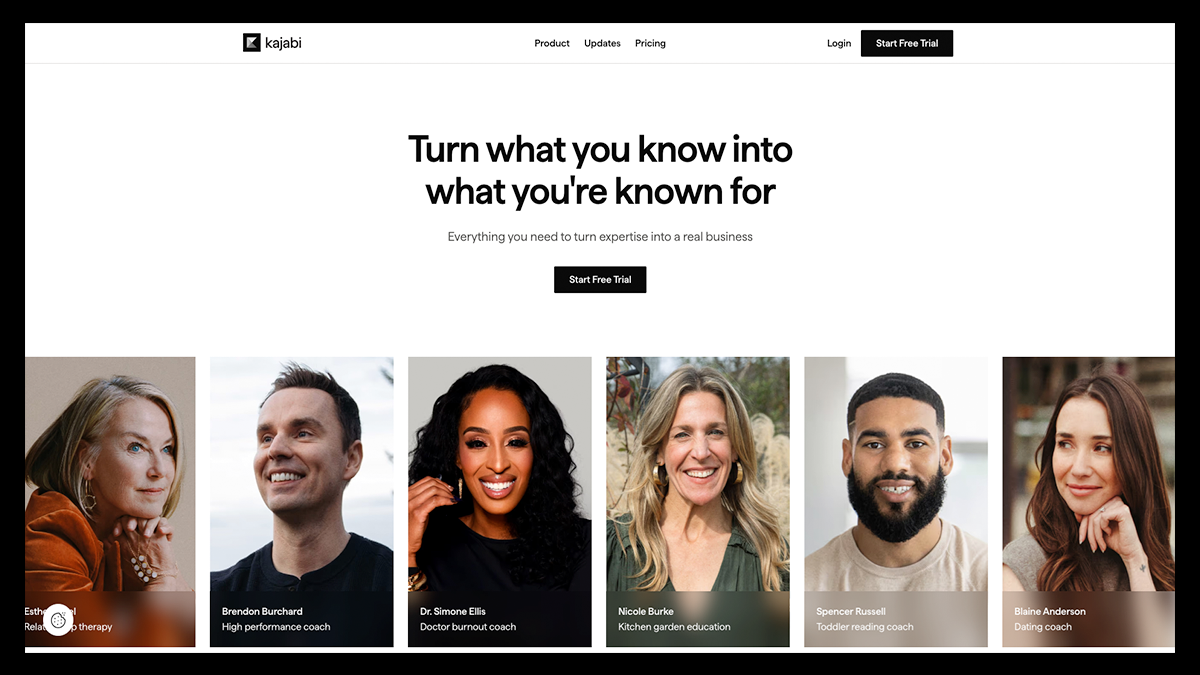
Kajabi positions itself less as a standalone community app and more as a full business engine for knowledge-based creators and entrepreneurs.
It brings together course hosting, website building, email marketing, and payment processing, while also offering built-in community tools like private discussion feeds, direct messaging, live video sessions, and member directories.
If your goal is to build a polished education brand where community enhances your courses and memberships, Kajabi gives you the structured infrastructure to scale everything in one place.
Key Features That Make Kajabi Stand Out
- All-in-One Business Infrastructure: Website, products, email marketing, payments, automation, and community tools all live inside one unified dashboard.
- Robust Course Builder: Organize content into modules and lessons with video, audio, quizzes, downloads, drip schedules, and assessments inside your member portal.
- AI Content Assistant: Generate course outlines, sales page copy, scripts, and promotional content to accelerate creation without staring at a blank screen.
- Built-In Marketing & Automation: Create landing pages, sales funnels, email broadcasts, and automated sequences that trigger based on real customer behavior.
- Integrated Payments & Checkout: Accept one-time payments, subscriptions, payment plans, coupons, and upsells. Supports Stripe, PayPal, and 140+ currencies with checkout built directly into your site.
- Community & Membership Features: Host private or paid communities with discussion feeds, DMs, live video calls, challenges, leaderboards, and progress tracking.
- Podcast Hosting: Launch public or private podcasts directly from Kajabi and distribute to major listening platforms without third-party hosting tools.
- Website & Branding Control: Visual drag-and-drop website builder with customizable templates so your brand looks premium without hiring a developer.
- Analytics Dashboard: Track revenue, opt-ins, subscription growth, course performance, and customer behavior from one centralized reporting system.
- Affiliate / Partner Program: Earn recurring commissions by referring other creators to Kajabi through its built-in partner program.
Pricing
Basic: $143/month (billed annually) or $179/month
- 5 Products
- 2,500 Contacts
- 1 Website
- 1 Community
- 1 Extra Admin User
Growth: $199/month (billed annually) or $249/month
- 50 Products
- 25,000 Contacts
- 1 Website
- 1 Community
- 10 Extra Admin Users
- Advanced automation features
Pro – $399/month (billed annually) or $499/month
For high-volume businesses needing flexibility
Includes:
- Unlimited Products
- 100,000 Contacts
- 3 Websites
- 3 Communities
- 25 Extra Admin Users
Enterprise – Custom pricing
For larger organizations requiring advanced support and customization
9. Disciple
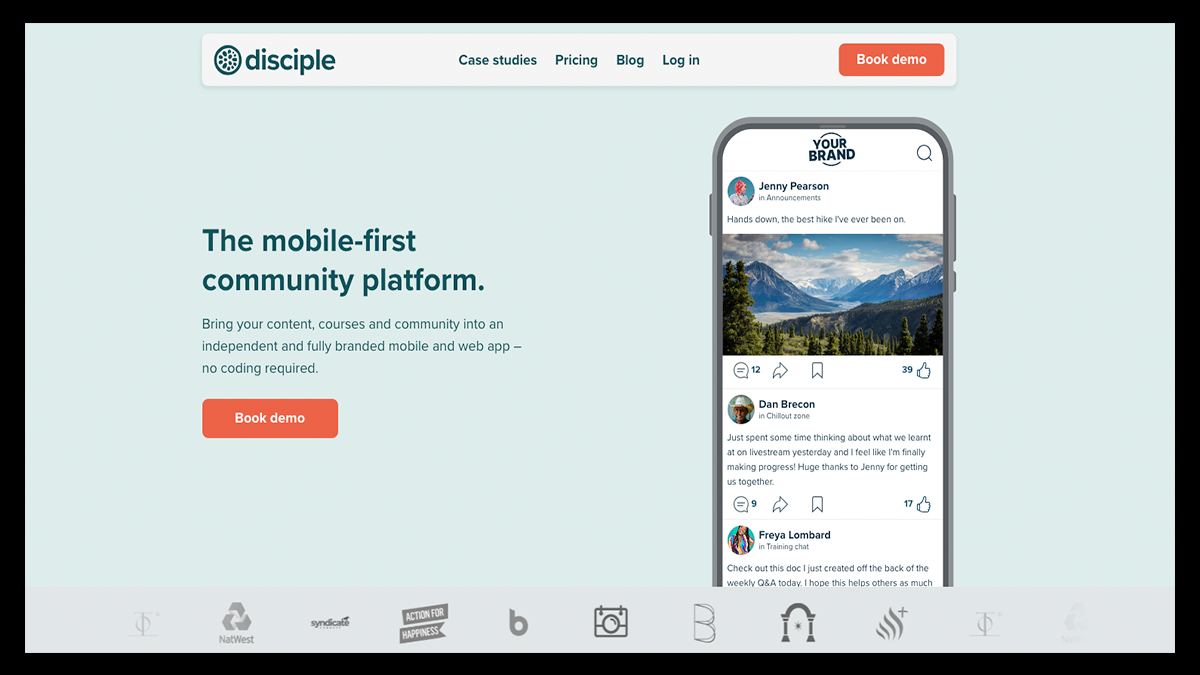
If you’re tired of building your audience on platforms you don’t control, Disciple flips the script, letting you launch your own branded app where you can host discussions, share content, and engage with members on your own terms.
It’s built for creators who want their community to feel immersive and completely independent, with tools that let you connect with your members through livestreams, push notifications, broadcasts, and direct messages—while also enabling monetization through paid memberships and online courses built directly into the platform.
Bear in mind that Disciple pricing plans are extremely expensive, so if you're just starting to build your community and have fewer than 50 followers, you might want to consider other options.
Key Features That Make Disciple Stand Out
- Fully Branded iOS & Android Apps: Launch your own white-labeled app without having to write any code.
- Groups & Segmentation: Create multiple groups to organize conversations by topic, interest, or membership tier. Control who can post and who can view.
- Livestreaming & Events: Host live sessions directly inside your app, including multi-host livestreams on higher tiers.
- Built-In Courses & Subscriptions: Sell memberships, gated content, and one-off courses without any fees. Use paywalls, upsells, and multi-tier pricing to grow recurring revenue.
- Push Notifications & Broadcasts: Reach members instantly with in-app notifications and announcements that actually get seen.
- Direct Messaging & Member Directory: Encourage deeper connections with DMs and searchable member profiles.
- Custom Home Screens & Navigation: Design your app's layout with dynamic sections for events, posts, groups, and resources, creating an experience that feels curated and intentional.
- Resource Libraries & Saved Content: Build searchable knowledge hubs and allow members to save posts or pages for later.
- Advanced Analytics & Integrations: Track engagement, connect with Zapier, export data, and manage everything from Disciple’s console.
Pricing
Branded App: $399/month (annual) or $469/month (quarterly)
- Your own branded iOS & Android app
- Unlimited members
- 2 admin seats
- 5 groups
- Standard analytics
- 1 course (non-monetizable)
- 5,000 video minutes
Branded App Plus: $599/month (annual) or $699/month (quarterly)
Includes everything in Branded App, plus:
- No Disciple branding
- 5 admin seats
- 10 groups
- Monetizable course
- 10,000 video minutes
- Custom domain
- Advanced analytics
- Zapier integration
- Custom badges
- Scheduled posts
Branded App Pro: $999/month (annual) or $1,169/month (quarterly)
Includes everything in Branded App Plus, plus:
- Unlimited admin seats
- Unlimited groups
- Unlimited monetized courses
- 20,000 video minutes
- Multi-tier member pricing
- API access
- Multi-host livestreams
Organisation: Custom pricing (starting around $4,000+/month)
- Bespoke development
- Strategic support
- Migration assistance
- Enhanced security/compliance options.
10. UUKI
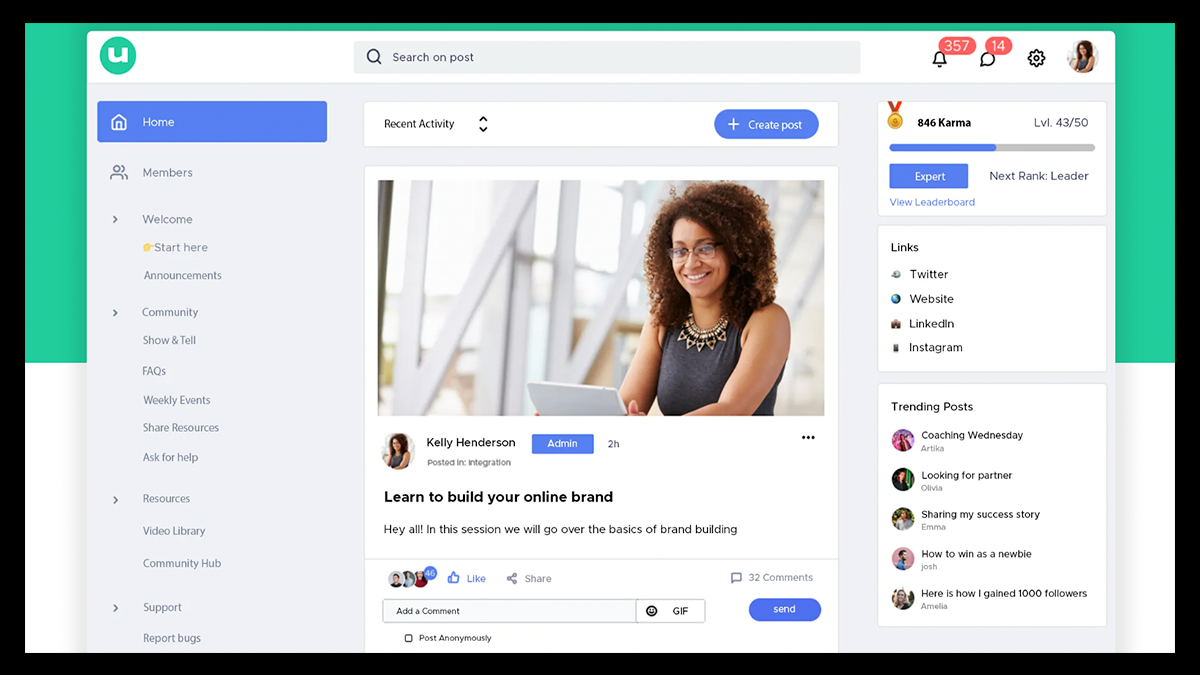
UUKI is designed for educators and product builders who want a smart, structured space for hosting content and discussions with their community.
Unlike traditional forums, UUKI blends community management with AI integration and built-in payments, making it appealing to course creators and knowledge-based businesses seeking advanced tools to help grow and monetize their brands.
You can create tiered memberships, lock premium content behind paywalls, and tack on over 100 curated apps to manage and keep your members engaged.
Key Features That Make UUKI Stand Out
- Organized Community Pages & Spaces: Create structured pages where members can post, discuss, and interact. Public and private spaces let you segment conversations and control access.
- Built-In Monetization: Sell premium content through one-time payments or recurring subscriptions. Different tiers allow you to scale monetization as your community grows.
- AI Tutor & GPT Integration: Train AI chatbots directly inside your community using GPT integrations. Members can interact with AI-powered assistants for real-time guidance and support.
- Gamification Features: Reward engagement with karma points, ranks, and leaderboards to highlight top contributors and drive participation.
- White-Label Branding: Customize your community with your own domain, brand colors, fonts, and optional white-label features for a more polished experience.
- Social Logins & SSO: Enable Google, Facebook, and other login integrations for seamless member onboarding.
- Events & Engagement Tools: Host event pages, group chats, direct messages, and in-app notifications to keep your members active.
- Moderation & Safety Controls: Advanced moderation tools protect against spam and abuse while maintaining a healthy, focused environment.
- Mobile-Friendly Experience: Designed for mobile use but accessible across desktop, tablet, and other devices, so members can stay connected anywhere.
Pricing
Starter: $15/month
- Posts & discussions
- Member profiles
- Group chats & private messaging
- Basic moderation
- Mobile app access
- Custom domain
- Payments enabled
- 8% transaction fee
Pro: $65/month
Includes everything in Starter, plus:
- White-labeled community
- Advanced reporting
- API access
- Custom CSS
- Custom SSO & webhooks
- 5% transaction fee
Advance: $205/month
Includes everything in Pro, plus:
- Dedicated account manager
- Priority support
- Email white-labeling
- Custom OAuth
- White-label apps
- 1% transaction fee
How to Choose the Right Community-Building Platform
Now, before you pull the trigger and pick any ol’ platform, it’s important to take some time to go over your options and see which one is actually right for your needs.
Remember, just because a platform has community-building and monetization tools doesn’t mean it’ll garner the kind of traction you might be looking for.
If you take a second to zoom out and focus on what actually matters (vision, revenue, control, engagement, and growth), your options become a lot clearer.
Here are a few quick things to consider before choosing your community platform:
Clarify Your Community’s Purpose
Before you even look at pricing pages or feature lists, make sure you’re clear on what your community is meant to do.
Are you looking to build a structured learning environment, a fan hub, or create a premium members-only platform full of gated content?
Sure, a lot of community platforms can cater to any of these options, but some tend to focus more on specific areas like course delivery, professional networking, or fan engagement.
Choosing a platform that naturally aligns with your goals will make your setup smoother, thus making it more enjoyable for your members.
Align the Platform With Your Monetization Model
If making money is the game, then choosing a platform that matches your revenue goals should be your next focus.
Whichever revenue structure you end up choosing will not only help shape your recurring income, it should also communicate your value as a creator to potential members by showing them what your offering.
Depending on what your business goals are, you have a few options to choose from:
- Recurring Subscriptions: Ideal for creators who provide ongoing value, such as coaches, educators, or niche experts delivering consistent content or support each month.
- Tiered Memberships: Best for brands that want to offer multiple levels of access, allowing superfans or high-level clients to pay more for deeper perks and exclusivity.
- One-time Digital Products: For creators who prefer launch-based income, such as course creators, template sellers, or workshop hosts who sell standalone experiences.
Once your model is clear, prioritize platforms that have built-in payment processing and a seamless checkout flow. Test them out and see which one provides a smoother check-out for your members.
Make Ownership a Priority
Your community should be something you control, not something you depend on another platform to maintain.
When you build only on social media, you are limited by their rules, changing algorithms, and restricted access to your own audience data.
A dedicated community platform gives you control over your branding, direct access to member emails, and the ability to communicate without outside interference.
Having ownership means you can grow your audience on your terms and protect your business from sudden platform changes.
Evaluate Engagement and User Experience
Even the most powerful feature set can’t save a platform that feels confusing or overwhelming.
Your members are far more likely to stay active in a space that is clean, intuitive, and easy to navigate on both a desktop and a phone.
Pay close attention to how each platform’s UI is set up by observing how its discussions are organized, how notifications are delivered, and how easy it is to post or interact.
When user experience reduces friction rather than adds it, you’ll see how member participation naturally increases and retention becomes easier to maintain.
Choose a Platform for the Long Haul
It's easy to choose a platform based solely on your community’s size at the moment or how much you're willing to budget. But remember, growth can happen faster than expected.
Look closely at what each service’s pricing plan offers in terms of member limits, storage caps, admin restrictions, and integration capabilities to ensure it can grow along with you.
In the end, a scalable platform saves you from the disruption and expense of migrating your entire community later and from losing members along the way.
Don’t Just Build a Community, Own It!
If you’re serious about turning your audience into a thriving, revenue-generating community, you need more than a chat room. You need a platform you actually control.
Fourthwall gives you a fully branded home for your memberships, digital products, and exclusive content, all without any platform fees eating into your profits.
You own your data, your customer relationships, and your revenue streams—not some algorithm.
So if you’re serious about building a community that not only works for you but also pays you back, consider launching on Fourthwall today.
FAQ: Swarm & Community Platforms
What is Swarm, and how does it work?
Swarm is a community-building platform designed to help creators host discussions, organize members, and build engagement in a centralized space.
Like most community platforms, it helps creators move their audiences off algorithm-driven networks into a controlled environment.
Swarm offers structured feeds, member segmentation, and communication tools that allow community leaders to manage conversations more intentionally than on traditional social media.
How do community platforms make money?
Community platforms typically generate revenue through subscription fees, transaction fees on paid memberships, or tiered pricing plans based on features and member limits.
Some platforms also offer premium add-ons like white-label apps, advanced analytics, or API access.
As a creator, your revenue usually comes from paid memberships, gated content, courses, events, or digital products.
What is the best platform to build an online community?
The best platform depends on your goals.
If you prioritize courses and structured education, platforms like Kajabi or Mighty Networks may be a good fit, as they are designed to help entrepreneurs grow and monetize their content.
If your focus is on brand ownership, memberships, and selling products alongside community access, an all-in-one solution like Fourthwall that combines commerce and engagement tools is often more scalable in the long term.
Matt Keyser is a writer at Fourthwall who lives at the intersection of social media and Creator culture. With 4+ years of experience covering industry trends, his work focuses on helping Creators and brands understand how to turn their passion into a thriving business while maintaining a constant pulse on the latest eCommerce and social media trends.


You might also like
.png)
9 Gumroad Alternatives for Digital Creators in 2026

10 Best Stan Store Alternatives for Creators in 2026
.png)
9 Best Patreon Alternatives for Creators in 2026

20 Sustainable Swag Ideas for Events and Giveaways
.png)
8 Best Gelato Alternatives for Print-on-Demand in 2026

TikTok Affiliate Marketing: How It Works and How to Make Money

9 Best Redbubble Alternatives for Print-on-Demand Creators in 2026

The Top Celebrity Clothing Brands and Why They Succeeded

8 Best Etsy Alternatives for Online Store Owners in 2026

Keep up with the latest from Fourthwall
New features, product updates, trend breakdowns, and creator stories — straight to your inbox.