
Discord Servers for Creators: A Complete Guide
Connect Your Community: How to Use Your Discord Server to Grow Your Audience and Your Brand
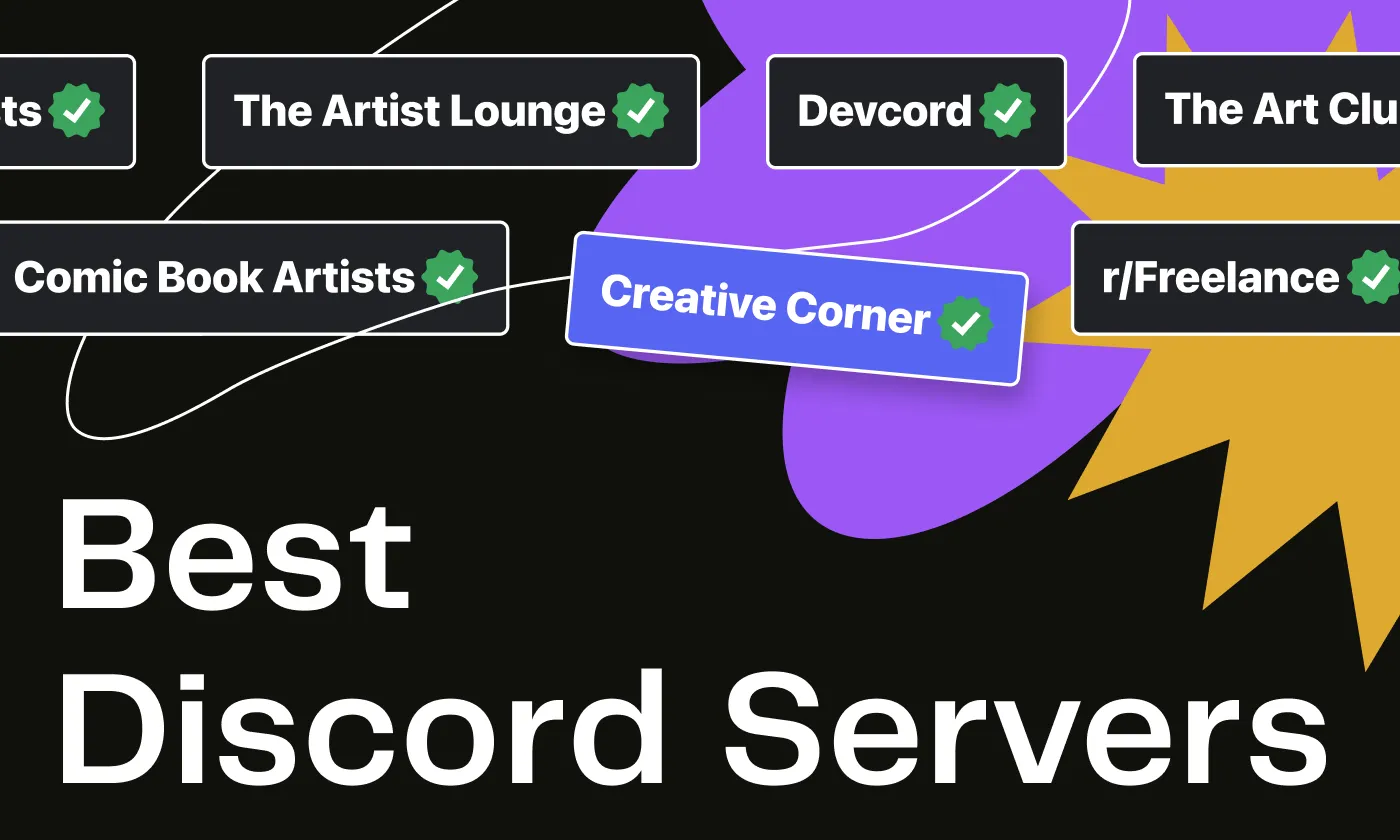


Building strong, engaged communities is essential for content creators, and Discord servers have really revolutionized how creators interact with their fans.
Discord servers are immersive, connected virtual communities that encourage community engagement, so you can learn from and collaborate with others in your field, grow your audience and fanbase, and find more opportunities to grow your brand.
Here’s your complete guide to Discord servers, their benefits for creators, and how you can get involved.
Whether you’re looking to start your own Discord server or join an existing Discord community, understanding how Discord works and how you can utilize it can transform your content creation journey and expand your community.
What are Discord Servers?
Discord servers are virtual communities where creators and fans can interact in real time. These servers serve as digital hangout spaces and can be customized to fit the needs of any community.
Each Discord server features multiple channels where users can communicate via text or voice chat; connect to your other platforms, like Fourthwall, Twitch, or YouTube; and you can also screenshare, broadcast video, or participate with others in Discord games, whiteboards, and other activities.
This makes Discord a versatile and fun tool for community building, and is a great place to headquarter your fans, supporters, and customers.
You can even generate revenue from Discord by offering separate Discord subscriptions and selling digital products right in your Discord server.
But of course, with great chat rooms comes great responsibility, and that’s where Discord’s roles and permissions come in.
Roles and permissions, set up by the server owner, allow creators to manage the server effectively by assigning access to individual channels by role and ensuring the community remains well-organized and grows at the desired rate.
Moderation features also help keep each Discord community engaged appropriately, based on the content settings that the owner, again, establishes.
What Makes Discord Special for Creators?
By using all the features mentioned above, creators can really maximize Discord’s potential, fostering a sense of belonging among members, encouraging regular interaction and participation, keeping fans notified of special events, streams, or merch drops, and much more.
Whether you’re discussing gaming, music, anime, or just hanging out in a Discord chillzone with your online friends, a Discord server can be tailored to meet any community’s needs.
Real-Time Communication
Discord enables instant communication between creators and their fans, fostering a dynamic and responsive environment.
Whether through text or voice chat, creators can interact with their community in real time and choose when to be active on Discord, whether that’s a little or a lot.
Creators can also assign moderator roles to individuals who can oversee Discord while the creator is offline.
When the creator is online, they can pop into Discord to answer questions, stream video to their viewers, share updates about projects or events, or simply hang out with fans for a chat, some Discord games, or a shared movie night.
Many Discord servers are constantly active across their channels, as people come and go throughout the day/night and meet up with friends.
Customization and Flexibility
Discord offers many customization options for individual servers, allowing creators to tailor their servers to meet their specific needs.
Creators can organize channels, manage fan interaction levels with roles, create special event channels, and integrate other tools into the Discord server, such as bots that help with moderation or encourage participation in Discord media events, like collecting Pokémon or throwing snowballs.
This flexibility makes it easy to create a space that reflects the creator’s brand and their vision for their fanbase.
Management Tools
In addition to assisting with Discord roles, moderation bots can help keep server conversations respectful and on-topic, while analytics can provide the creator/server owner with insights into community activity and engagement.
These tools help maintain a positive, productive environment on the Discord server, and the analytics can show how much engagement the different channels and Discord events are generating.
Once your Discord starts growing, there are additional tools to make it easier for new fans to find and join your public Discord server.
Community Building
Discord’s features are strong on encouraging engagement and interaction, which really helps creators build a strong, loyal community.
A well-managed and moderated Discord server can help creators solidify their connection with fans, encourage participation and event attendance, and create a sense of belonging that keeps members coming back as they form friendships with other fans.
Having a clear vision of how you want your Discord to function will be helpful to you as it grows, and being able to have your Discord as your community “clubhouse” means you and your fans will have a central meetup location regardless of what platform you’re streaming on, or where your IRL (in real life) events take you.
How Discord Servers Help Build Strong Communities
The best Discord servers are more than just communication and hangout platforms, though; they are also powerful tools for community growth and stability.
Interaction and Engagement
Discord servers foster consistent interaction among members, creating a lively environment where fans can share ideas, collaborate, and support one another.
This continuous engagement is key to building a vibrant community.
By using Discord’s chat and customization features and building out channels tailored to the creator’s goals and community interests, creators can keep conversations going and ensure their server remains vibrant, fun, and active.
Sense of Belonging
Discord members develop a strong sense of belonging by participating in Discord chats and events.
Well-organized channels and clear communication help members find content they’re interested in, meet fellow members more easily, and feel connected to the creator and the community as a whole, which increases their engagement and loyalty.
Encouraging fans to join your Discord server through invites shared on your social media platforms can make your supporters feel included and special, which further increases that sense of community.
Long-Term Community Growth
The interaction and belonging fostered within a Discord server help contribute to long-term growth.
As members become more invested in the community, they are more likely to invite others, spreading the word about you as a creator, supporting you as a fan, and helping the whole community expand organically.
To further grow your Discord server, you can promote it on your socials and during your livestreams, include it in your video tags,, invite in other creators, and offer incentives for joining, such as exclusive content, special roles, or access to exclusive Discord events.
Consistent engagement and active management are key to attracting and retaining members; it does take some effort, but it’s rewarding to watch your Discord community grow, and it’s beneficial to have so many of your fans and supporters in one central location.
5 Great Discord Servers for Creators
We’ve put together a shortlist of some of the top Discord servers for creators, that you can join to learn more, or get ideas for building your own Discord community.
Once you launch your own Discord server (even before you invite anyone else in), you can scroll to the bottom of the server list (the left-hand side bar) and hit the compass at the bottom to find more discoverable public Discords that you can check out for even more inspiration!
Art Lounge 29K members

- A popular server for artists of all skill levels to share work, receive feedback, and connect with other creatives.
- Great for improving skills and networking through a supportive community with weekly and monthly art prompts, art discussions, and a Draw Pile channel.
- Spaces for all kinds of art, from abstracts and animations to photography, pixel art, realism, 3D art, and more.
Content Creators Cabin (CCC) - 20K members

- “Unite and Thrive!” is the motto at CCC, where you can connect, collaborate, and grow with fellow YouTubers, Twitch Streamers, TikTokers, and other content creators.
- Offers channels for the aforementioned collaboration, feedback, chillzone, general chatting, and fun diversions like “Question of the Day” and “Truth or Dare.”
- Includes additional channels for editing, music, artwork, and other services, whether you are looking for them or offering them.
Creators Hub - 8Kmembers

- Subtitled “A Home for Everyone,” this is a versatile server for creators, including YouTubers, Twitch streamers, musicians, artists, writers, and software developers.
- It's a no-frills, smaller server that’s great for casually meeting other creators, sharing info and project progress, and just hanging out.
- Featured channels include an introductions section, an image-sharing channel, and special events.
Devcord - 33K members

- A server for developers, coders, and programmers, valuable for creators interested in tech, game development, and web design.
- Provides extensive resources, including coding help for frontend and backend, project feedback, and networking opportunities.
- Great dev hangout channels, including a lounge, chill zone, memes channel, show-off channel, and casual voice chat.
SCC (Small Creators Community) - 21K members

- A friendly, welcoming community for content creators of all sizes to meet new friends and collaborate with fellow creators.
- Offers multiple chatrooms centered around everyday topics like news, events, food, chillzone, and general chat, to get to know your fellow creators better.
- Also features a Jobs Lounge, educational help, a networking channel, tech support, and a workers' chat.
How to Start Your Own Discord Server
Setting up your own Discord server is pretty straightforward! Once you get started, you can work on all the fun parts, like customizing your server, creating channels, and inviting people in! Here’s a step-by-step guide to get you started:
Creating Your Server
Select a server name reflecting your brand or community. Once you've chosen, set up the basic structure of your Discord, including the server icon (usually a 512x512-pixel image) and your initial settings. This will be the foundation of your Discord server.
Set Up Channels
Organize and name channels to suit your community’s needs. You might want to sit down and sketch this out before creating the channels in your Discord.
Channels should be intuitive, centered on your brand, and cater to your community's interests; this will include text and voice channels for different topics or activities, such as Forums (for organized discussions), Stages (for hosting events for an audience), and an Announcements channel.
Assign Roles
Set up roles and permissions to help manage the community members as they arrive.
You can assign roles to yourself, moderators, members, and other contributors to maintain order and ensure smooth operations within the server.
Utilizing Discord bots can help you with general moderation or add in fun features like a chill zone and minigames (you can find lists of Discord bots on various websites).
Customize It!
Okay, now you’re getting into the fun part - customize your server to reflect your brand!
This includes choosing themes and colors; assigning role colors; adding custom emoji; connecting your Discord to your streaming channels (like Twitch or YouTube); and creating a welcoming environment that aligns with your brand and goals.
You can also make channels that are read-only, for instance, a channel that lists all of your socials, like Instagram and TikTok, with clickable links, or a channel that directs people to support you at your other locations, like your Fourthwall site.
Manage It
Next, you’ll want to implement best practices for managing your server, such as setting clear rules, appointing moderators, and regularly engaging with the community to keep the server active and thriving.
Best practices for moderating a Discord community include setting clear rules, using bots for moderation to maintain order, and having a team of trusted moderators to help manage the server.
Regularly engage with your members to foster a positive, inclusive environment.
Invite Your Fans!
You’re ready to go! Invite your fans, friends, and supporters by clicking your server name in the left-hand column and then clicking on “Invite People.”
Copy the link provided, and start inviting people to your new Discord server!
Send Your New Discord Community to Your Fourthwall!
Once your Discord server starts growing, you can connect it seamlessly with your other online spaces—especially your Fourthwall site.
Fourthwall gives you a centralized home for your content, a fully custom merch storefront, and tools to offer memberships, share videos, accept tips, and post updates for your entire community.
You can also integrate with YouTube Shopping, TikTok Shop, and even Twitch Gifting, so fans can buy your products without leaving their favorite platforms.
Use Fourthwall to unify your Discord audience, strengthen your brand, and expand your online presence—then swing by the Fourthwall Discord to join the community!
FAQ: Understanding Discord Servers
What is a Discord server, and how does it help creators build a community?
A Discord server is a customizable virtual space where creators and fans can chat, join voice channels, share media, and participate in real-time events.
Because it functions like a digital clubhouse, it provides creators with a dedicated space for their communities to socialize, make friends, and stay active between uploads or livestreams.
This constant engagement helps creators strengthen their brand and maintain long-term audience loyalty.
Why are Discord servers so popular with creators, gamers, and online communities?
Discord servers are easy to customize and work incredibly well for niches like gaming, anime, art, and chill zones because they support text and voice chat, roles, events, bots, and more.
Creators love it because the interaction feels natural and in real time, not one-sided like typical comment sections.
Fans love it because it’s a place to hang out, join gaming servers, share memes, and connect with others who share their interests.
What features make Discord especially valuable for content creators?
Real-time messaging, voice channels, and roles let creators engage closely with fans, organize conversations, and host events or watch parties.
Tools like moderation bots, analytics, and customizable channel layouts help creators manage growing communities without losing control.
Plus, Discord integrates with platforms like Twitch, YouTube, and Fourthwall, making it easy to connect content, merch, and memberships under one ecosystem.
How do Discord roles and permissions work, and why are they important?
Roles allow creators to control who can access specific channels, moderate conversations, or participate in events.
Permissions create structure on the server, preventing chats from becoming chaotic as more Discord users join.
This setup is essential for keeping popular Discord servers safe, organized, and fun—especially for large gaming Discord servers, anime servers, or content creator hubs.
Kristi Kates is a writer at Fourthwall who covers the Creator economy from the inside, as a working musician and Partnered Twitch streamer. She brings 15+ years of music and culture journalism to her work, including a run as Editor in Chief of the indie-rock magazine Pyxis, and writes to help Creators build merch, memberships, and audiences that last.


You might also like

8 Best Spring (Teespring) Alternatives for Creators After Its Shutdown

30 Best Print on Demand Products for Creators in 2026 (From Tees to Plushies)

9 Best Kajabi Alternatives for Course Creators in 2026

What to Sell Online: How to Find a Product People Want

8 Best Spreadshirt Alternatives for Print-on-Demand in 2026

7 Best Sellfy Alternatives for Creators and Brands in 2026

27 Best Digital Products to Sell as a Creator
.webp)
Top 8 Wix Alternatives for Creators Building an Online Store in 2026

How to Create and Sell Print on Demand Journals and Notebooks

Keep up with the latest from Fourthwall
New features, product updates, trend breakdowns, and creator stories — straight to your inbox.