
Slack vs. Discord in 2026: Which Chat App Wins for Gamers and Creators?
Why the Chat App You Choose Shapes the Community You Build


Whether you’re trying to keep a remote team on the same page or give your community a place to actually talk, choosing the right chat app matters more than most people realize.
Slack and Discord are often lumped together because they both handle messaging, channels, and real-time communication, but they’re built with very different goals in mind.
At a glance, they can look interchangeable. Spend a little time using them, though, and the differences become obvious.
Slack is optimized for focused collaboration, documentation, and getting work across the finish line, while Discord leans into voice, community energy, and always-on conversation.
Sure, you can use either platform outside its “intended” use case, but one will almost always feel more natural than the other.
In this guide, we’ll break down Slack vs. Discord feature by feature (how they handle voice, channels, screen sharing, bots, integrations, and day-to-day communication) so gamers and creators can choose a platform that actually supports how they want to work, create, and connect.
The Main Difference: Slack is “Work Mode.” Discord is “Hangout Mode.”
Here’s the simplest way to think about it:
- Slack: A productivity-first team chat app where everything is designed to keep work moving, usually inside a structured workspace.
- Discord: A community-first communication platform where people talk, hang out, hop into voice channels, and build culture inside a Discord server.
Both have channels, direct messages, and solid team communication tools. But the vibe and the default behavior are wildly different.
If Slack is a shared office, Discord is a living room with a gaming setup and a snack table.
What is Slack?
Slack is a work-first team communication platform designed to replace long email chains, messy group texts, and “did you see my message?” follow-ups.
It’s where day-to-day work actually happens: projects get discussed, decisions get documented, files get shared, and yes, someone still asks a “quick question” that turns into a 30-message thread.
At its core, Slack is built to keep conversations organized, searchable, and tied to real work, not just casual chat.
That’s why it’s become the default team chat app for startups, remote teams, agencies, and growing creator businesses that need structure without chaos.
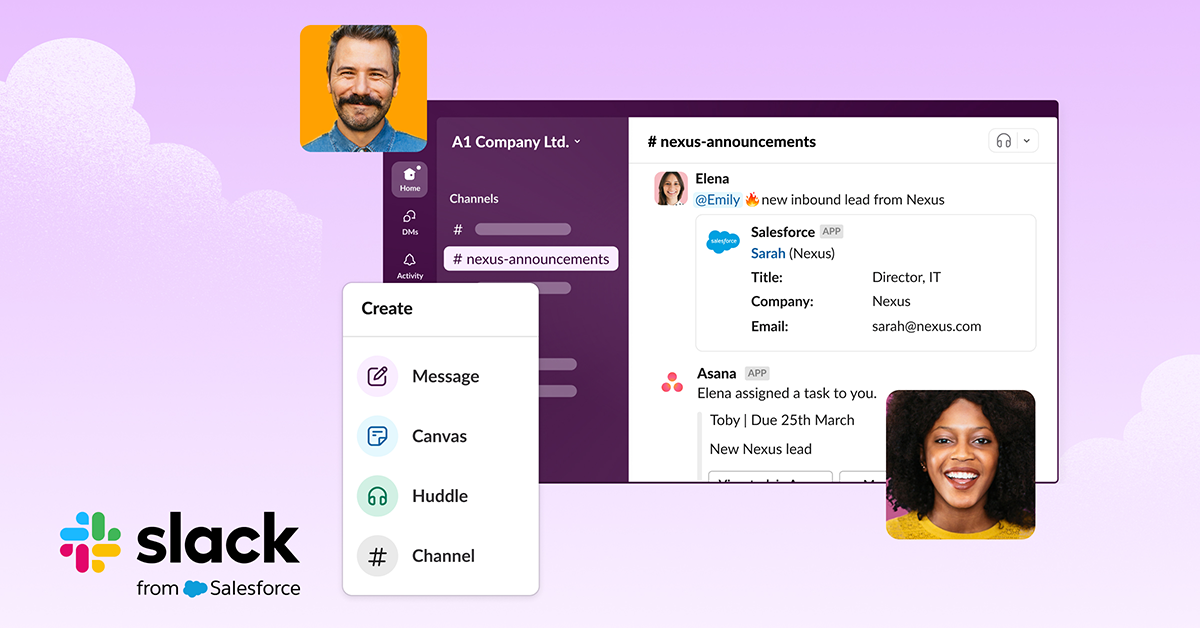
How Slack Works
Slack is organized around a few simple building blocks:
- You join a Workspace, which usually represents a company, team, or organization.
- Inside that workspace are Channels, typically organized by project, department, client, or topic.
- You communicate one-on-one or in small groups using Direct Messages (DMs).
- You use Threads to keep side conversations contained, so channels don’t turn into unreadable walls of text.
- You connect external Apps through integrations, pulling updates, files, and notifications from the tools your team already uses.
This structure makes Slack feel less like a chat room and more like a shared operating system for work.
Why Slack is Great
Slack really shines when clarity and efficiency matter. It’s especially strong if you need:
- Clear, structured team chat that doesn’t spiral into noise.
- Powerful search and organization (aka “find the thing someone said three weeks ago”).
- Deep integrations with work tools like file storage, task management, and calendars.
- Fast, informal voice check-ins using Huddles instead of scheduling full meetings.
- A focused, professional interface that supports productivity over personality.
In the end, Slack doesn’t try to be a social network or a hangout space. It’s a communication tool built to support real workflows, real teams, and real output.
And for businesses or creators running serious operations behind the scenes, that’s exactly why it works.
What is Discord?
Discord started as a voice-first platform designed for gamers who needed fast, reliable communication during live gameplay.
Today, it’s evolved into a community-centric hub where creators, fandoms, and niche online groups can gather in one shared space, chatting in real time without the pressure to constantly perform or respond.
What sets it apart from work-focused chat apps like Slack is its emphasis on live interaction and community culture, making it feel less like a productivity tool and more like a digital place people actually want to spend time in.

How Discord Works
Discord is built around flexible community spaces that scale from small friend groups to massive public communities:
- You join a server (often referred to as a Discord server), which acts as the home base for a community.
- Inside each server are channels, typically split into text, voice, and announcement-style spaces.
- Direct messages exist for 1:1 conversations, but the heart of Discord lives in shared channels where conversations unfold publicly.
- You can install bots to automate moderation, onboarding, notifications, games, music, and community engagement features.
- You can upgrade with Nitro (also known as Discord Nitro) to unlock perks like higher upload limits, better screen sharing quality, and cosmetic customization.
This structure makes Discord feel less like a messaging app and more like a living, breathing online space.
Why Discord is Great
Discord shines when the goal is connection, not just coordination. It’s especially well-suited for:
- Real-time voice chat that’s easy to drop into and leave casually.
- High-energy communities that thrive on conversation and shared experiences.
- Live hangouts, watch parties, co-working rooms, streaming, and gaming sessions.
- Robust roles and permissions that make moderation, tiered access, and VIP areas manageable.
- A true “digital home” atmosphere, rather than a sterile project dashboard.
And yes—Discord users are famously loyal for a reason.
That's because the app feels like the internet’s group chat: open, expressive, customizable, and free from algorithmic feeds telling you what you should see.
Slack vs Discord: A Comprehensive Breakdown
Before you get lost in feature lists and pricing pages, it’s worth taking a step back.
Slack and Discord solve very different problems, even though they’re often compared as if they’re interchangeable chat apps.
To really understand the difference, you have to look at how each platform behaves once people start using it every day.
Below is a practical breakdown of both apps: How they’re structured, how voice and messaging feel in practice, and why those design choices matter so much for creators, gamers, and the communities they’re building.
1. Workspaces vs. Servers
Both Slack and Discord are built around channels, but the way those channels are organized completely changes how conversations unfold.
Slack organizes everything inside a Workspace, which typically represents a company, team, or formal organization.
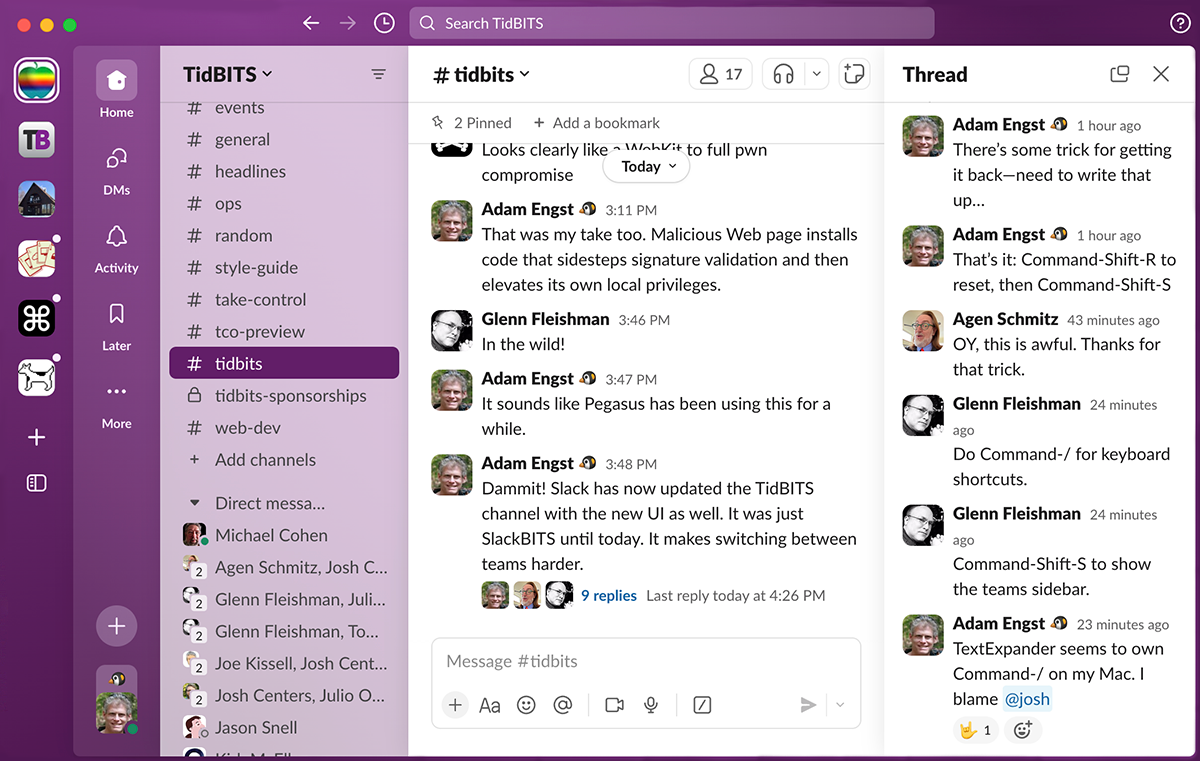
Channels are usually created around projects, departments, or specific functions, making it easy to separate conversations by purpose. This setup is designed for efficiency.
People drop in, handle what needs to get done, and move on. The structure naturally reinforces focus, accountability, and task-driven communication.
Discord, on the other hand, is built around Servers that function more like community hubs than offices.
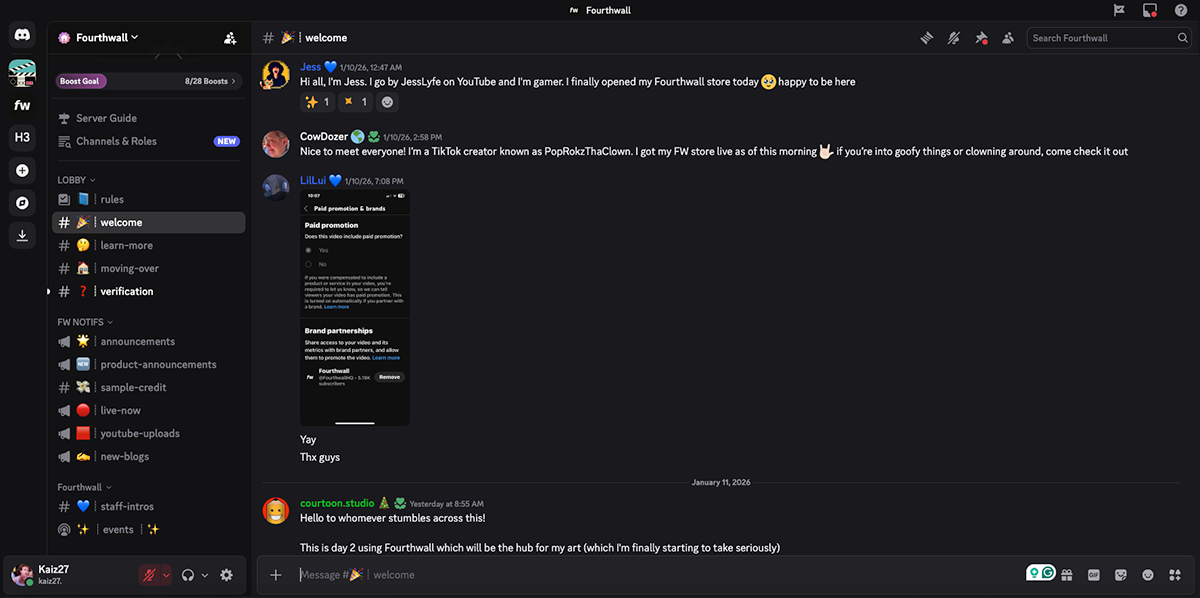
Channels are often organized by interests, content types, or shared vibes rather than deliverables, which keeps conversations flowing organically.
This layout encourages people to linger, participate casually, and jump between topics without friction.
As a result, Discord feels less transactional and more expressive, making it a better fit for communities built on culture, personality, and ongoing interaction.
2. Direct Messages
Direct messages exist in both Slack and Discord, but they serve very different purposes once people actually start using them.
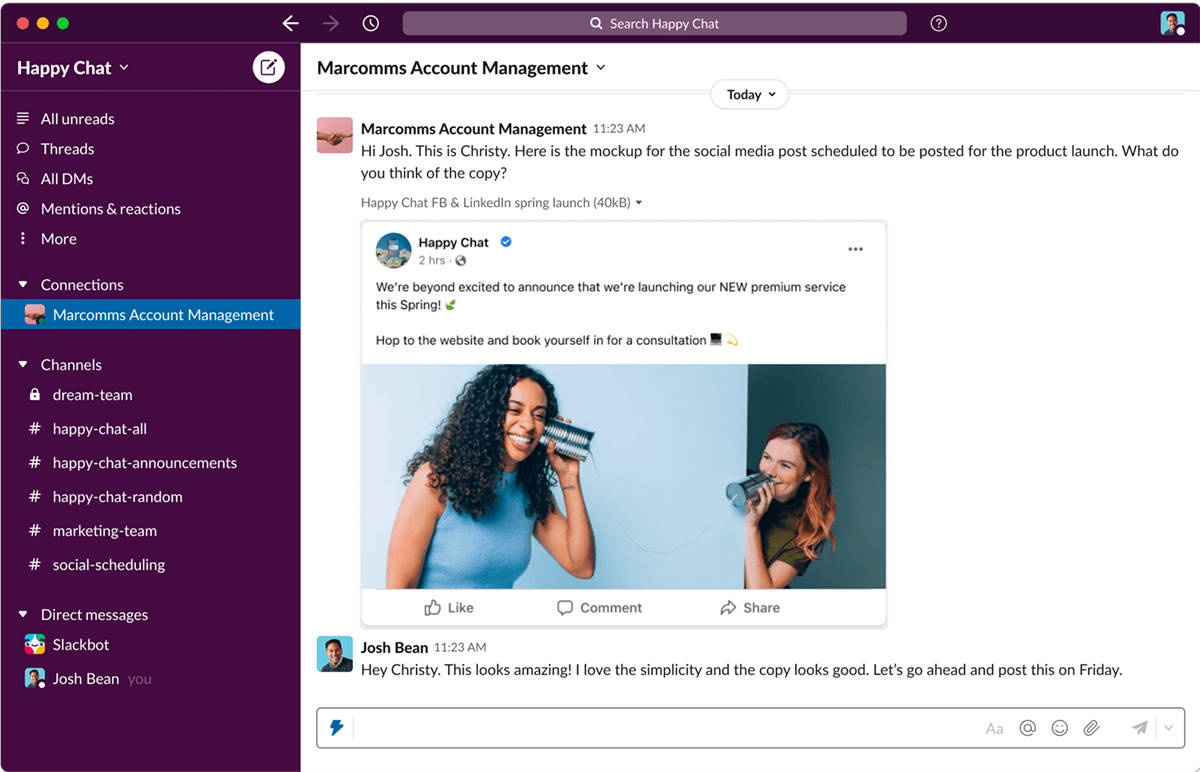
In Slack, DMs are an extension of work. They’re where approvals happen, quick questions get answered, feedback is exchanged, and someone inevitably asks, “Can you review this real quick?”
These conversations usually take place in a shared workspace and revolve around a clear, task-driven goal, keeping communication efficient and purposeful.
In Discord, direct messages feel far more social and relational. They’re often used for side conversations, creator collaborations, and relationship-building that happens outside of public channels.
Because you can message people across servers, Discord DMs feel closer to a social network than a closed workplace tool, encouraging informal connection rather than structured coordination.
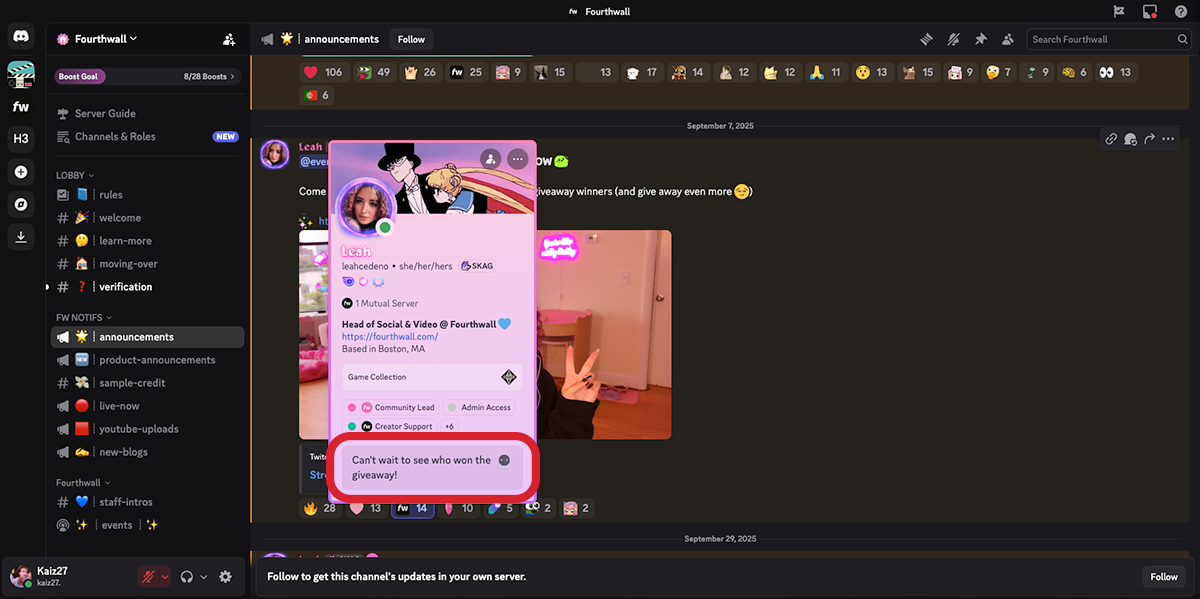
Both platforms support mentions, reactions, GIFs, custom emojis, and message formatting, but Slack tends to feel more intuitive for organizing text conversations.
Its thread system is more robust and easier to follow, while Discord’s threads are more limited and can automatically archive after periods of inactivity.
In short, Slack DMs are transactional and workflow-driven, while Discord DMs are connective and community-oriented—neither is better, but each reflects the platform’s core purpose.
3. Video and Voice Communication
Discord and Slack both support voice and video, but they approach real-time communication from completely different angles.
Discord is built around Voice Channels, which are persistent spaces inside a server where people can drop in and talk whenever they want.
You don’t start a call or invite participants—joining a voice channel instantly connects you to whoever’s already there.
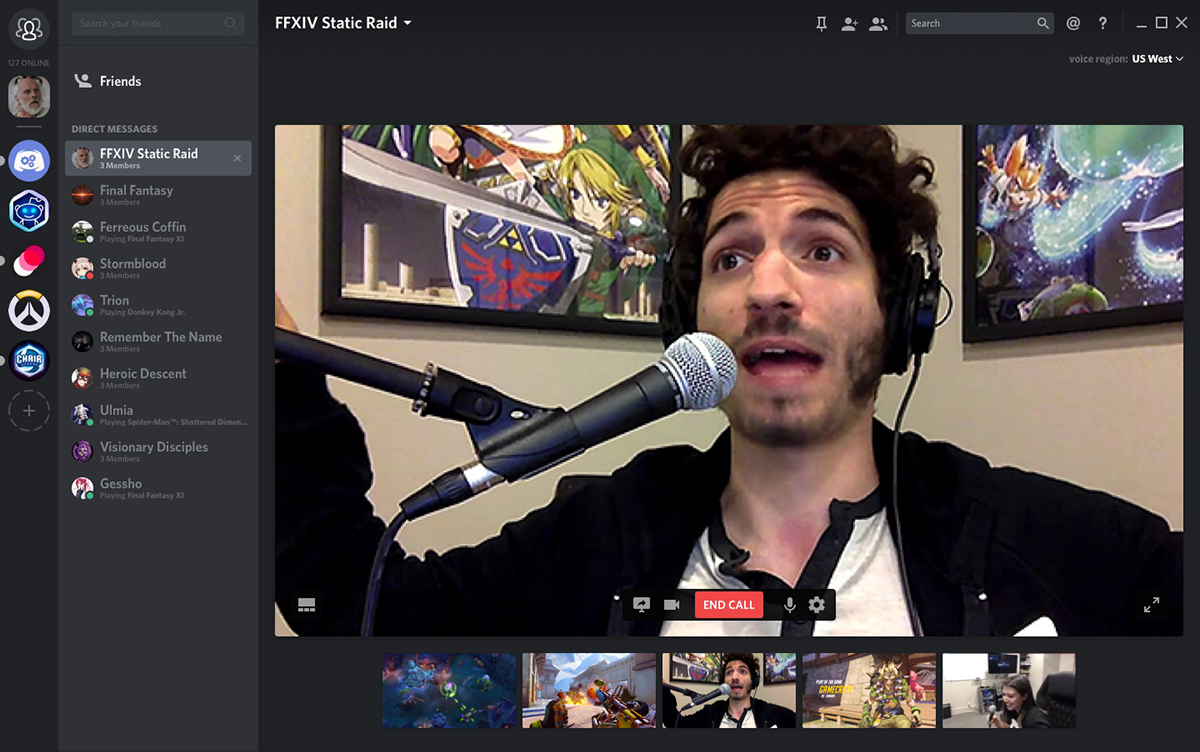
From that same space, users can turn on video, share their screen, do both at once, or simply listen in, making voice and video feel like a natural extension of hanging out rather than a formal action.
This design is why Discord excels at always-on interaction. Voice channels can be created for specific purposes—gaming, co-working, live brainstorming, community events—and permissions can be controlled through roles so only the right people can join or manage them.
Creators and gamers use these channels to maintain a constant sense of presence, whether that means chatting mid-game, streaming gameplay to friends, or hosting casual face-to-face sessions with their community.
Multiple people can stream video or screens at the same time, switch between grid and focus views, or pop the call into a separate window, reinforcing Discord’s “come and go as you please” energy.
Slack takes a more structured approach with Huddles, which combine voice, video, and multi-person screen sharing into a lightweight collaboration tool.
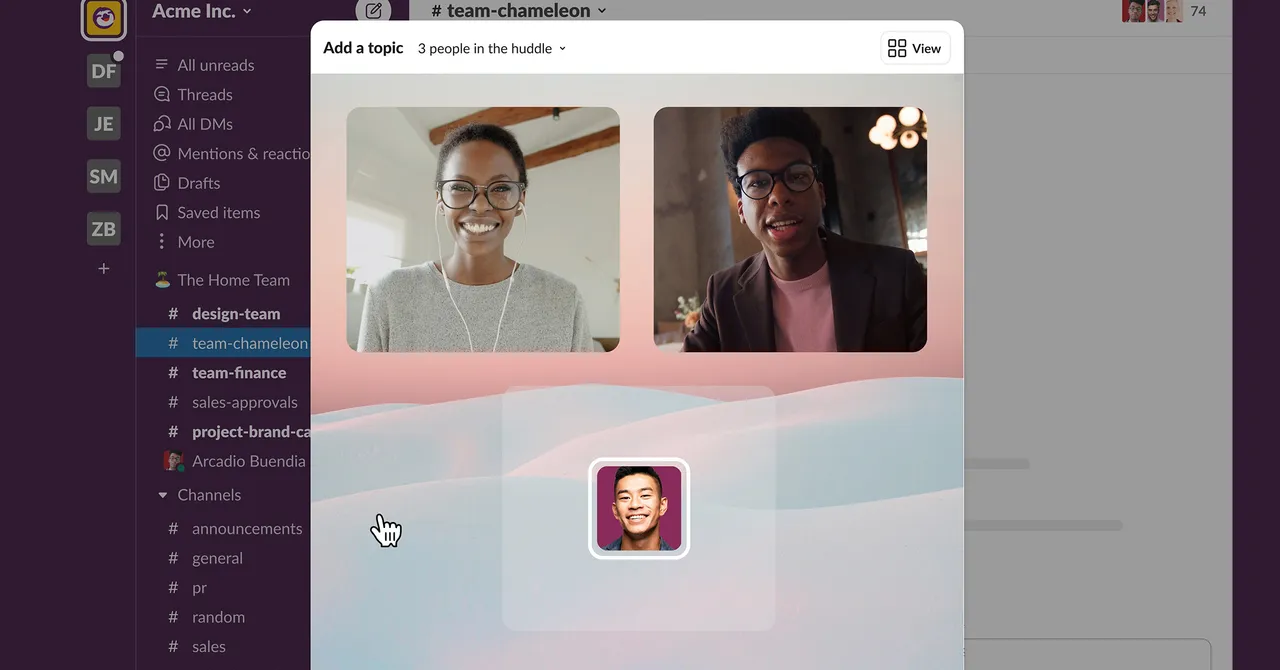
Huddles are easy to start and don’t require scheduling, but they’re still framed around getting something done—reviewing designs, walking through a document, troubleshooting an issue, or syncing quickly with a team.
They’re polished, efficient, and clearly optimized for work rather than social presence.
4. Threads
Threads are designed to keep conversations from spiraling out of control by allowing side discussions to branch from a single message rather than flooding an entire channel.
Slack has embraced this model from the start, making threads a core part of how conversations function across the platform.
In Slack, threads help keep channels readable and organized, especially for feedback loops, support questions, and longer discussions that don’t need to dominate the main feed.
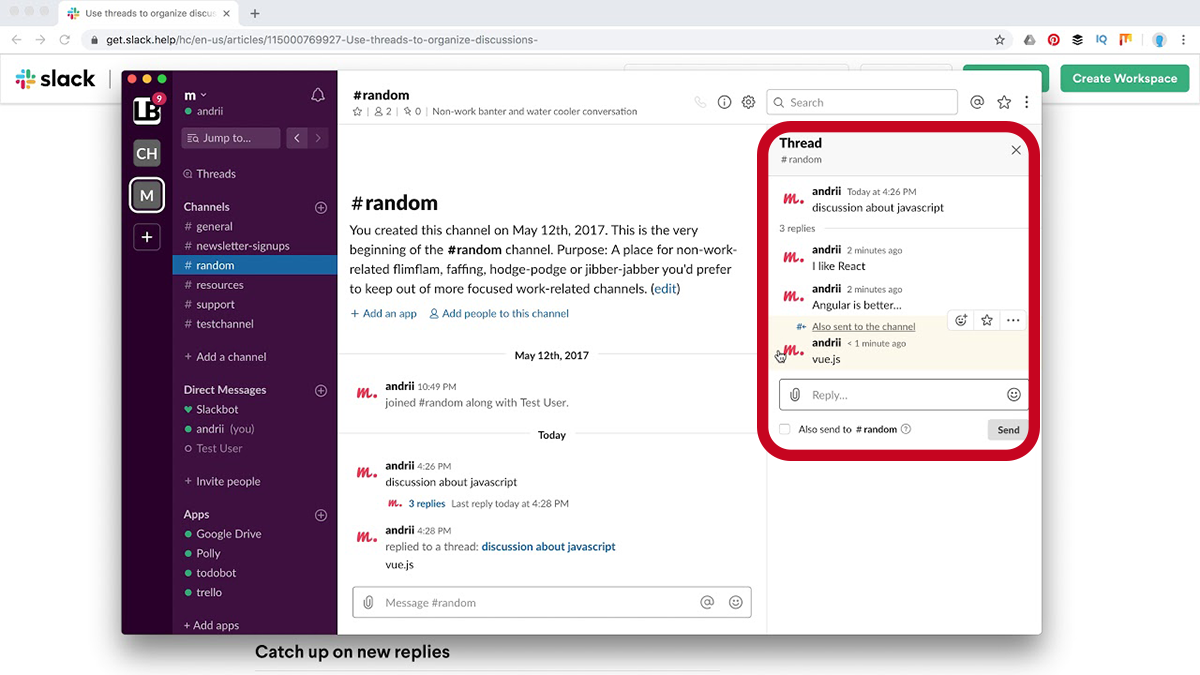
Discord also offers threads, and they’re a big improvement for managing busy servers, but they’re more limited in scope and longevity.
Without careful channel design and active moderation, conversations can still feel scattered as communities grow.
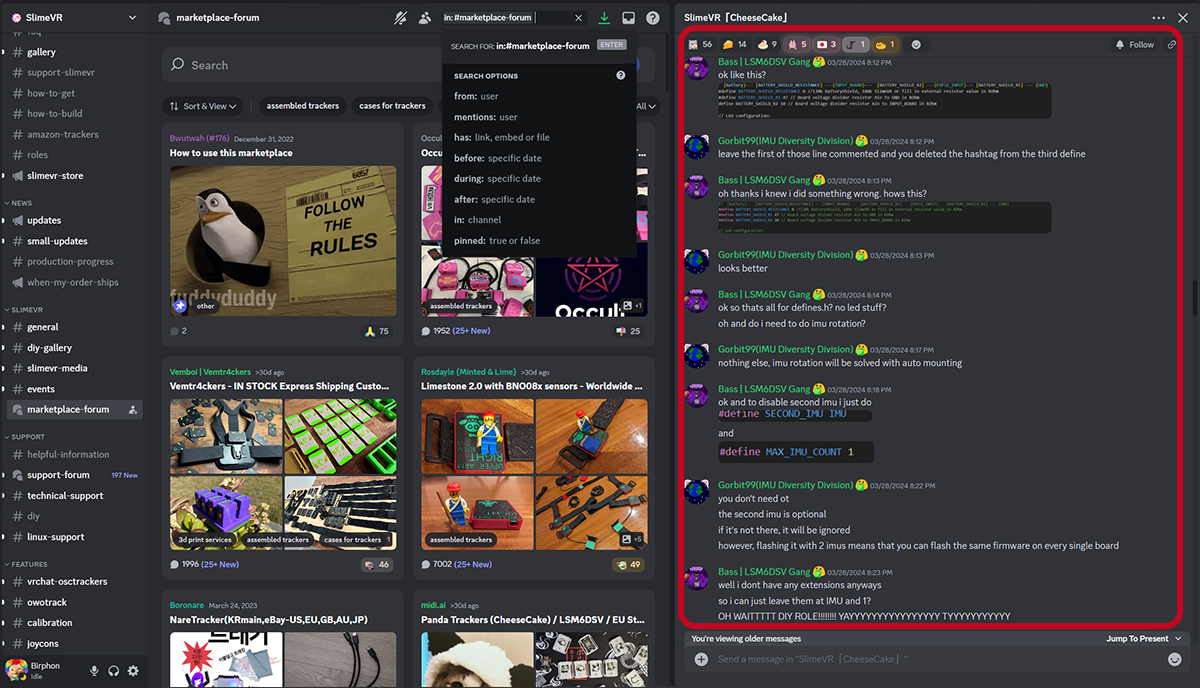
If structured discussion and long-term clarity matter to you, Slack’s thread system feels more natural, while Discord’s requires more intention to achieve the same level of organization.
5. Bots vs. Integrations
This is the point where Slack and Discord stop feeling like competitors and start feeling like tools built for completely different worlds.
Both platforms extend their functionality beyond basic chat, but in ways that reflect their original purpose.
Slack focuses on integrations and apps to streamline work, while Discord relies on bots to shape community behavior and culture.
Slack: Integrations and Apps Built for Productivity
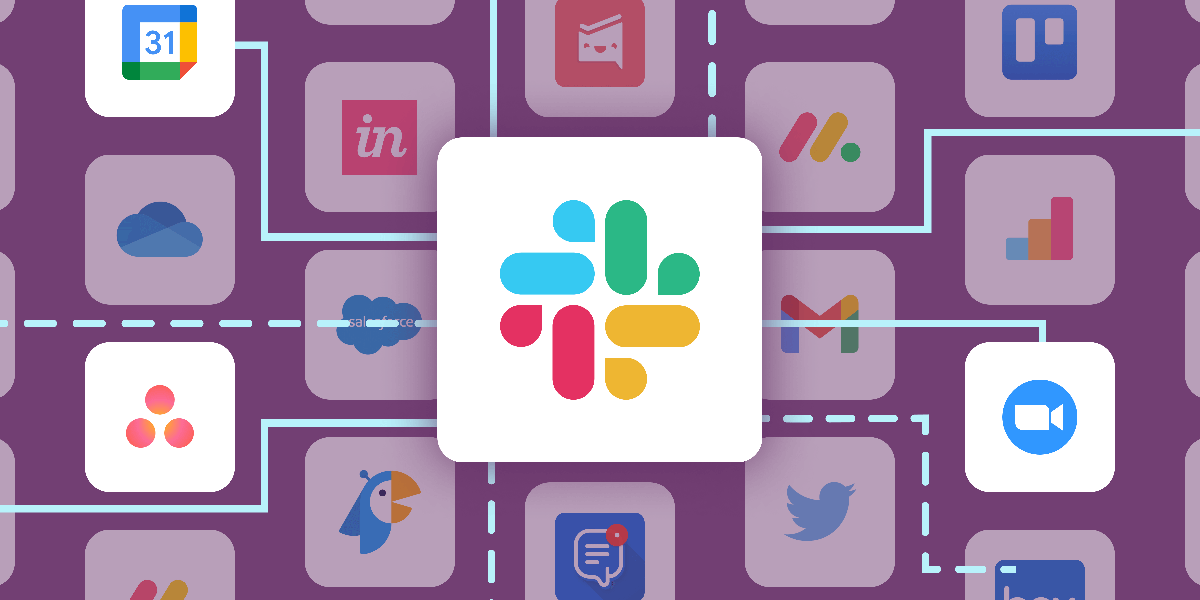
Slack supports over 2,600 third-party integrations, though the free plan limits you to 10 connected apps. On paid plans, Slack becomes extremely powerful for automation and coordination.
Slack integrations are ideal for:
- Connecting productivity and SaaS tools like Google Drive, Trello, Asana, Zoom, GitHub, Zendesk, Dropbox, and Salesforce
- Automating workflows and notifications through tools like Zapier
- Keeping project updates, file sharing, and task tracking tied directly to conversations
- Reducing context switching by bringing work updates into relevant channels
If your team lives in software ecosystems and needs reliable, native integrations with business tools, Slack is the clear, straightforward choice.
Discord: Bots That Power Community Interaction
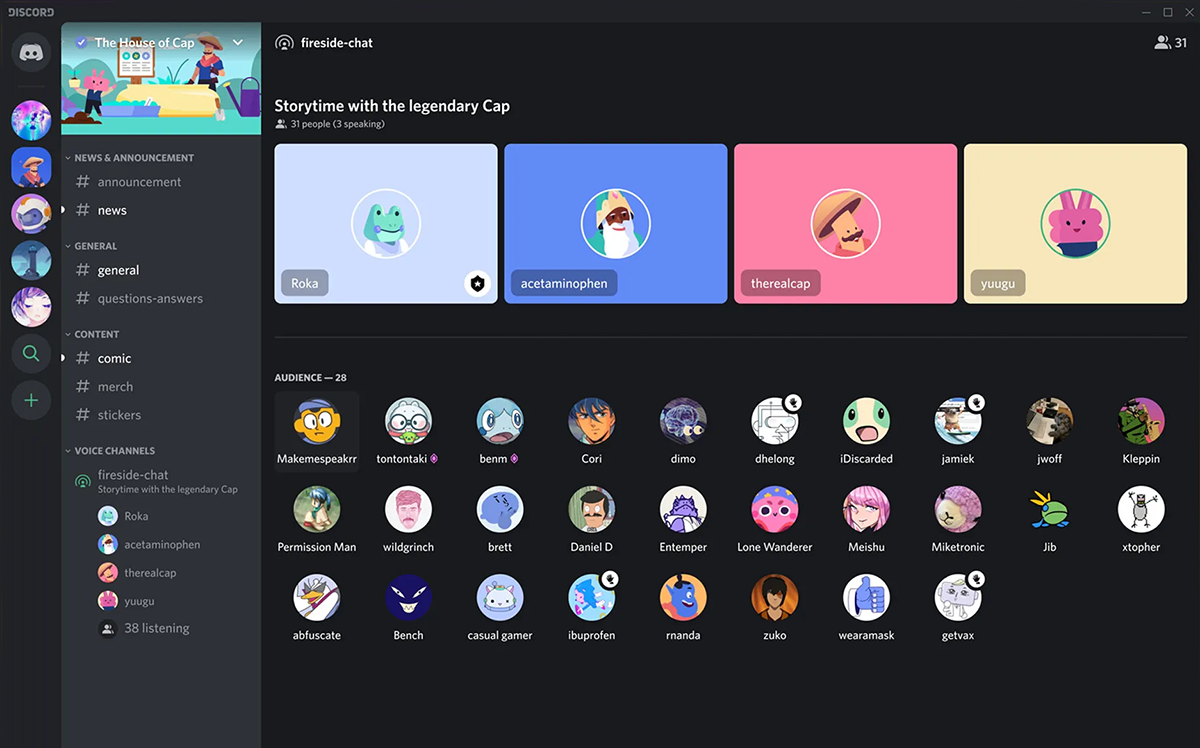
Discord doesn’t focus on native integrations with work software as Slack does.
Instead, its flexibility comes from bots, which can be added to servers to automate tasks, manage members, and create interactive experiences. Bots are a core part of how Discord communities function at scale.
Discord bots are commonly used for:
- Auto-moderation and spam filtering
- Welcome messages and onboarding flows for new members
- Reaction roles and permission management
- Leveling systems and engagement rewards
- Alerts for Twitch streams, YouTube uploads, and announcements
- Event reminders, games, music, and recurring community rituals
Discord also allows connections with platforms like Twitch, YouTube, Spotify, Steam, Xbox, and PlayStation, reinforcing its roots in gaming and creator culture.
While it can connect to productivity tools via webhooks or automation platforms like Zapier, it’s not designed to be a native work hub.
In short, if your goal is workflow optimization, Slack wins easily. However, if your goal is engagement, personality, and community momentum, Discord’s bot ecosystem can handle much of the heavy lifting.
6. File Sharing
Slack treats file sharing as part of an ongoing workflow, which makes it better suited for teams handling real documents, assets, and long-term projects.
Files are easy to upload into channels or direct messages, and Slack’s search tools make it simple to find and reference them later—especially as conversations pile up over time.
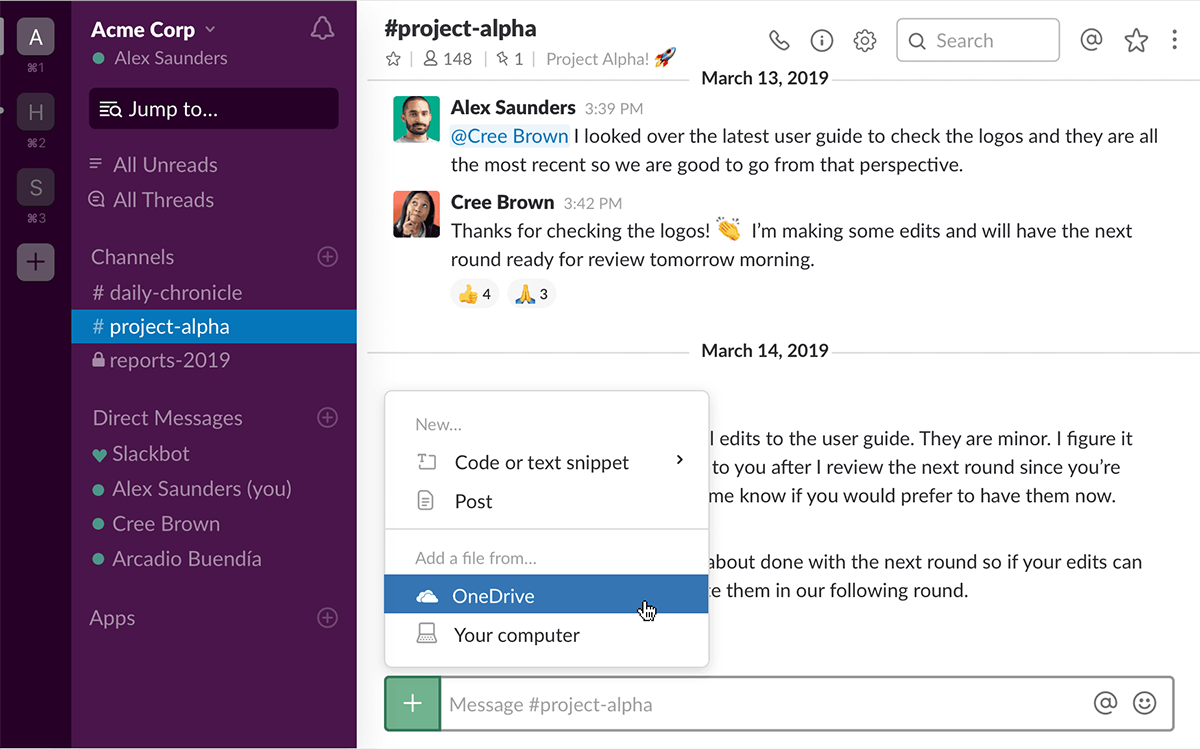
Slack's File Sharing Highlights
- Stores files inside a workspace, keeping them tied to specific projects or channels
- Strong search makes it easy to locate files shared weeks or months ago
- Free plan includes up to 5GB of storage, but limits access to files older than 90 days
- Paid plans scale storage significantly, offering 10GB, 20GB, or up to 1TB per user
- Supports large file uploads (up to 1GB), ideal for work-related documents and assets
Discord, by contrast, treats file sharing as a conversational add-on rather than a document system.
It’s great for quickly dropping images, videos, links, and audio files into chats, with everything remaining accessible indefinitely, but upload size limits shape how it’s used.
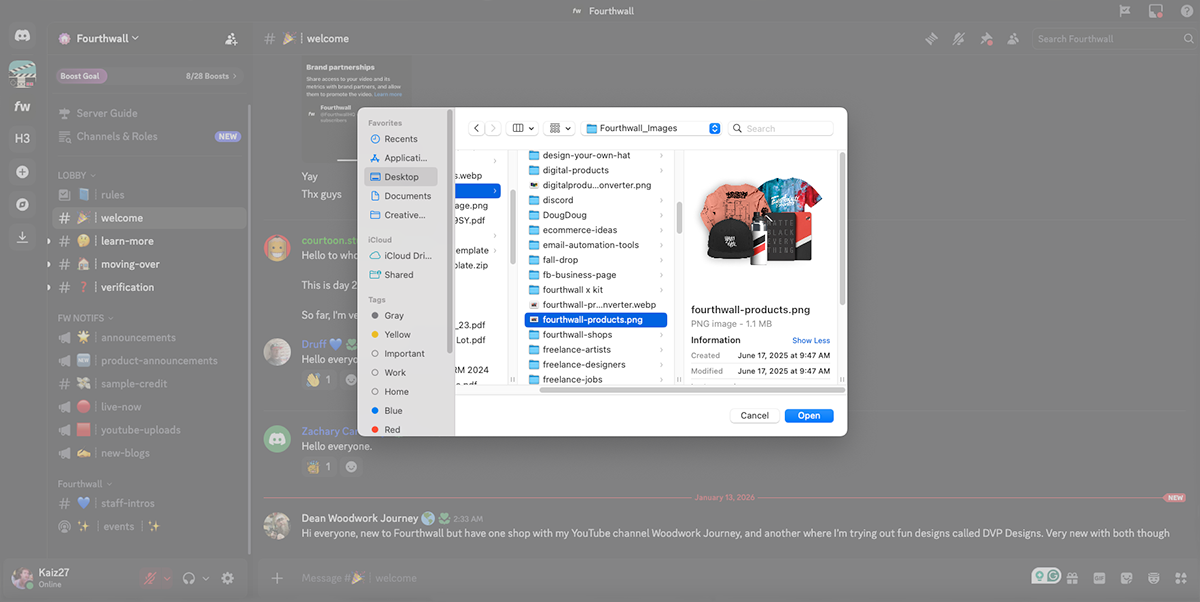
Discord's File Sharing Highlights
- Files are attached directly to messages in text channels, voice chats, or group messages
- Free users can upload files up to 10MB, with larger uploads available through Nitro
- Supports common file types like JPEG, PDF, MP3, MOV, and MP4 video formats
- Multiple images or videos sent together display in a mosaic-style layout
- Files remain accessible long-term, but Discord isn’t built for structured file organization
In practice, Slack works best when files are central to collaboration and need to be searchable and reusable, while Discord excels at quick, casual sharing that supports conversation rather than formal workflows.
7. Free Plans vs. Paid Plans
Slack offers a Free Plan that includes basic messaging, channels, and file sharing, but limits access to message and file history to the most recent 90 days and caps storage at 5GB per workspace.
To remove those limits, teams need to upgrade to a paid plan, starting at $8.75 per user per month, which unlocks unlimited message history, group meetings, significantly more storage per member, and access to advanced integrations and automation tools.
Higher tiers add enterprise-grade security, admin controls, and AI-powered features, making Slack increasingly powerful—but also increasingly dependent on a paid subscription.
Discord’s pricing is designed around individual users rather than organizations.
Their Free Plan includes unlimited message history, server creation, voice and video chat, and unlimited file storage with a 10MB per-file upload limit, which is enough for most communities.
Paid plans include Nitro Basic at $2.99/month, which raises upload limits to 50MB and unlocks custom emojis and profile perks, and Nitro at $9.99/month, which increases uploads to 500MB, adds HD streaming, and includes server boosts.
Best Platform for Gamers: Discord

Discord works so well for gamers because it mirrors how gaming culture already operates—fluid, social, and always on.
It doesn’t force conversations into rigid formats or scheduled moments; instead, it lets players move naturally between talking, listening, and playing without friction.
That sense of presence makes Discord feel like a shared space rather than a tool, which is why gaming communities actually stick around instead of logging off once the match ends.
Over time, servers develop identity, inside jokes, and rituals that feel native to gaming culture rather than imposed by software. That’s something most work-first chat apps simply aren’t built to support.
Best Platform for Creators Building a Community: Discord (With Intentional Design)

Discord is powerful for creators because it turns an audience into a place, not just a follower count.
It allows creators to exist alongside their community in real time, creating moments of access and connection that don’t feel staged or algorithm-driven.
When designed well, a Discord server becomes a shared home base where fans feel invested, recognized, and comfortable participating at their own pace.
The key is intention—without structure, Discord can feel overwhelming, but with clear purpose, it becomes one of the strongest tools for long-term community building.
Creators who treat Discord as a living space rather than a dumping ground tend to see the deepest engagement.
When Slack Makes Sense for Creators
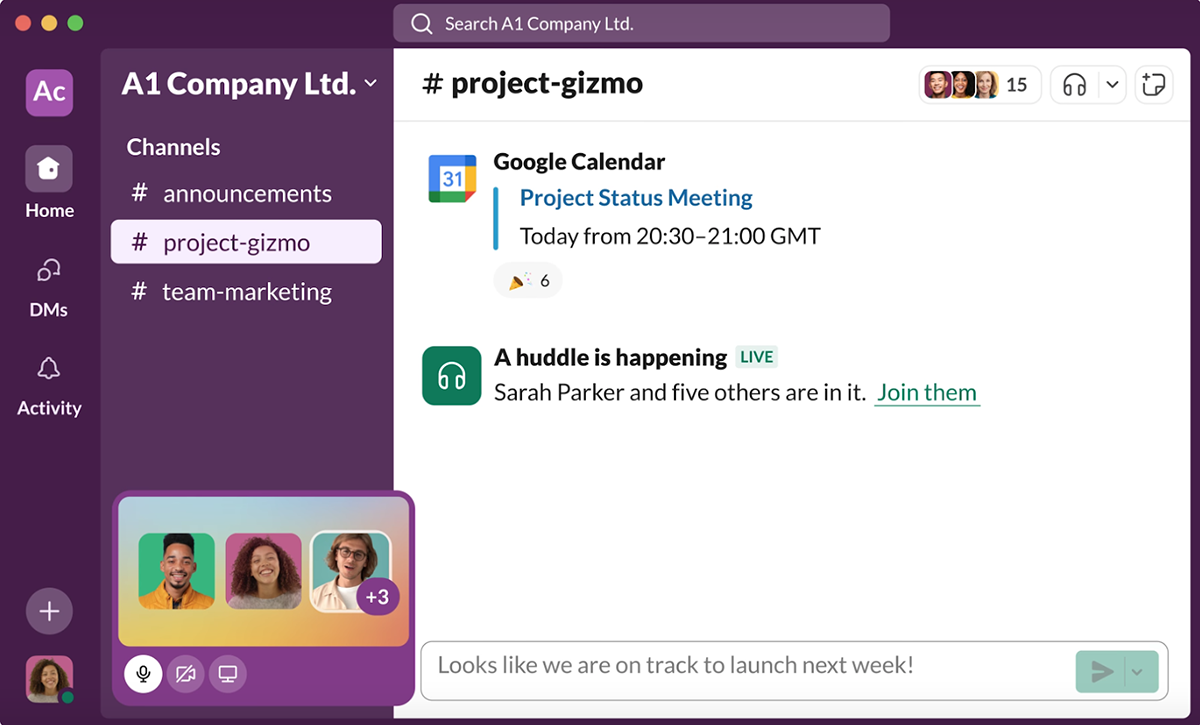
Slack is often overlooked by creators, but it shines when you’re managing the business side of a growing brand.
It’s especially useful for internal team communication with editors, designers, moderators, and assistants, where clarity and accountability matter more than vibes.
Slack also excels at handling content pipelines, approvals, and feedback loops, keeping conversations searchable and decisions easy to revisit later.
For brand deals and partner collaborations, Slack feels more professional and structured than community-first platforms.
Final Verdict: Discord Wins for Community, Slack Wins for Work
When it comes down to it, Slack and Discord aren’t competing for the same role—and that’s why the “better app” debate usually misses the point.
Discord is the clear winner for building and sustaining communities, especially for gamers and creators who want a space that feels alive, social, and worth returning to.
Its voice-first design, flexible server structure, bots, and generous free plan make it far better suited for long-term community engagement than any work-focused chat app.
Slack, on the other hand, is the better tool for getting work done behind the scenes.
It excels at structured team communication, searchable conversations, and integrations that keep internal workflows clean and efficient.
If you’re choosing one platform as a creator or gamer looking to build a real community, Discord is the overall winner. If you’re supporting that community with a team, Slack works best as the operational backbone.
Build Your Creator Business with Fourthwall (and Join Our Discord)
Building a community is cool. Turning it into something sustainable is even cooler.
Fourthwall gives creators the tools to turn fans into real support through merch, products, drops, and memberships without duct-taping together a dozen random platforms.
And if you want to stay tapped into what’s launching next, join Fourthwall’s Discord.
It’s the easiest way to get up-to-date alerts and announcements on new products, features, and creator tools, plus you’ll be in the same room (literally) as other creators building the same kind of thing you are.
So, if you're serious about growing your brand keeping your community close, set up your Fourthwall site today and start building something you actually own.
FAQ: Slack vs Discord
Is Slack or Discord better for gamers?
Discord is the clear winner for gamers. Its voice-first design, always-on voice channels, and server-based communities make it ideal for real-time communication during gameplay.
Slack can technically be used, but it lacks the social, audio-driven experience gamers expect.
Is Discord better than Slack for building an online community?
Yes, Discord is generally better for community building. It’s designed around servers, roles, and voice chat that encourage ongoing conversation and culture.
Slack is more structured and works best for teams, not large or social communities.
Can creators use Slack and Discord together?
Absolutely. Many creators use Slack for internal team chat and Discord for their fan community. This setup keeps business operations clean while allowing the community to thrive in a more social, interactive space.
What is the main difference between Slack and Discord?
The main difference is intent.
Slack is a work-first team communication tool, while Discord is a community-first platform built around voice chat and social interaction.
While both support text channel and direct messages they can feel very different in daily use.
Matt Keyser is a writer at Fourthwall who lives at the intersection of social media and Creator culture. With 4+ years of experience covering industry trends, his work focuses on helping Creators and brands understand how to turn their passion into a thriving business while maintaining a constant pulse on the latest eCommerce and social media trends.


You might also like

How to Run a Halloween Costume Contest That Markets Your Shop
.webp)
How to Validate a Digital Product Idea Before You Create It

How Much Does TikTok Pay in 2026? A Detailed Breakdown

How to Make Money as a Content Creator the Smart Way

25 Best Ways to Make Money With Your Phone for Beginners

How Many Views Is Viral in 2026? Benchmarks by Platform

15 Best Ways to Make Money as a College Student

10 TikTok Live Ideas to Engage Your Audience in 2026

How to Grow Social Media Followers: 8 Proven Methods for Creators

Keep up with the latest from Fourthwall
New features, product updates, trend breakdowns, and creator stories — straight to your inbox.