
8 Disciple Alternatives for Online Communities in 2026
The New Wave of Community Platforms for Creators and Brands


This roundup breaks down 8 Disciple alternatives for building online communities in 2026, with Fourthwall highlighted as a top pick for combining tiered memberships, merch, and digital products in one branded storefront, alongside options like Swarm (threaded conversations), Mighty Networks (courses and events), and Circle (advanced automation). Each platform is compared on monetization features, pricing, and standout tools to help Creators find the best fit as their community outgrows Disciple's more limited, higher-priced setup.
Building a community is one of the easiest ways for creators to turn their fans into a steady income.
Tools like Disciple tap into that venture, with a branded app that lets you host content and memberships in one place. Though it works well out of the gate, as your community grows, you'll start to notice that its feature set can feel somewhat limiting...and maybe, even overpriced.
Luckily, there are plenty of other platforms worth looking at. Below, we're featuring eight Disciple alternatives that make it easy for any creator to monetize, customize, and grow their community without feeling restricted.
Disciple Alternatives at a Glance
Why Consider a Disciple Alternative?
If your goal is to turn your community into a real business, Disciple provides the necessary tools to do so. However, some might not consider its setup beginner-friendly.
If you’re still figuring out your audience and trying to get people engaged, it can feel like you’re using a high-end tool before you actually need it.
Here are some reasons why Disciple might fall short for certain creators and brands:
- Higher pricing: Disciple is built more for established communities with a clear way to make money, so if you’re just testing out ideas, its pricing plans can be hard to justify.
- You’re working within its system: Disciple gives you more control than social media, but since it’s still a hosted platform, you’re limited by its features and setup—which can be frustrating if you want full control over your site and data.
- Not ideal for small communities: It tends to work best for those with large audiences, rather than beginning creators looking to build their community from the ground up.
- App-dependent: Disciple is primarily designed for mobile use, so the desktop or web versions can feel a bit clunky and less polished.
- Best for selling digital offerings: It shines when you’re running paid memberships or courses, but feels like overkill if you just need a simple, low-cost community space.
8 Best Disciple Alternatives for Building an Online Community
1. Fourthwall

Fourthwall is a modern eCommerce platform that gives creators and brands the tools to build a fully branded website, allowing them to sell memberships, print-on-demand merch, and digital products directly to their audience.
Through its Memberships feature, you can set up tiered subscriptions that provide your members with exclusive perks, with each level containing its own mix of content, access, and rewards.
It's also packed with a ton of community tools, including direct messages, polls, stream alerts, and newsletters, to help you stay on top of your members.
Add in detailed analytics, flexible pricing options, and a revenue split that lets you keep the bulk of what you earn, and Fourthwall starts to feel like a no-brainer for anyone looking to monetize their community.
Features That Make Fourthwall Stand Out
- Fully-branded site: Build your own membership site where your content, products, and community all come together.
- Flexible membership tiers: Offer different levels of access with perks like exclusive videos, livestreams, or discounts for your biggest supporters.
- Private content for members: Share posts, polls, and updates behind the scenes while giving loyal fans a say in what you create next.
- Video collections: Upload your content and organize it into clean, bingeable libraries that sit behind a paywall.
- Direct communication tools: Message your audience through DMs, email, or push notifications so they never miss an update.
- Sell digital products: Drop courses, eBooks, podcasts, or downloads right alongside your community and keep most of what you earn.
- Exclusive merch for members: Run limited drops or offer discounts just for subscribers to keep them locked in.
- Tips and one-time support: Let fans send quick payments without committing to a full membership.
- Performance insights: See what’s actually working—whether that’s sales, content, or member activity—without guessing.
- Mobile app access: Give your community an app experience with notifications that keep everything top of mind.
Pricing
- Free Plan ($0/month): No upfront cost, 0% fees on physical products, and 5% fee on memberships and digital sales—plus access to your site builder, merch tools, video hosting, and built-in fulfillment.
- Fourthwall Pro ($19/month): Removes digital product fees and includes extras such as a free .store domain, monthly sample credit, advanced analytics, and priority support.
2. Swarm

Swarm takes a different approach to community building by focusing on how members actually talk to each other.
You can set up a simple storefront where you can sell courses, events, or memberships, with built-in tools that help people discover your page without extra work.
What makes it feel different, though, is how conversations unfold. Everything stays threaded, whether someone replies with a video, a voice note, or a comment, so discussions feel more natural, keeping members constantly engaged.
Features That Make Swarm Stand Out
- Custom storefront: Create your own branded page where you can showcase testimonials, fine-tune SEO, and control how everything looks.
- Threaded conversations: Make your chats feel more genuine by leaving voice notes, video replies, or mixed text with images and GIFs.
- Course creation tools: Build out lessons with simple drag-and-drop modules and track how people are doing.
- Host live sessions: Run livestreams, workshops, or Q&As right on the platform, with every recording automatically saved.
- Multiple ways to earn: Charge for memberships, sell courses, host paid events, or offer digital products without external tools.
- Gamification: Reward active members with points, badges, and leaderboards that highlight their contributions.
- Direct and group messaging: Let members connect through private 1:1 messages or small group chats for collaborative projects.
- Customized layout: Shape your space around topics, content, or groups to match how your community works.
- App-style access: Give members a mobile-friendly experience they can open like an app without going through app stores.
- AI assistant: Get quick draft responses you can edit and send, making it easier to keep up with conversations.
Pricing
- Launch ($19/month): 10% transaction fee. Get up to 1,000 members, with access to all core features, including
- Growth ($79/month): 2% transcaction fee. Comes with everything in the Launch plan, including up to 5,000 members, 1hr livestreams,
- Scale ($149/month): Built for larger or premium communities, with unlimited members, extended livestreams, and just a 0.5% transaction fee.
3. Mighty Networks
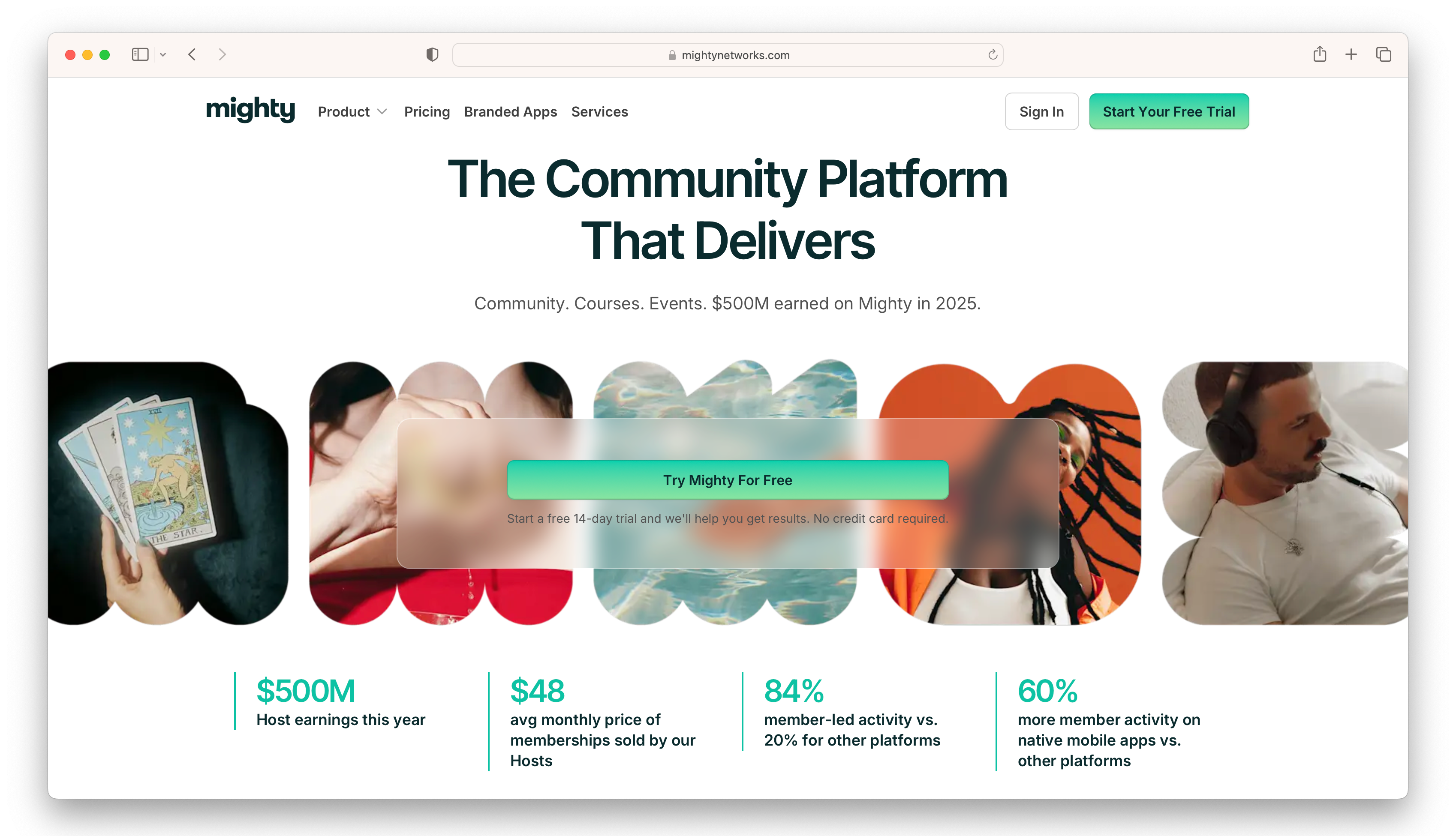
Mighty Networks is a community platform for creators, educators, and brands that want to turn their audiences into a structured business through memberships, courses, and live experiences.
Its AI-powered features help you organize your community by suggesting ways to improve engagement while supporting decisions on pricing or content structure.
While you can start with a basic setup, most of its real growth tools—like advanced automations and branded apps—sit behind its higher-tier plans.
Features That Make Mighty Networks Stand Out
- Community spaces: Organize your community into dedicated spaces for topics, courses, or events, making it easy for members to navigate through.
- Live events and streaming: Host workshops, livestreams, and virtual meetups directly inside the platform without needing extra tools.
- Monetization options: Charge for memberships, bundle courses, sell access to events, or mix multiple revenue streams together.
- Course creation tools: Build structured learning experiences with lessons, discussions, and community interaction baked in.
- AI-powered engagement: Get smart suggestions that help members discover content, join conversations, and stay active.
- Member profiles: Users can showcase their interests and network with other members.
- Activity feed: Publish posts, videos, and polls in a familiar feed that encourages engagement.
- Mobile-friendly: Access your community through web, iOS, or Android, with the option to upgrade to branded apps.
- Analytics and insights: Track engagement, member activity, and revenue so you can see what’s actually driving growth.
- Integrations with key tools: Connect with platforms like Stripe, Zoom, and email services to keep your workflow running smoothly.
Pricing
- Launch ($79/month): Core community features, memberships, basic automations, and access to AI tools to help you get started
- Scale ($179/month): Adds deeper automations, more flexible community organization, API access, and migration support
- Growth ($354/month): Focused on scaling, with advanced automations, priority support, and access to branded apps
- Mighty Pro (custom pricing): Built for larger brands, offering fully branded apps, dedicated support, and advanced analytics
4. Circle

Circle is an all-in-one platform for creators, educators, and brands that want to run paid communities.
You can manage members, host content and events, and collect payments all in one branded space, which makes it especially appealing if you’re looking to build a community-led business.
It also scales nicely, with advanced automation, AI agents, and branded app options available if you’re looking to grow your community.
Features That Make Circle Stand Out
- Organized community spaces: Break things up into different sections for discussions, courses, or events so people can find what they’re looking for without digging.
- Built-in course tools: Create and sell courses right inside your community, with features that keep members involved, like challenges and progress tracking.
- Host live events: Run workshops, Q&As, or livestreams directly on the platform—no need to bounce between tools.
- Instant messaging and chat: Give members a way to talk in real time, whether it’s quick messages or ongoing conversations.
- Branding that feels like you: Tweak the layout, colors, and overall vibe so your community actually matches your brand.
- Engagement perks: Use badges, rewards, and small incentives to keep people active rather than having them drop off.
- AI Copilot support: Get help managing conversations and answering common questions so you’re not doing everything yourself.
- Automations that save time: Set up things like welcome messages or notifications so the community runs more smoothly in the background.
- Simple page builder: Put together landing pages or a home base for your community without needing a separate site.
- Monetization features: Charge for memberships, sell courses, or lock content behind a paywall without adding extra tools.
- Community insights: See how members are interacting and what’s growing so you can adjust as you go.
- Mobile access: Let members stay connected on their phones with an app experience built for on-the-go use.
Pricing
- Professional ($89/month): Covers the essentials, like community spaces, courses, events, memberships, and a site with your own domain.
- Business ($199/month): Adds more control with automations, stronger customization and engagement tools, and API access.
- Circle Plus (custom pricing): Built for larger setups, with advanced AI features, higher limits, custom login options, and priority support.
5. Bettermode

Bettermode is built for companies that want their community page to feel like a natural extension of their brand, rather than a separate space users have to jump to.
Instead of forcing you into a fixed layout, it gives you the building blocks to shape your community platform—from page design to member interactions.
This kind of freedom is perfect if you have a clear vision in mind, but it does mean you’ll spend a bit more time setting up compared to simpler platforms.
Features That Make Bettermode Stand Out
- Community templates: Choose from 30+ pre-built templates for forums, knowledge bases, developer hubs, and more to get started faster.
- Drag-and-drop builder: Design custom pages with elements like leaderboards, content sections, and media embeds without any coding.
- API access: Connect your community to CRMs, analytics tools, and other software through APIs and webhooks.
- White-label customization: Control your page’s branding down to font, color, layout, and domain settings.
- Content management: Create organized content like tutorials, docs, job boards, or guides using flexible content models.
- AI-powered moderation: Automatically detect spam, flag sensitive content, and keep your community safe.
- Advanced analytics and reporting: Track engagement, growth, and performance with detailed dashboards.
- Private chats: Let members connect directly through DMs and group conversations.
- Event management tools: Host virtual events, manage RSVPs, and send reminders without extra platforms.
- Multi-language support: Build global communities with support for multiple languages.
Pricing
- Starter ($399/month): Core community features, up to 10,000 members, custom domain, basic analytics, messaging, and integrations.
- Growth ($1,500/month): Adds API access, advanced reporting, AI search, branding control, and onboarding support.
- Premium (custom pricing): Designed for larger teams with advanced security, higher limits, custom billing, and dedicated support.
6. Hivebrite

Hivebrite is an SaaS-based community engagement platform for organizations like alumni groups, nonprofits, and private communities that rely on connection as much as content.
It leans heavily more towards networking rather than focusing on a single creator, giving community members the tools to connect with each other through directories, shared spaces, or live events.
Though it offers plenty of features for growing a community, it doesn’t offer much in terms of monetizing, besides selling tickets to live events.
Features That Make Hivebrite Stand Out
- Custom branding and setup: Design a fully white-labeled community that reflects your organization without having any technical skills.
- Segmented groups and chapters: Break your community into smaller spaces based on location, interests, or roles to keep things organized.
- Member directory: Let users explore profiles and connect with others, making networking a core part of the experience.
- Built-in event management: Host events, sell tickets, send invites, and track attendance without relying on outside tools.
- Messaging and communication tools: Keep members engaged through forums, direct messages, and announcements.
- Job board and career tools: Share job opportunities and professional resources directly within your community.
- Fundraising and donations: Run campaigns and collect contributions without sending members to another platform.
- Analytics and reporting: Monitor engagement, growth, and participation to understand how your community is performing.
- CRM and integrations: Sync with external systems to keep your data organized and your workflows connected.
- Advanced member management: Control roles, permissions, and access levels as your community grows.
Pricing
- Connect ($799/month): Core features like member management, messaging, directories, and basic analytics to get your community running.
- Scale (custom pricing): Adds paid event tools, flexible access controls, and deeper branding options.
- Enterprise (custom pricing): Designed for larger organizations with onboarding support, advanced community structures, API access, and priority support.
7. Discourse
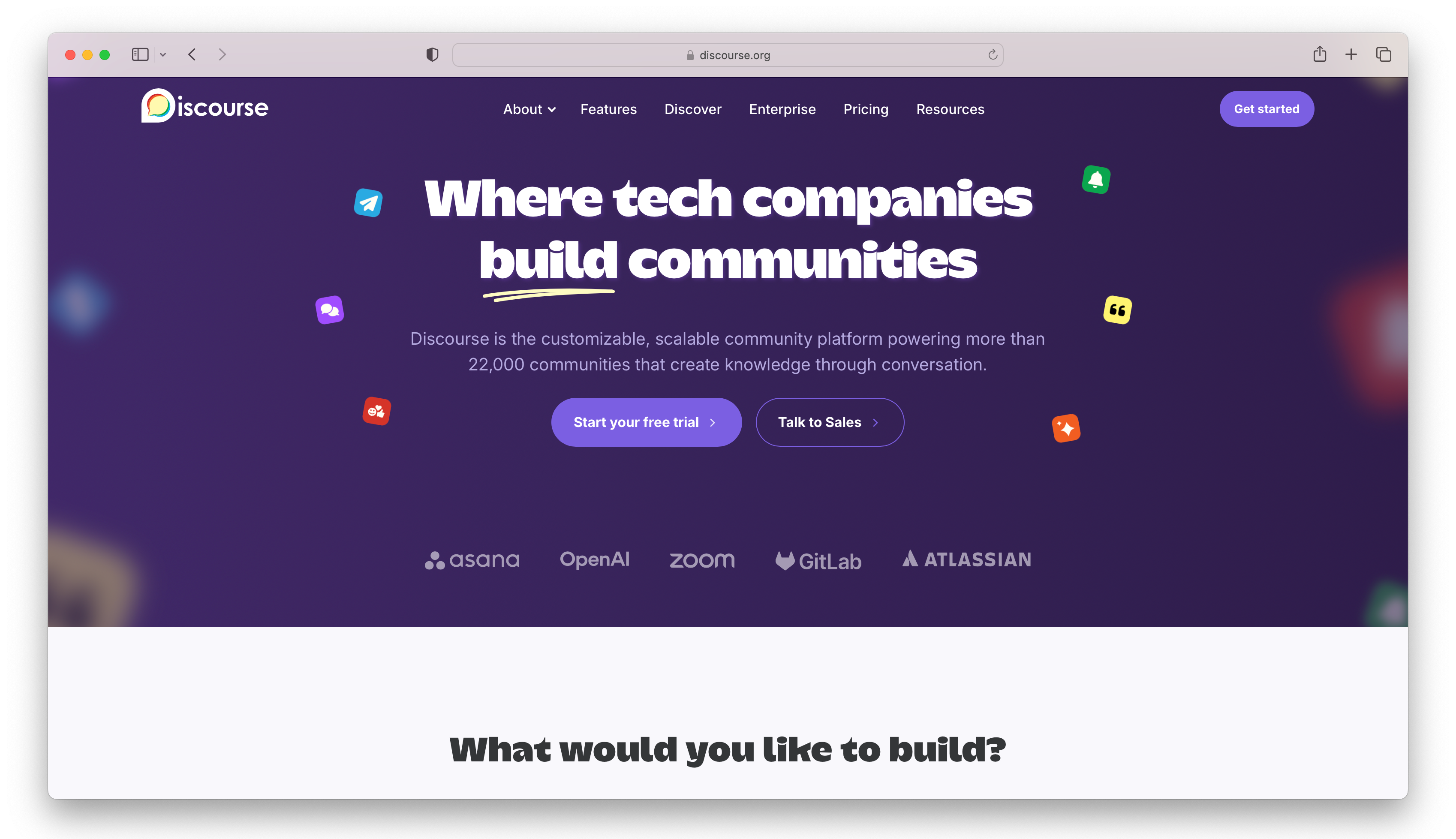
Discourse is an open-source platform designed for teams and organizations that want to build discussion-focused communities around their brand.
It organizes discussions into clear categories, tags, and threads so even large communities stay easy to navigate and useful over time.
With real-time updates, smart moderation tools, and deep customization options, Discourse is built to scale alongside your community without losing structure or quality.
Features That Make Discourse Stand Out
- Conversation threads: Read replies in one continuous thread without clicking through pages or losing your place.
- Real-time chat: Run structured discussions while still letting people have quicker, casual conversations.
- AI-powered translations: Make your community more accessible by translating content into different languages.
- Automatic moderation: Grant permissions to active members, reducing the need for constant admin oversight.
- Customizable user experience: Members can tweak how things look on their end, while admins shape the overall setup.
- Works on any device: Fully optimized for phones, tablets, and desktops with a responsive layout and dedicated apps.
- Link previews: Paste links into the topics module and generate rich previews for better context.
- Single sign-on and social logins: Integrate with existing login systems or platforms like Google, Discord, and GitHub.
- Engagement tools: Use badges, polls, emojis, and summaries to keep discussions active and easy to navigate.
- Admin tools and analytics: Track community health, moderate content, and manage users from a centralized dashboard.
- Plugin and API support: Expand your community and automate workflows with integrations and custom builds.
Pricing
- Free ($0/month): Core community features with unlimited members, basic setup, and social login options.
- Starter ($20/month): Adds unlimited categories, custom groups, summary emails, and email support.
- Pro ($100/month): Includes custom themes, API access, plugins, and more admin control.
- Business ($500/month): Advanced analytics, priority support, migration help, and expanded plugin access.
- Enterprise (custom pricing): Designed for large-scale communities with dedicated support, high uptime, and enhanced compliance features.
8. Higher Logic Vanilla

Higher Logic is customer community software designed to help B2B and B2C companies turn their communities into full customer experiences.
A big part of its appeal is how it blends automation and AI into the workflow, helping brands manage conversations, deliver content, and keep members engaged without everything feeling manual.
Best of all, it works as a built-in help center where customers can find answers, learn from others, and connect, all while letting you design and manage everything to match your brand.
Features That Make Higher Logic Vanilla Stand Out
- Built-in help center: Create a space where customers can find answers, read guides, and learn from other users instead of constantly reaching out to support.
- Federated search: Pull in content from other platforms and let people search it all in one place instead of bouncing between different sites.
- Community Q&A: Let users ask questions and get answers from other members to solve problems much faster.
- Event and networking tools: Host online events and give members ways to connect, collaborate, and interact beyond just posts.
- Simple page builder: Design and customize your community pages with drag-and-drop tools.
- Gamification features: Use points, badges, and leaderboards to reward active members and encourage people to keep coming back.
- Polls and feedback tools: Ask your community questions and gather insights to improve your content or products.
- Automation and AI support: Set up automatic actions and use AI to suggest answers, saving you time and keeping things running smoothly.
- Detailed analytics: See what your members are doing, what content performs best, and where your community is growing.
- Integrations with other tools: Connect platforms like Salesforce, HubSpot, and Slack so your community fits into your existing workflow.
Pricing
- Custom pricing: Plans are tailored to your company’s size and needs. It typically includes unlimited members, admin access, and bundled community, marketing, and analytics features.
Build Your Community the Right Way with Fourthwall
We’ve covered plenty of Disciple alternatives in this guide, and while each one has its own strengths, very few can bring everything together for you in one place.
Fourthwall stands out because it doesn’t just help you build a community—it gives you the tools to actually turn it into a business with memberships, merch, and digital products all working together.
So if you’re ready to simplify your setup and start earning from your audience, sign up with Fourthwall and build a community that helps you thrive.
Matt Keyser is a writer at Fourthwall who lives at the intersection of social media and Creator culture. With 4+ years of experience covering industry trends, his work focuses on helping Creators and brands understand how to turn their passion into a thriving business while maintaining a constant pulse on the latest eCommerce and social media trends.


You might also like

9 Best Kajabi Alternatives for Course Creators in 2026

What to Sell Online: How to Find a Product People Want

8 Best Spreadshirt Alternatives for Print-on-Demand in 2026

7 Best Sellfy Alternatives for Creators and Brands in 2026

27 Best Digital Products to Sell as a Creator
.webp)
Top 8 Wix Alternatives for Creators Building an Online Store in 2026

How to Create and Sell Print on Demand Journals and Notebooks

9 Gumroad Alternatives for Digital Creators in 2026

10 Best Stan Store Alternatives for Creators in 2026

Keep up with the latest from Fourthwall
New features, product updates, trend breakdowns, and creator stories — straight to your inbox.