
8 Hivebrite Alternatives for Building a Thriving Community in 2026
Build It, Grow It, Monetize It: Your Guide to Modern Community Platforms
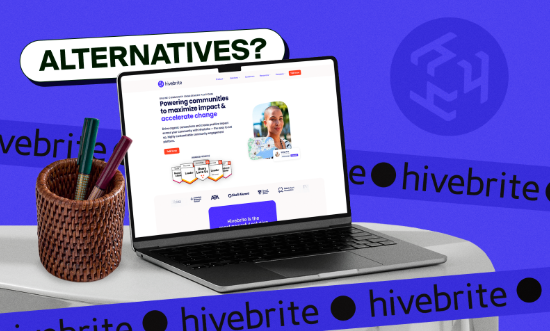


Hivebrite is an enterprise-grade community management platform designed to help organizations build interactive networks where members can connect, share updates, and participate in events.
While it offers a strong foundation for managing communities, its limited creator-focused tools and higher pricing can make it less appealing for individuals or smaller groups looking for a more flexible solution.
Fortunately, there are several other platforms that provide different approaches to building and growing an online community. In this guide, we’ll walk through 8 Hivebrite alternatives that may better suit your needs, whether you're creating a space for friends, alumni, a professional network, or another type of community.
What is Hivebrite?
Hivebrite is designed to support community building and engagement through structured features that help administrators manage their network while giving members an easy way to connect.
Communities can create branded communities with their own look and feel, manage access levels, and provide a space for conversations, resources, and events.
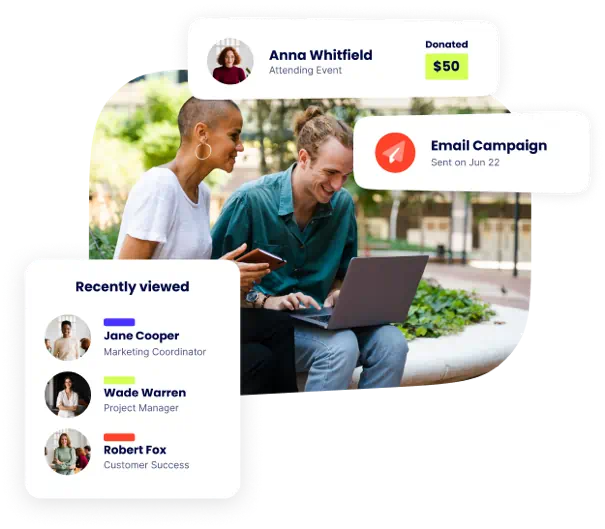
While it works well for large organizations that need structured community management software, smaller teams or creators sometimes find its structure and pricing less flexible compared to other platforms.
Here are some of the key tools Hivebrite provides for managing and growing an online community:
- Customizable member profiles and searchable member directories
- Community feeds, discussion forums, and group conversations
- Sub-communities and groups for organizing large networks
- Built-in event management with scheduling, ticketing, and attendee tracking
- Private messaging, announcements, and newsletters for member communication
- Shared resource libraries for documents, media, and guides
- Gamification tools like badges and leaderboards to boost engagement
- Basic monetization options for memberships, paid events, donations, and fundraising
- Built-in analytics dashboards for tracking activity and engagement
- Simple website builder to create a public-facing community hub
- Integrations with tools like CRM platforms, payment processors, and other business software
- Mobile access through branded apps for iOS and Android
How We Reviewed the Best Hivebrite Alternatives
Finding the right community management platform often comes down to how effectively it can keep your members active and engaged.
Some tools are designed for large organizations with structured membership networks, while others focus on flexible online community spaces that prioritize interaction, growth, and monetization.
To identify the strongest Hivebrite alternatives, we focused on platforms that help community managers build branded communities, organize conversations and events, and manage members without unnecessary complexity or technical hurdles.
Here are the main factors we considered when reviewing the best Hivebrite alternatives:
- Community Management Tools: We evaluated how well each platform supports community management through discussion spaces, networking tools, and features that encourage ongoing member interaction.
- Ease of Setup and Usability: Platforms with intuitive dashboards, clear navigation, and simple onboarding processes ranked higher because they allow community managers to launch and manage an online community without technical hurdles.
- Event Management and Registration: We looked at how effectively each platform handles event management, including event creation, promotion, reminders, and event registration for attendees.
- Monetization Options: Platforms that provide flexible ways to monetize communities through memberships, paid events, digital products, or subscriptions scored higher.
- Customization and Branding: We compared how easily each platform allows organizations to create branded communities by customizing layouts, design elements, and the overall look of their community hub.
- Analytics and Reporting: Strong platforms provide analytics dashboards that help administrators track engagement, member activity, and overall community growth.
- Integrations: We considered how well each platform supports integrations with third-party tools such as CRM systems, email marketing platforms, and automation software.
- Pricing and Overall Value: We compare pricing structures and feature availability across different community sizes to see which platforms provide the best balance of cost, scalability, and functionality.
Best Hivebrite Alternatives for Community Engagement
1. Fourthwall
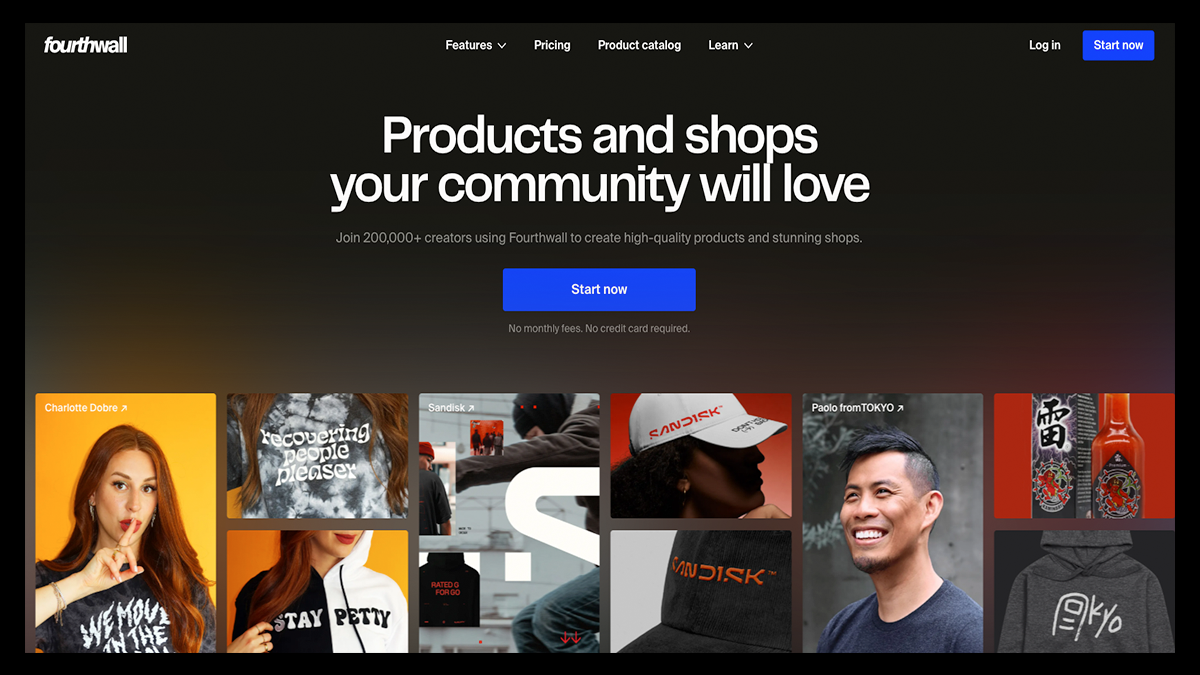
Fourthwall is a creator-first platform that lets you build a fully branded website where your audience can sign up for memberships, interact with your content, and support your work.
Unlike Hivebrite, which is primarily designed for enterprise networks and professional organizations, Fourthwall focuses on helping creators grow and monetize fan-driven communities from a single platform.
You can post exclusive updates, host members-only videos, send direct messages, run polls, and share community posts that keep supporters actively involved.
By combining these engagement tools with memberships, digital products, and merchandise storefronts, Fourthwall makes it easier to turn an audience into a thriving online community.
Key Features That Make Fourthwall Stand Out
- Fully Branded Community Website: Use Fourthwall’s no-code website builder to create a fully branded site where your community can explore content, join memberships, and engage with your brand under your own domain.
- Customizable Membership Tiers: Launch subscription tiers with exclusive perks such as members-only posts, private content, livestreams, discounts, and other community benefits.
- Members-Only Content and Public Posts: Share exclusive updates, videos, and discussions with your members while also publishing public posts that anyone can see, but only members can interact with.
- Built-In Video and Content Hosting: Upload and organize video or audio content directly on your site, allowing creators to host premium content libraries behind secure membership paywalls.
- Direct Messaging and Community Interaction: Connect with supporters using built-in direct messaging, allowing creators to communicate with individual members or entire subscription tiers.
- Digital Products and Creator Storefronts: Sell digital downloads such as guides, templates, courses, and exclusive content directly through your storefront.
- Members-Only Merch and Product Drops: Reward your community with exclusive merchandise, limited product releases, and discounts available only to members.
- Promo Codes and Community Incentives: Create percentage discounts, sitewide promotions, giveaway links, or exclusive deals to encourage fans to join your community.
- Accept Donations and Fan Support: Allow supporters to contribute directly through tips or donations, creating another way for your audience to support your work.
- Fully Branded Mobile App Experience: Turn your membership content into a custom mobile app where supporters can access your community, receive notifications, and engage with your content from their phones.
Pricing
Free Plan: $0/month
- No platform fee on physical products
- 5% fee on digital products and memberships
- Fully customizable website builder
- Sell digital products, memberships, and merch
- Accept tips and donations from supporters
- Upload video content behind a secure paywall
- Built-in email marketing and promotional tools
- Promo codes and giveaway links
- Automated sales tax handling and product fulfillment
Pro Plan: $19/month or $180/year
Everything in the Free Plan, plus:
- 0% digital product fees
- Free .store domain
- $10 monthly product sample credit
- Advanced analytics and reporting
- Unlimited team members
- Priority customer support
2. Circle
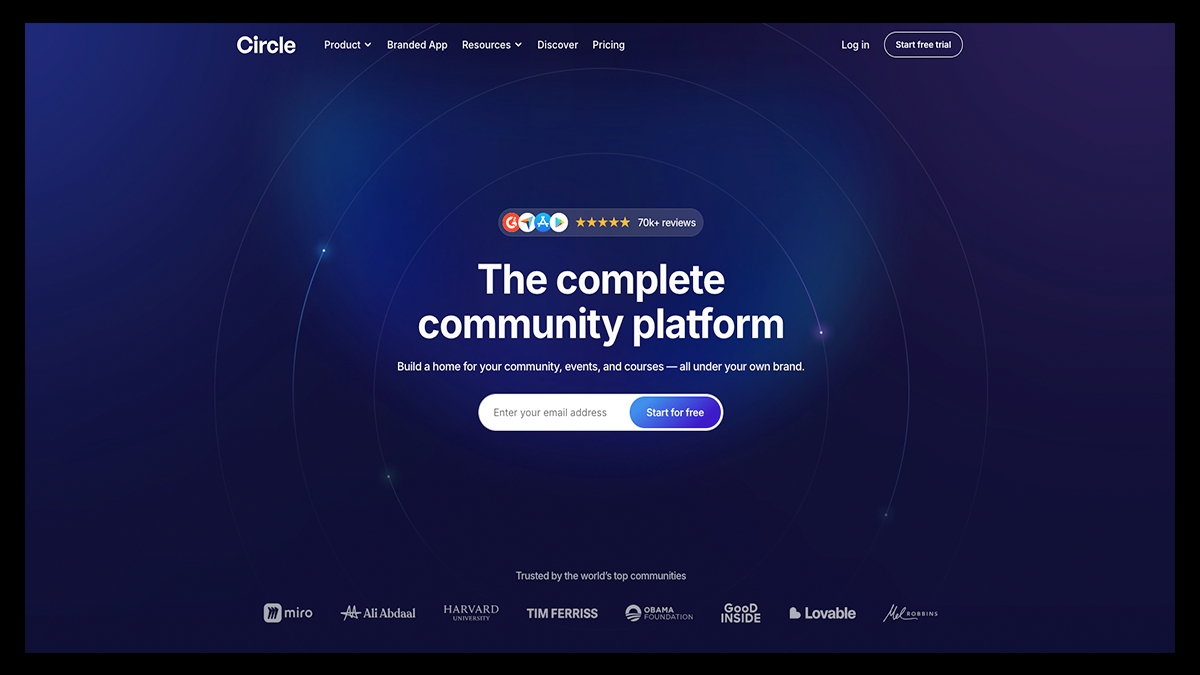
Circle is a community platform designed for creators, educators, and entrepreneurs who want to bring their audience together in a dedicated online space.
Rather than juggling separate tools for discussions, live events, and course content, Circle combines these elements into a single, streamlined platform where communities can interact, learn, and grow together.
It's particularly popular among creators looking to monetize their online communities through paid memberships, courses, and exclusive content.
With structured community spaces, engagement tools, and built-in content hosting, Circle provides the foundation for turning any audience into a well-organized community business.
Key Features That Make Circle Stand Out
- Spaces & Space Groups Architecture: Circle organizes your community into structured sections called Spaces and Space Groups, allowing you to separate discussions, courses, events, and resources so your community stays organized as it grows.
- Access Groups for Member Permissions: Access Groups allow administrators to bundle spaces together and control which members can access them, making it easy to create paid memberships or exclusive content areas.
- Native Paywalls and Membership Monetization: Circle lets you gate your entire community or specific spaces behind subscriptions, one-time payments, installment plans, coupons, and free trials.
- Live Events and Live Rooms: Creators can host live sessions, webinars, and interactive discussions directly inside the platform using Circle Live with multiple presenters and audience participation.
- Courses and Learning Communities: Circle includes tools for hosting lessons, videos, and structured educational content, allowing creators to combine courses and community in one platform.
- Gamification and Engagement Tools: Features like leaderboards, polls, badges, and activity scores help increase participation and keep members actively involved.
- Built-In Website and Landing Page Builder: Circle includes tools for creating branded landing pages, community homepages, and sales pages without needing an external website builder.
- Custom Branding and White Labeling: Communities can fully customize their branding with logos, colors, and custom domains, and higher-tier plans even allow branded mobile apps.
- Analytics and Community Insights: Circle provides reporting dashboards that track member activity, engagement trends, and revenue from memberships or community products.
- Integrations and API Access: Connects to over 30 integrations and offers API access, allowing creators to integrate Circle with other tools or embed community features on custom websites.
Pricing
Professional: $89/month
- Unlimited members
- Courses, discussions, and events
- Website builder
- Live streams and live rooms
- Custom branding and custom domain
- Reporting and analytics
- Searchable member directory with rich profiles
- Paid memberships
- Gamification tools
- Weekly community digest
- Migration services for payments
Business: $199/month
Everything in Professional, plus:
- Workflows for automation
- Custom profile fields
- Headless Member API and Admin API
- Branded email notifications
- Content co-pilot
- Automated transcriptions
- Activity scores
Circle Plus: Custom Pricing
Everything in Business, plus:
- AI agents and AI-powered workflows
- Custom single sign-on (SSO)
- Higher limits for live sessions, storage, and workflows
- 10,000 Email Hub contacts included
- Lower transaction fees
- Advanced analytics
- Sandbox community for testing
- Priority technical support
- Concierge onboarding
3. Glue Up
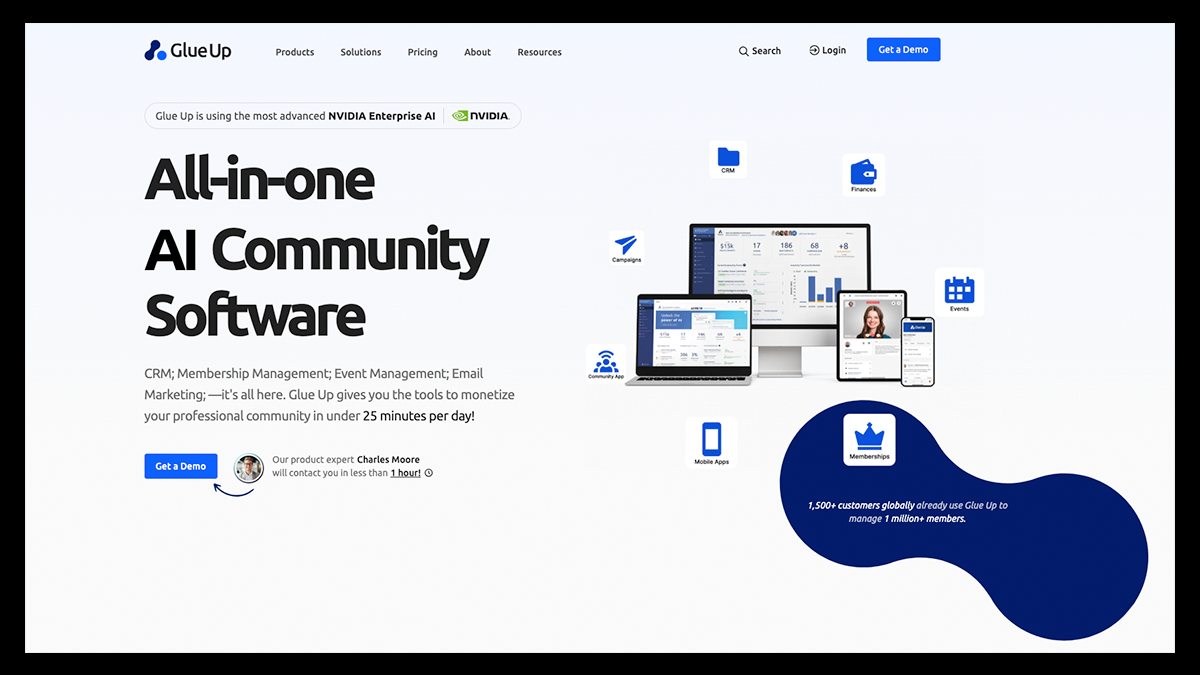
Glue Up is a cloud-based CRM and community management platform built to help organizations manage their members, events, and communications from a single system.
It was originally created to help event organizers simplify the logistics of running conferences and networking events, but it has since evolved into a broader engagement platform used by associations, chambers of commerce, nonprofits, and professional communities.
The platform provides a centralized database where administrators can track member activity, manage renewals, and understand how their community interacts with events, communications, and programs.
Beyond membership management, Glue Up also gives organizations the infrastructure to host and promote both virtual and in-person events while keeping all registrations, payments, and attendee data organized in one place.
Key Features That Make Glue Up Stand Out
- Centralized CRM and Member Data: Glue Up’s built-in CRM system centralizes contact data, member activity, and relationship management so organizations can better understand and engage their communities.
- Event Management Tools: Plan, promote, execute, and evaluate the entire lifecycle of online and offline events, including registration, ticketing, agendas, and attendee tracking.
- Membership Management Automation: Automate membership renewals, manage subscription tiers, and track engagement while maintaining a centralized database of all members.
- Community Engagement Platform: Provide members with a dedicated space where they can connect with your organization, access resources, and participate in community discussions.
- Email Campaigns and Communication Tools: Send personalized newsletters, announcements, and email campaigns to grow your organization and keep members informed.
- Finance and Invoicing Tools: Streamline transactions with built-in invoicing, subscription billing, and secure payment systems that support multiple currencies.
- Webinar and Virtual Event Tools: Host and monetize webinars while creating interactive virtual experiences with built-in networking and engagement features.
- Speed Networking Technology: Enable members to connect through interactive networking sessions designed to build professional relationships in a structured virtual environment.
- Website and Integrations: Create a professional online presence with Glue Up’s website solution, and connect external tools through integrations and workflow automation.
- Glue Up AI Copilot: Leverage AI-powered tools to automate tasks, improve engagement, and analyze community interactions more effectively.
Pricing
Lite: Starting from $1,000/year
- Centralized CRM for contacts and relationships
- Online event registration tools
- Member portal for community access
- Task management for teams
- Core membership and event management tools
Plus: Starting from $4,500/year
Everything in Lite, plus:
- Speed Networking features
- Installment payment options
- Ability to sell digital or physical products
- Reward points for memberships
- Custom invoicing tools
Pro: Starting from $15,500/year
Everything in Plus, plus:
- Financial forecasting and revenue tracking
- Advanced contact management tools
- Prospect discovery and analytics
- Trial memberships for new members
- Multi-location event management
- Priority support
Enterprise: Custom Pricing
- Unlimited access to all platform features
- Centralized oversight for multi-chapter organizations
- 24/7 support and onboarding services
- Custom data migration and advanced AI capabilities
4. Mighty Network
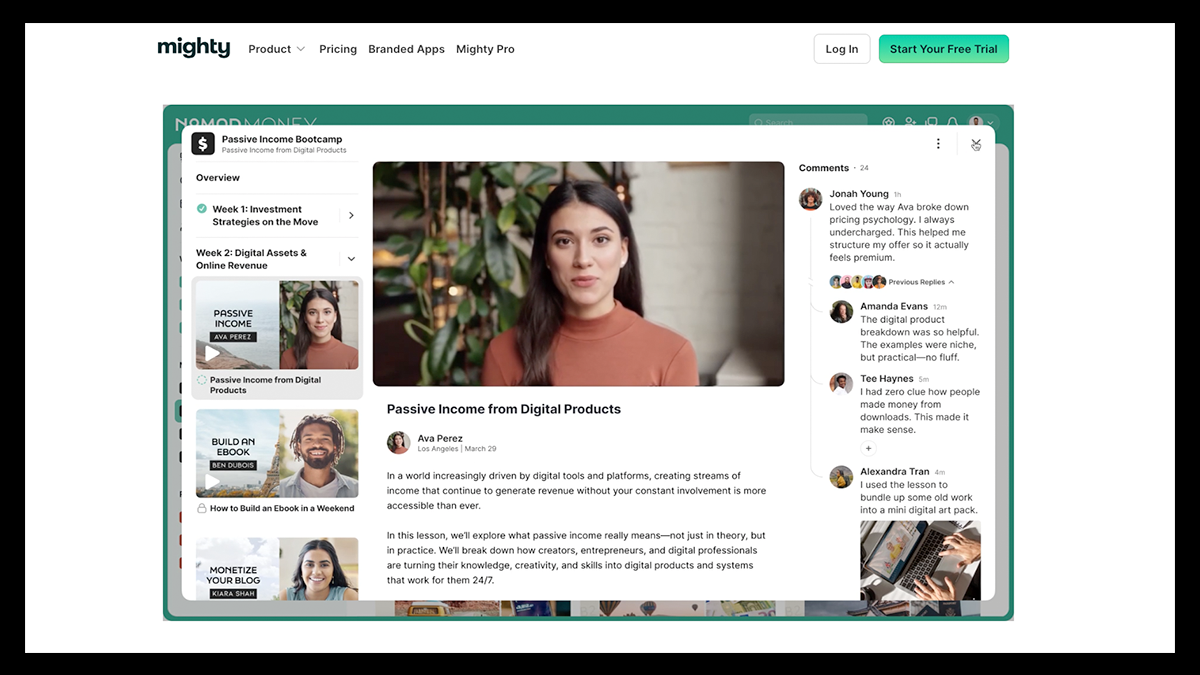
Mighty Networks combines discussion spaces, memberships, courses, and live events into one environment where members can connect, participate in conversations, and access educational content.
Its combination of community engagement tools and course delivery features makes it especially appealing for creators who want to run a membership-based community alongside educational content.
With customizable spaces, networking features, and built-in monetization options, Mighty Networks provides a flexible environment for building communities that support both collaboration and long-term growth.
Key Features That Make Mighty Networks Stand Out
- Flexible Multi-Feature Spaces: Create customizable Spaces that can include discussion feeds, chat channels, courses, events, and member directories all within the same environment.
- Social Engagement Tools: Encourage participation through interactive tools like icebreaker questions, streaks, and community challenges that keep members active
- People Magic Member Matching: Automatically connect members who share similar interests, professional backgrounds, or locations to spark stronger relationships inside the community.
- Interactive Polls and Feedback Tools: Create engaging polls using sliders, voting systems, and open-ended responses that make it easier to gather feedback from members.
- Native Livestreaming and Event Hosting: Host live workshops, Q&A sessions, and virtual gatherings directly inside the platform with built-in RSVPs, reminders, and attendance tracking.
- Zoom Integration for Virtual Events: Connect Zoom webinars or meetings directly to your community event calendar while keeping participation data inside the platform.
- Self-Paced and Cohort-Based Courses: Offer structured learning experiences with drip content, quizzes, and community discussions built directly into the course environment.
- Personalized Community Feed: Members see a customized feed that highlights relevant discussions and content based on their activity and interests.
- Membership Paywalls and Access Controls: Monetize your community by gating courses, discussions, or exclusive spaces behind paid memberships or subscription tiers.
- Branded Mobile Apps (Mighty Pro): Higher-tier plans allow creators to launch fully branded iOS and Android apps, enabling members to engage with the community from anywhere.
Pricing
Launch: $95/month
- 3 hosts
- 10 moderators
- 20 single-feature spaces
- Unlimited members
- Mobile apps included
Scale: $215/month
- 5 hosts
- 15 moderators
- 40 multi-feature spaces
- Unlimited members
- Mobile apps included
Growth: $425/month
- 10 hosts
- 100 moderators
- 80 multi-feature spaces
- Unlimited members
- Mobile apps included
Mighty Pro: Custom Pricing
- Unlimited hosts, moderators, and spaces
- Fully branded mobile apps
- Dedicated strategy team
5. Disciple
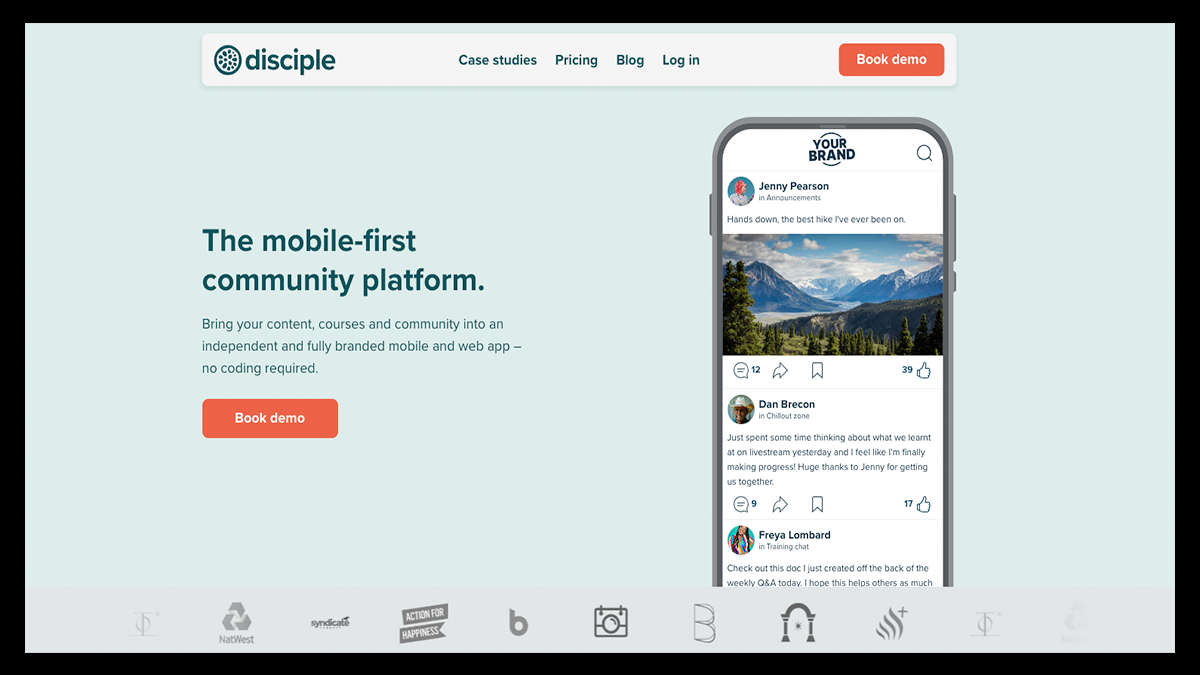
Disciple is a community platform designed to help creators, founders, and organizations build independent digital communities they can fully control.
The platform brings members, content, and memberships together in a private environment that can be fully customized with your own branding.
Community owners can create a dedicated space where followers, customers, or fans connect around shared interests while participating in discussions, events, and content experiences.
With tools for subscriptions, courses, livestreams, and premium content, Disciple also makes it possible to grow and monetize a thriving community directly within your own platform.
Key Features That Make Disciple Stand Out
- Fully Branded Community Apps: Disciple allows you to launch your own branded community platform across web, iOS, and Android with your logo, colors, and identity displayed in the app stores.
- Independent Community Ownership: Community owners maintain full control over their platform, data, and member experience without relying on social media algorithms or third-party networks.
- Groups and Community Feeds: Create multiple groups and topic-based spaces where members can participate in discussions and interact through activity feeds and posts.
- Direct Messaging and Member Communication: Members can communicate through private messages, while administrators can send announcements, broadcasts, and push notifications to the entire community.
- Livestreaming and Live Events: Host livestream sessions and real-time events directly within the platform, allowing members to participate in live discussions and community experiences.
- Content Library and Resource Hub: Disciple allows you to organize videos, articles, and resources into a centralized content library that members can easily access.
- Membership Subscriptions and Monetization: Community owners can generate revenue through subscription tiers, in-app purchases, premium content, and sponsorship opportunities.
- Custom Member Onboarding: Guide new members through personalized onboarding journeys with welcome pages, curated content, and recommended groups.
- Member Directory and Networking: Members can discover each other through searchable directories, profiles, and networking features that strengthen community connections.
- Analytics and Community Insights: Track engagement metrics, member activity, and content performance to better understand how your community interacts with your platform.
Pricing
Branded App: $399/month (billed annually)
- Your own branded app in the Apple App Store and Google Play
- Web version of your community
- Unlimited members
- 2 admin seats and 5 groups
- Standard analytics and onboarding support
- 1 course (not monetizable)
- 5,000 video minutes
Branded App Plus: $599/month (billed annually)
Everything in Branded App, plus:
- Custom domain
- 5 admin seats and 10 groups
- Monetizable course hosting
- Advanced analytics and scheduling tools
- Zapier integration
- Custom badges and member support
- 10,000 video minutes
Branded App Pro: $999/month (billed annually)
Everything in Branded App Plus, plus:
- Unlimited admins and groups
- Unlimited monetized courses
- Multi-tier membership pricing
- API access
- Multi-host livestreams
- Strategic onboarding and support
- 20,000 video minutes
Organization: Custom Pricing
- Custom enterprise-level package
- Bespoke feature development
- Strategic partnership support
- Migration and onboarding services
- Enhanced security and compliance options
6. Bettermode
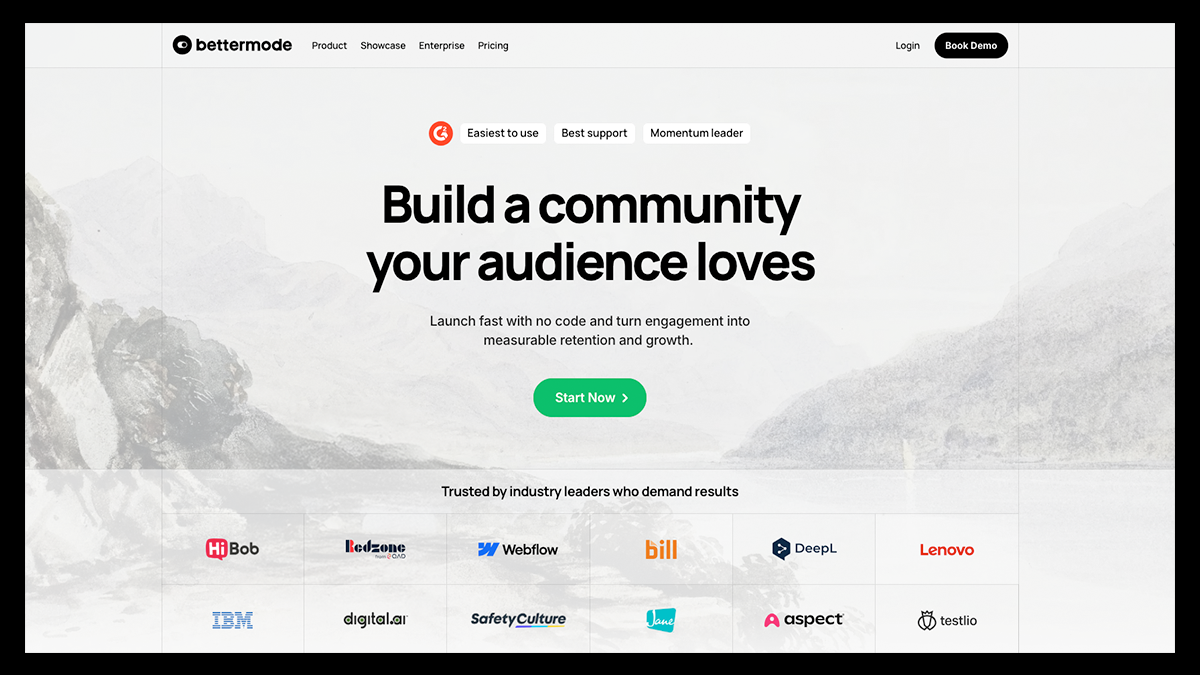
Bettermode is a community platform designed for startups, SaaS companies, and enterprise brands that want a highly customizable environment for managing their online communities.
Instead of offering a one-size-fits-all setup, Bettermode gives teams the flexibility to design their community experience from the ground up.
This includes shaping how content is organized, how members interact, and how the platform integrates with other tools such as CRMs or analytics software. The result is a more tailored environment that can evolve alongside a company’s needs.
Key Features That Make Bettermode Stand Out
- 30+ Prebuilt Community Templates: Bettermode provides ready-made templates for common community formats such as support forums, developer hubs, knowledge bases, and learning communities.
- Advanced Block Builder for Custom Layouts: Use drag-and-drop blocks to design unique page layouts with elements like leaderboards, tag filters, content sections, and embedded media.
- Custom App Builder with API and Webhooks: Develop custom extensions and automate workflows by connecting your community with external tools such as CRM systems and analytics platforms.
- Deep Branding and White-Label Customization: Customize fonts, colors, layouts, domain settings, and UI elements to create a community experience that fully reflects your brand.
- Structured CMS Content Models: Create and manage structured content such as documentation, tutorials, job boards, and product guides using customizable content types.
- AI-Powered Moderation Tools: Automated moderation features help detect spam, flag sensitive keywords, and maintain a safe environment for community members.
- Advanced Analytics and Reporting: Track engagement metrics, membership growth, moderation activity, and content performance through detailed reporting dashboards.
- Private Messaging and Group Chats: Enable members to communicate directly through private messages and group conversations within the community platform.
- Event Management and RSVP Tools: Host virtual events, schedule sessions, and allow members to RSVP while receiving reminders and notifications.
- Multi-Language Support: Communities can support multiple languages so members across different regions can interact in their preferred language.
Pricing
Starter: $399/month
- Up to 10,000 members
- Up to 5 collaborators
- Custom domain
- Basic analytics
- Core community apps (Q&A, discussions, events, polls)
- Private messaging and chat
- Social login
- Integrations
- Chat and email support
Growth: $1,500/month
- Up to 25,000 members
- Up to 10 collaborators
- Ask AI and federated search
- Remove “Powered by Bettermode” branding
- Sender email customization
- API access, webhooks, and sandbox environment
- Activity logs and reporting
- Onboarding and migration support
- OAuth2 integrations
Premium: Custom Pricing
- Up to 100,000 members
- Up to 20 collaborators
- Advanced security features (SOC 2, JWT, SAML)
- Customer Success Manager
- 99.9% uptime SLA
- Custom billing options
- Security and compliance review
7. Discord
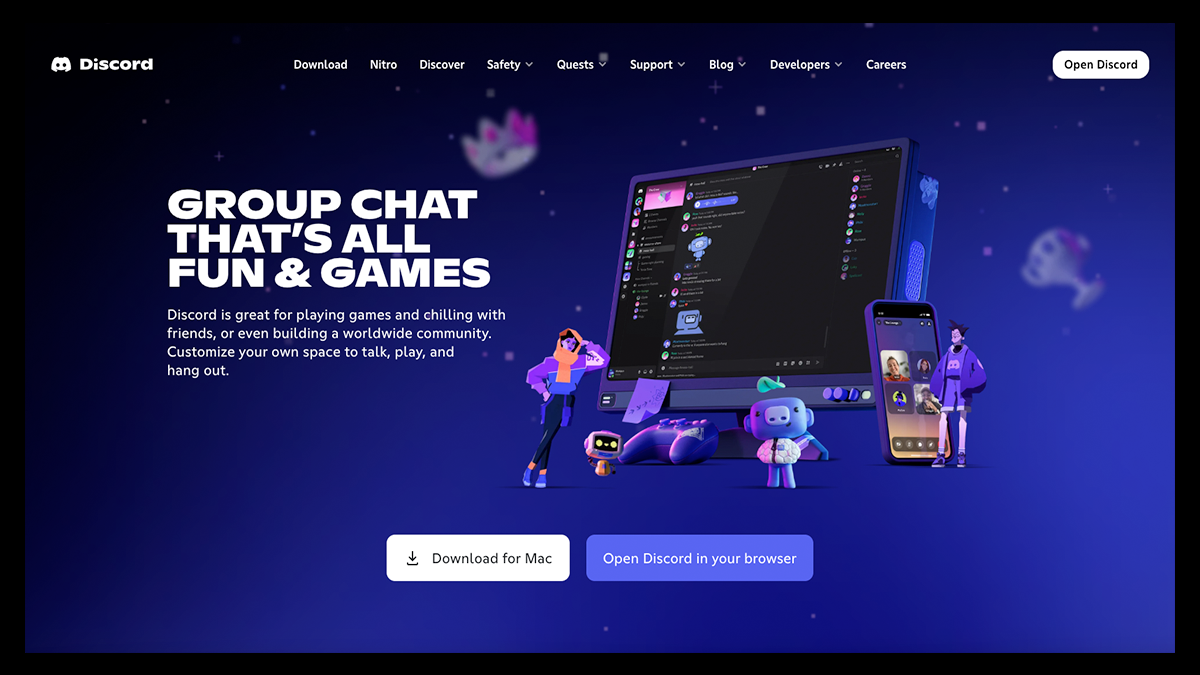
Discord is a real-time communication platform designed to help communities connect, interact, and stay engaged in a shared digital space.
Users create servers where conversations are organized into channels for announcements, discussions, and live interactions.
The platform is especially effective for communities that thrive on fast-paced communication, where members can jump into conversations, join voice chats, and engage with each other in the moment.
While it doesn’t offer built-in tools for courses or direct monetization, Discord excels at creating high-energy environments where interaction feels immediate and organic, making it a strong choice for communities centered around real-time engagement.
Key Features That Make Discord Stand Out
- Servers and Channel-Based Organization: Communities are built around servers that can be divided into channels for specific topics, projects, or discussions, helping keep conversations organized as the community grows.
- Real-Time Voice, Video, and Text Communication: Discord supports instant messaging, voice channels, and video calls, allowing members to communicate in real time or asynchronously depending on their needs.
- Roles and Permission Controls: Admins can assign roles with specific permissions, making it easier to manage large communities, control access to channels, and maintain moderation standards.
- Live Events and Stage Channels: Host live presentations, Q&A sessions, and discussions using Stage Channels and voice features without needing external tools.
- Bots and Automation Tools: Discord integrates with a wide ecosystem of bots that can automate moderation, manage workflows, schedule events, and connect with external platforms.
- Threaded Conversations and Forums: Threads and forum-style channels allow for more structured discussions, making it easier to organize long-form conversations and reduce clutter.
- File Sharing and Collaboration Tools: Members can share files, links, and resources directly within conversations, making Discord useful for both community interaction and team collaboration.
- Cross-Platform Accessibility: Discord works seamlessly across desktop, mobile, and web, allowing members to stay connected from anywhere.
- Integrations and API Access: The platform supports integrations with tools like Google Drive, Trello, and other productivity apps, along with webhooks and APIs for deeper customization.
- Scalable Community Infrastructure: Discord can support communities ranging from small groups to millions of members, making it highly adaptable for different use cases.
Pricing
Free Plan: $0/month
- Unlimited messaging and server creation
- Voice and video calls (up to 25 participants)
- Basic file uploads (8–10MB)
- Core community and moderation tools
Nitro Basic: $2.99/month or $29.99/year
- 50MB file uploads
- Custom emoji usage across servers
- Exclusive stickers and custom video backgrounds
Nitro: $9.99/month or $99.99/year
- 500MB file uploads
- HD video streaming (up to 4K/60fps)
- 200 server limit
- Extended message length and profile customization
- Server boosts for enhanced features
8. Slack
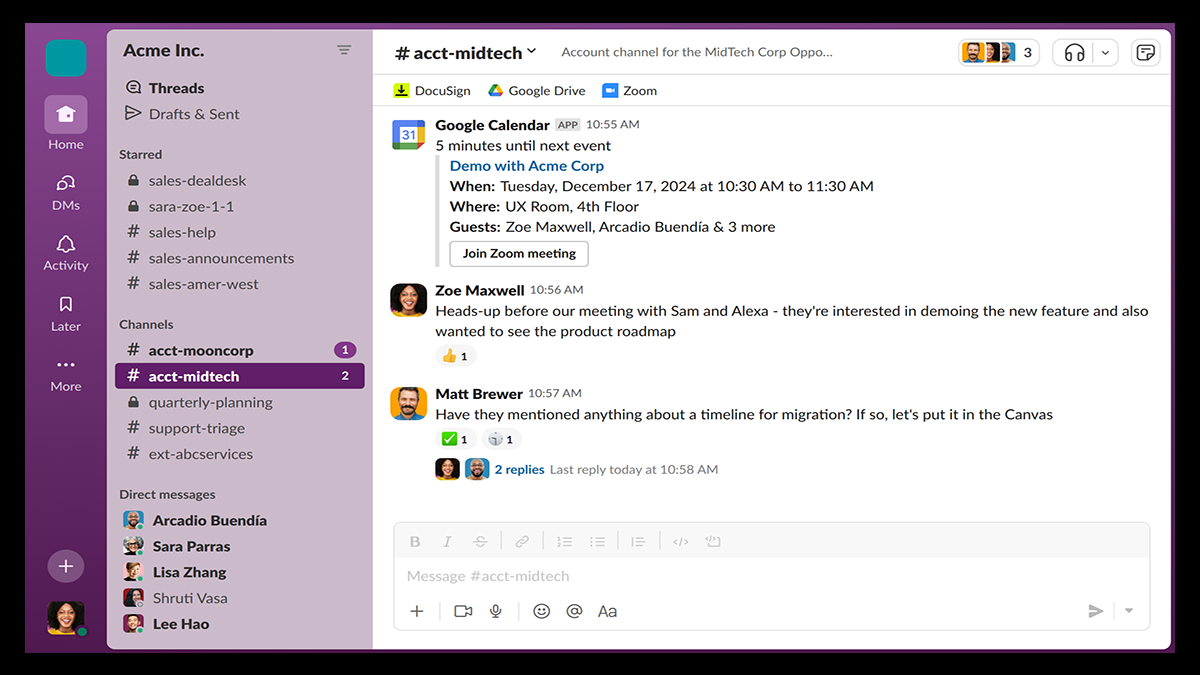
Slack is a communication and collaboration platform designed to help teams and communities stay connected through organized conversations and real-time interaction.
With Slack, conversations are organized into channels, making it easier to separate topics, projects, or communities while keeping everything accessible in one place.
Members can communicate through direct messages, threaded conversations, or quick audio calls, while integrations allow teams to connect tools they already use into a single workspace.
This creates a streamlined environment where communication, collaboration, and day-to-day coordination can happen efficiently without switching between multiple platforms.
Key Features That Make Slack Stand Out
- Channel-Based Communication: Organize conversations into channels based on topics, teams, or projects to keep discussions focused and easy to follow.
- Direct Messaging and Threads: Send private messages or reply within threads to keep conversations organized and prevent clutter in busy channels.
- Huddles for Quick Calls: Start instant audio or video calls directly within channels or messages, making it easy to jump into real-time conversations.
- Workflow Automation Tools: Automate repetitive tasks like sending reminders, updating channels, or triggering actions based on specific events.
- Canvases for Shared Content: Create and organize long-form content, documents, and resources within dedicated spaces that teams can reference easily.
- External Collaboration: Invite guests or external partners into specific channels to collaborate without giving full access to your workspace.
- Search and Message History: Quickly find past conversations, files, and shared content using Slack’s search functionality.
- Extensive App Integrations: Connect Slack with tools like Google Drive, Zoom, Trello, and other productivity apps to centralize workflows.
- User Permissions and Roles: Control access to channels and features with customizable roles and permissions for different members.
- Customizable Interface: Adjust themes, layouts, and accessibility settings to create a workspace that fits your team’s preferences.
Pricing
Free Plan: $0/month
- 90-day message and file history limit
- 1:1 video calls only
- Limited features and no customer support
Pro Plan: $8.75/user/month
- Unlimited message history
- Group video calls and huddles
- Workflow automation and canvases
- App integrations and collaboration tools
- 24/7 customer support
Business+ Plan: $18/user/month
- Advanced security and compliance features
- Priority support
- Enhanced administrative controls
Enterprise Grid: Custom Pricing
- Enterprise-level security and scalability
- Custom integrations and support
- Advanced user management and compliance tools
How to Find the Best Community Platform for Your Needs
Choosing a community platform can take some trial and error, especially since different tools are built for different types of communities.
Taking a step back to understand how you want your community to function can make the process a lot more straightforward.
Here are some key strategies to help you find the right fit:
- Define Your Community Goals First: Decide whether you’re building a space for networking, education, content sharing, or monetization so you can choose a platform that aligns with your purpose.
- Understand Your Audience Behavior: Think about how your members prefer to interact, whether that’s real-time chat, structured discussions, or consuming content like courses and videos.
- Prioritize Engagement Tools: Look for features that encourage participation, such as discussions, live events, messaging, or notifications that keep members coming back.
- Evaluate Monetization Options: If you plan to generate revenue, choose a platform that supports memberships, digital products, events, or other income streams without adding unnecessary complexity.
- Consider Ease of Use: A platform should be simple to set up and manage, especially if you don’t want to deal with a steep learning curve or constant technical issues.
- Check Customization and Branding: Make sure you can create a space that reflects your brand, including design, layout, and overall user experience.
- Look at Integrations and Flexibility: Choose a platform that works well with tools you already use, such as email marketing, CRM systems, or analytics platforms.
- Compare Pricing and Scalability: Consider how pricing changes as your community grows and whether the platform can support your long-term needs without becoming too expensive.
- Test Before You Commit: Take advantage of free trials or demos to explore how the platform works and whether it feels right for your workflow.
Build and Monetize Your Community with Fourthwall
If you want something that goes beyond basic community tools, Fourthwall is worth checking out.
It gives you a clean, fully branded space where your audience can hang out, support your work, and actually feel connected to what you’re building.
You don’t even have to juggle a bunch of different platforms either. Everything from your memberships to product sales can be handled easily in one place.
So, if you’re just testing the waters or already growing a loyal following, get started with Fourthwall today and get ready to turn your community into something that actually works for you.
FAQ: Hivebrite
What is Hivebrite used for?
Hivebrite is used to build and manage private online communities, allowing organizations to connect members, host events, share content, and track engagement from a centralized platform.
How much does Hivebrite cost?
Hivebrite uses custom pricing based on the size and needs of an organization, so you’ll typically need to request a demo to receive an exact quote.
Is Hivebrite good for small communities?
Hivebrite can work for smaller communities, but its pricing and enterprise-focused features may make it less practical compared to more lightweight or creator-focused platforms.
Does Hivebrite support memberships and subscriptions?
Yes, Hivebrite supports memberships and subscription-based access, allowing organizations to manage member tiers, renewals, and gated content.
Matt Keyser is a writer at Fourthwall who lives at the intersection of social media and Creator culture. With 4+ years of experience covering industry trends, his work focuses on helping Creators and brands understand how to turn their passion into a thriving business while maintaining a constant pulse on the latest eCommerce and social media trends.


You might also like

9 Best Kajabi Alternatives for Course Creators in 2026

What to Sell Online: How to Find a Product People Want

8 Best Spreadshirt Alternatives for Print-on-Demand in 2026

7 Best Sellfy Alternatives for Creators and Brands in 2026

27 Best Digital Products to Sell as a Creator
.webp)
Top 8 Wix Alternatives for Creators Building an Online Store in 2026

How to Create and Sell Print on Demand Journals and Notebooks

9 Gumroad Alternatives for Digital Creators in 2026

10 Best Stan Store Alternatives for Creators in 2026

Keep up with the latest from Fourthwall
New features, product updates, trend breakdowns, and creator stories — straight to your inbox.