How to Write a YouTube Script


Whether you’re just starting to create content for YouTube or you’re already an experienced YouTuber, scripts can be an underestimated gem in your content creation toolbox.
Writing scripts helps structure your YouTube videos, ensuring that they stay engaging, well-paced, and include all the info that you want them to.
Creating your own YouTube scripts is one of the most effective ways to improve your YouTube video content, increase audience engagement, and maximize watch time!
Many successful YouTubers use scripts to streamline their content creation process, making their videos clear, professional, and appealing to viewers.
A well-written script helps you refine your delivery, avoid unnecessary rambling, stay on topic, and maintain a consistent vibe throughout your YouTube videos.
So if you’re serious about growing your YouTube channel, learning how to write compelling video scripts and your own script templates are essential skills that will enhance your editing process, improve your video content, and help build your audience into superfans!
Why YouTube Scripts Are Great for Your Videos
Writing scripts for your YouTube videos ensures your videos are well-structured, engaging, and informative.
A strong script helps you deliver your message effectively while keeping viewers watching longer, and well-prepared script templates also help maintain brand consistency, making your YouTube channel regularly recognizable to viewers.
With proper scriptwriting, you can focus on delivering valuable content while incorporating effective calls to action to encourage audience interaction, from liking and subscribing to sharing your YouTube videos.
And having a structured approach to said scriptwriting reduces the time you’ll spend on editing your content, making your videos more professional overall. Let’s turn you into a YouTube scriptwriter!
Write an Engaging YouTube Script in 8 Steps
1. Define Your Video’s Purpose
Before you can start writing scripts for your YouTube videos, you’ll need to identify your goals and the purpose of your videos.
Ask yourself what the main message you want to convey is: are you entertaining, educating, sharing a personal experience, or reviewing a product?
Understanding your purpose, no matter the niche, will help you craft an effective script template that keeps your content interesting and compelling for your viewers.
Consider your audience’s interests and irritations when you’re writing your script: what kind of pacing best fits your niche? What are some components of other videos in your category that seem to cause viewers to lose interest?
Great video content resonates with viewers when it entertains, tells a story, provides a solution, or teaches something valuable.
Writing scripts with a clear direction toward one of those goals will keep your audience engaged and encourage them to watch your video to the end.
2. Hook Viewers Fast!
The first 5 seconds of your YouTube video are critical for capturing your audience’s attention, as a strong intro, or “hook,” is the key to whether your viewers will stay to watch or click away.
So start your script strong with an engaging intro hook—anything from an interesting fact or compelling question to a bold statement or intriguing visual element.
Your intro should also clearly state what your video is about and why viewers should keep watching. You can use titles, hints of what will happen next (“by the end of this video, you’ll know how to…”), or promise key reveals to build anticipation.
Writing scripts with compelling intros increases retention and signals to YouTube’s algorithm that your content is worth recommending, so be creative and avoid generic, typical dialogue:
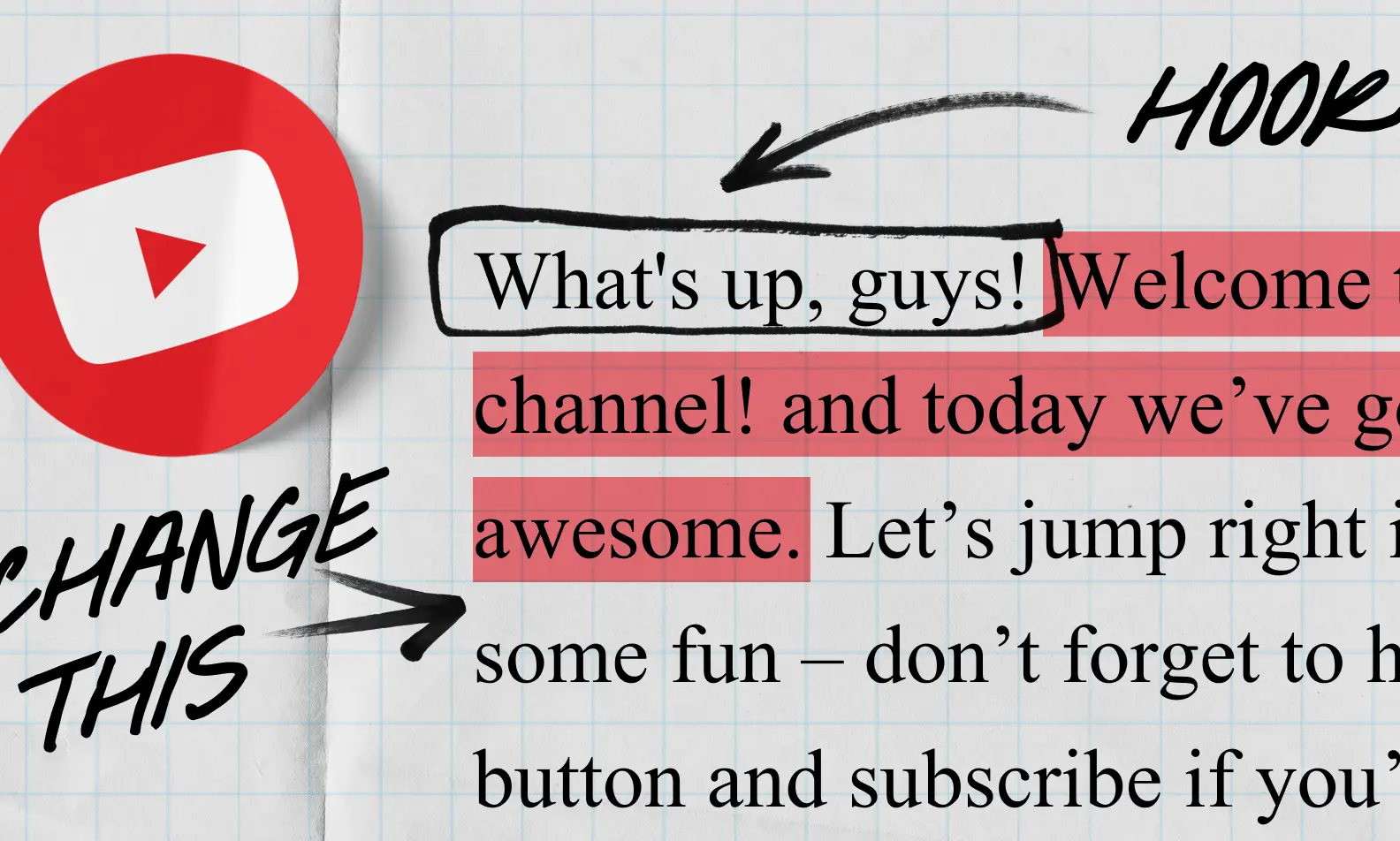
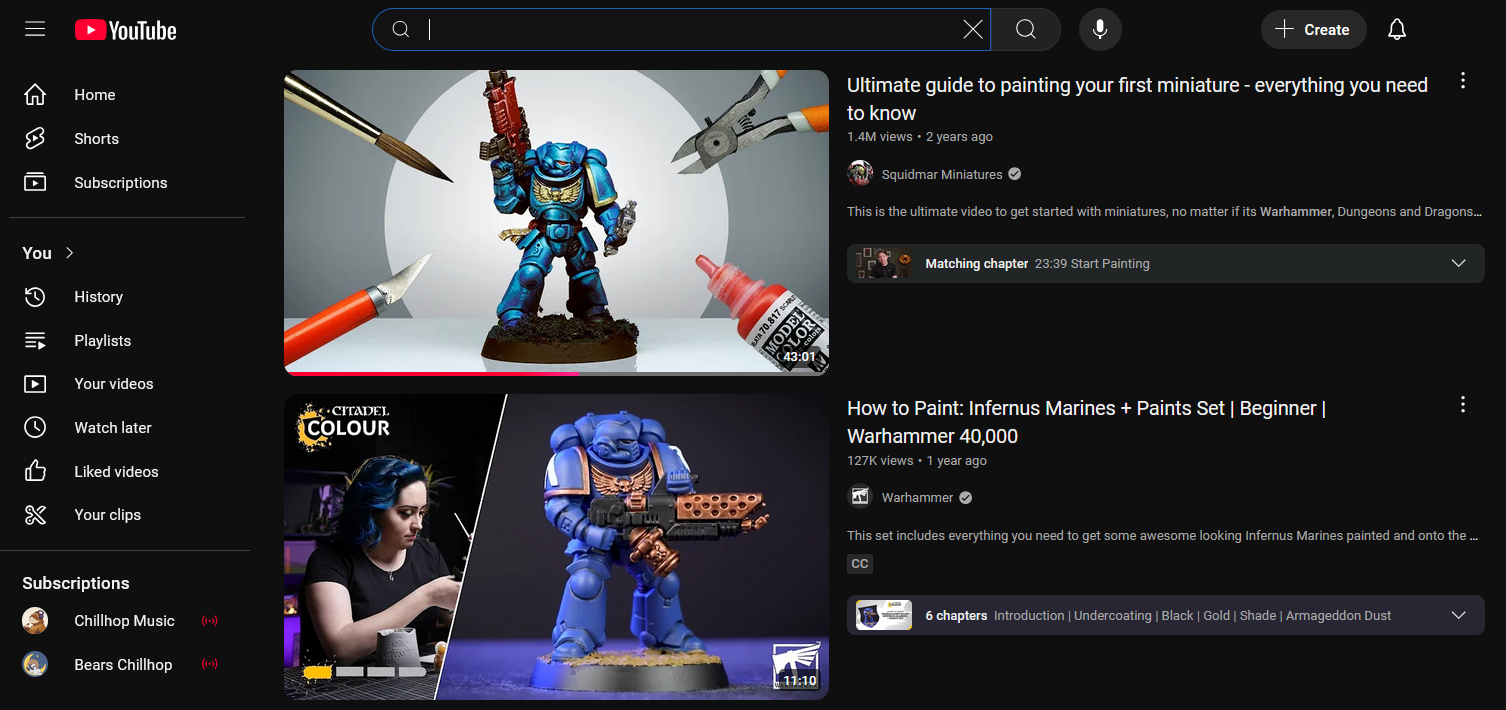
Bad Hook: “Hey wargamers, welcome back to my channel.”
Great Hook: “Did you know that ‘paint it black’ is one of the biggest challenges for Warhammer painters? In this video, we’re gonna learn how to defeat that challenge and make your minis look amazing!”
3. Plan Your Video’s Structure
A well-structured YouTube script follows a clear format, making it easier for viewers to follow along and stay engaged regardless of the subject matter.
A basic script template should include an introduction that hooks your audience within the first 5 seconds and introduces the topic within the first 30 seconds.
Then, your main content, delivering your key message with engaging conversation, points, visuals, and text or other overlays if you choose.
Finally, wrap up your video with a CTA (call to action) that encourages your viewers to like, comment, subscribe, or check out another one of your videos.
Breaking down your YouTube script into sections ensures smooth transitions, keeping viewers interested throughout the video, and putting forth a professional polish.
Writing scripts with a defined flow also helps you on the editing side, as you can easily structure your footage around your scripted segments.
4. Write in a Conversational Tone
While we’re talking a lot about writing, it’s important to keep in mind the style of writing that suits YouTube videos best.
YouTube videos should feel natural and engaging, so avoid overly formal language, “teacher”-styled speech, or anything that makes it sound like you’re directly reading from a script.
Instead, write mostly how you speak; except use shorter sentences and leave enough pauses so your audience can follow along.
Adding humor, asking questions, and storytelling make your YouTube script feel more dynamic and engaging, and more conversational scriptwriting helps keep your audience around by making the content feel less like a lecture and more like an interactive, enjoyable experience.
Your personality is what’s going to make your video content even more relatable! So speak directly to your audience using "you" to create those personal connections.
5. Add Engaging Elements
Another component of keeping your audience captivated (and increasing those watch times!) is visual interest.
Your YouTube script should also incorporate visual cues, graphics, and calls to action throughout the video, using elements such as animations, relevant cutaways, and on-screen text/captions.
Using a strong narrative structure helps guide viewers smoothly from point to point, and visuals and fun storytelling components can keep them entertained and following along, regardless of the subject matter.
Good script templates include strategic pauses to let key points sink in, and keep you moving forward in a well-paced rhythm throughout your YouTube video.
6. Include CTAs (Calls to Action)
Calls to action are a proven way to increase audience interaction on YouTube!
Without clear CTAs, viewers might watch your content and want to support you as a creator and YouTuber—but fail to engage further with your channel because they lack direction.
Well-placed and phrased calls to action can significantly boost your subscriber count, comments, and video shares by giving your growing fan base specific tasks that make them part of your community:
- “If you enjoy these videos, hit that Like button to support my channel!”
- “Subscribe for more content like this every week!”
- “Watch the next video in this series to dig even deeper into this topic!"
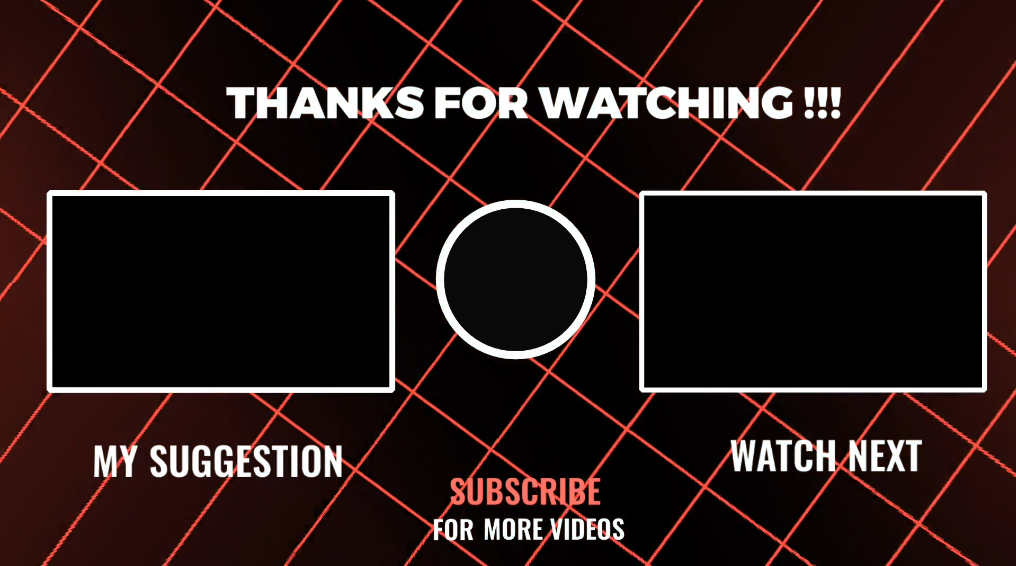
Placing CTAs at strategic points in your script reminds viewers to take action without coming across as a sales pitch or making viewers feel pushed or overwhelmed.
So keep writing those CTAs into your scripts with your audience in mind, and they’ll help maximize audience participation, which also boosts those YouTube algorithms.
CTAs can also be used to send your viewers off YouTube to other relevant destinations, such as your official website or Fourthwall merch store.
7. Rehearse and Time Your Script
Once you have your script template ready, it’s time to give it a careful review.
You’re reviewing your script for clarity, pacing, and engagement, and giving it a quick rehearsal run-through can also be helpful.
Actually, reading your script out loud helps YouTubers identify areas that may sound unnatural, stilted, or too long-winded.
To time your script, you can set a timer on your phone while you’re reading, or estimate the length of your script based on the word count and most peoples’ average speaking speed (around 130-150 words per minute.)
There’s no specific length recommended for your script, though in general, YouTube videos between 6 and 15 minutes perform best.
But your video length very much depends on the type of YouTube video content you’re creating (short form, long form, music video, comedy skit), so the length is up to you, and what you think will suit your topic and your audience.
8. Revise and Finalize
After you review and rehearse, make sure your video matches your desired length, trimming any segments in your script that might run over.
This is also your last chance to add any last-minute ideas you may have come up with while reviewing, before you start filming your video.
Tools to Help You Write a Great YouTube Script
There are plenty of online tools that can assist you with your YouTube scriptwriting process:
- Google Docs or Notion to organize and format scripts efficiently.
- Grammarly or Hemingway Editor to edit your YouTube scripts for clarity and grammar.
- Teleprompter Apps like BIGVU or PromptSmart, or tools like the Elgato Teleprompter, can help you read your scripts naturally while you’re recording your videos.
- VidIQ or TubeBuddy can optimize your scripts with relevant YouTube keywords for even better SEO.
Script Your YouTube Success with Fourthwall!
YouTube ads are great, but to boost your revenue and your fan base even more, connect your YouTube account to Fourthwall!
Fourthwall helps you monetize your YouTube videos and audience with a wide range of revenue opportunities and tools.
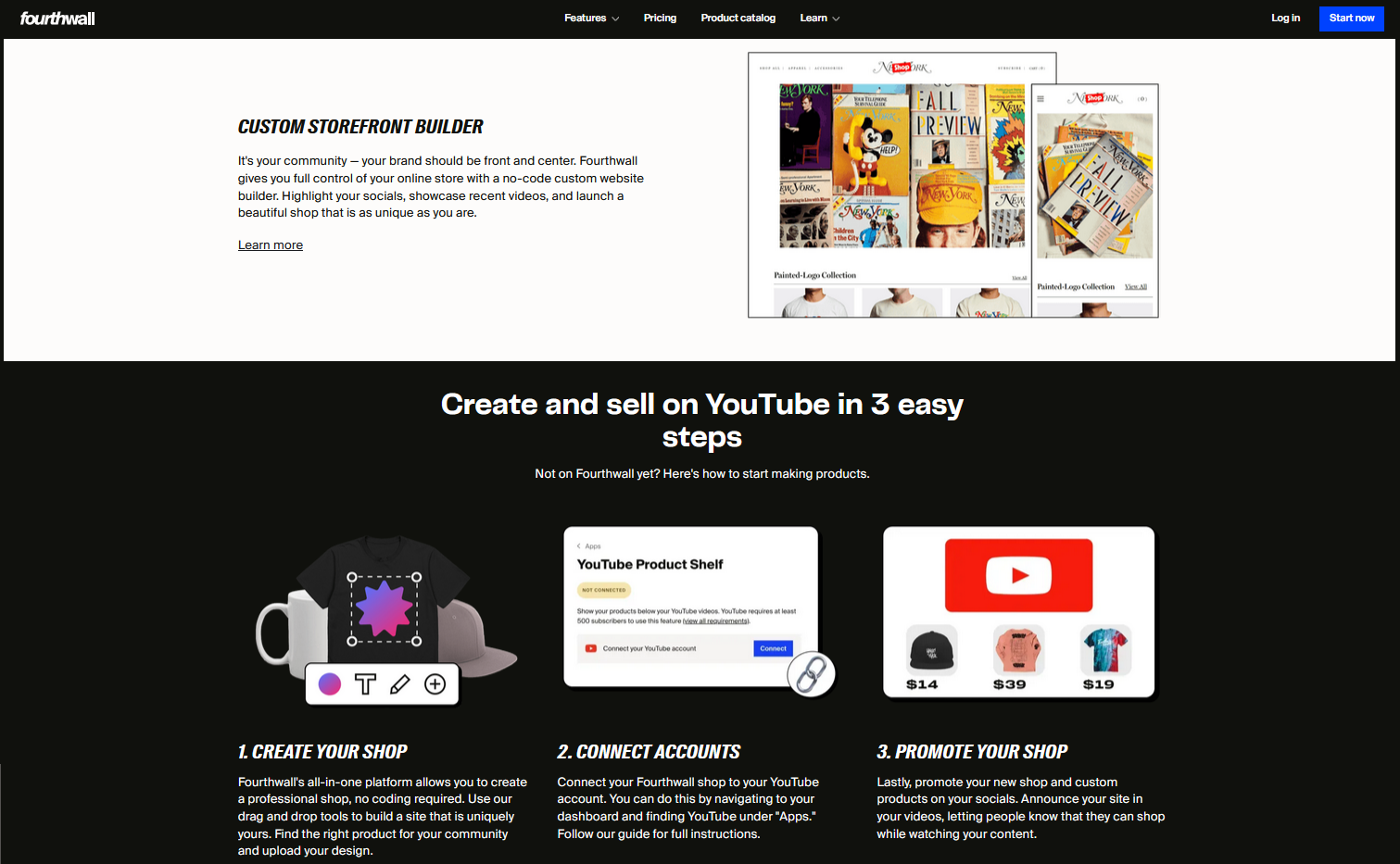
Launch your own branded website and open a merchandise store on Fourthwall to sell custom-designed merch like apparel, mugs, posters, and more.
Set up memberships for your dedicated YouTube viewers, granting them special access to exclusive content, and integrate Fourthwall with your YouTube channel so you can sell your brand-new merch via YouTube Shopping!
Fourthwall offers so many ways to maximize your YouTube content—get started today!
FAQ: How to Write a YouTube Script
Why should I write a script for my YouTube videos?
Writing a video script helps keep your YouTube videos organized, engaging, and on-topic.
It allows content creators to plan their dialogue, visuals, and actions in advance, ensuring the final product flows naturally and captures the target audience’s attention.
A strong script format also saves editing time and makes filming smoother by giving your video a clear direction.
How do I start writing a YouTube script from scratch?
Start by defining your video’s purpose and target audience, then write an outline of the main points you want to cover.
Break your script into sections (intro, body, and call to action) to keep your YouTube video structured and easy to follow.
Don’t worry about perfection in the first draft; focus on your ideas, tone, and pacing before revising for clarity and flow.
What is the best format for a YouTube video script?
A good script format includes time-stamped sections for visuals, dialogue, and camera actions.
Most content creators use a two-column layout: one for narration or voiceover and the other for visuals or camera directions.
This layout helps organize your filming process and ensures a smoother transition from writing to editing.
How long should a YouTube script be?
It really depends on the type of video.
For most YouTube videos, one minute of spoken content equals about 130–150 words in your script.
Explainer videos and tutorials may run longer, while short-form content should be more concise to match your audience’s attention span.
Always prioritize value and pacing over total length—your script should keep viewers engaged from start to finish.
What are some tools that help with writing YouTube scripts?
Free and paid tools like Google Docs, Notion, and Hemingway Editor can help streamline your scriptwriting process.
You can also use VidIQ or TubeBuddy to find high-performing keywords and improve your video marketing.
For filming, try teleprompter apps like BIGVU or PromptSmart to make reading your video script natural and easy on camera.
Kristi Kates is a writer at Fourthwall who covers the Creator economy from the inside, as a working musician and Partnered Twitch streamer. She brings 15+ years of music and culture journalism to her work, including a run as Editor in Chief of the indie-rock magazine Pyxis, and writes to help Creators build merch, memberships, and audiences that last.