
12 Best StreamElements Alternatives for 2026
Livestreaming Tools That Help You Reach More Viewers


This roundup breaks down 12 StreamElements alternatives for streamers in 2026, ranging from all-in-one desktop apps like Meld Studio and Streamlabs to niche tools like Blerp's interactive soundboards and Be.Live's shoppable livestream features. Each option is compared against StreamElements based on monetization, ease of use, multistreaming support, and pricing, helping Creators find the setup that best fits how they stream and monetize their audience.
StreamElements has been a go-to tool for streamers for years, but recently, many creators have started branching out to other platforms they feel better manage and monetize their broadcasts.
Some want easier ways to stream on multiple platforms and cleaner overlays, while others are looking for better automation and more ways to make money from their audience.
Whatever the case may be, there are plenty of options that offer something different depending on how you stream and what you need help with most. Below, we’re featuring the best StreamElements alternatives for creators looking to improve their livestream setup.
StreamElements Alternatives at a Glance
What to Look for in a StreamElements Alternative?
Monetization Features
Getting viewers to your streams is great, but capitalizing on your audience is even better.
Look for a management software that supports monetization features like donations, live ads, sponsorships, paid events, and viewer subscriptions.
If you have a merch store, find a platform that lets you connect with it so you can promote your products and run giveaways during your streams.
Ease of Use
If you’re new to streaming, it’s probably best to choose a streaming software that doesn’t come with a complicated setup.
Stick with a browser-based platform that includes ready-made templates, drag-and-drop controls, and built-in features for overlays, alters, and chat tools.
The faster it takes to set up, the less you have to worry about troubleshooting technical issues down the line.
Multistreaming Support
Don’t just rely on one channel to stream on. Not only are you putting all your eggs in one basket, but you’re risking the chance of hindering your audience from growing.
Most streaming tools let you broadcast across multiple channels like YouTube, Twitch, TikTok, and Kick without having to install additional plugins.
Choosing a software tool that already supports the platforms you’re streaming on ensures your streams are presented and edited properly.
Customization & Branding
You don’t need all the bells and whistles to make your livestream a hit, but you do need to put in some effort to make it look recognizable whenever people join in.
That's why, whatever software tool you use should come with customization features for your overlays, stream alters, graphics, chat commands, and overall layout.
Because having a clean setup that matches your brand’s style usually does much better than stuffing your screen with animations and random widgets.
Audience Engagement
You can be the most entertaining person for hours, but if you’re not engaging with your viewers, you’ll most likely see them leave before your stream is over.
Incorporating fun, interactive features like polls, giveaways, loyalty rewards, chat tools, and live alerts lets your viewers feel like they’re a part of your stream while also acknowledging their support.
And if you can find a software tool that includes at least 3-4 of these, you’ll save yourself a lot of time bouncing between different platforms just to keep your stream running smoothly.
Best StreamElements Alternatives for Streamers
StreamElements Alternative #1: Meld Studio
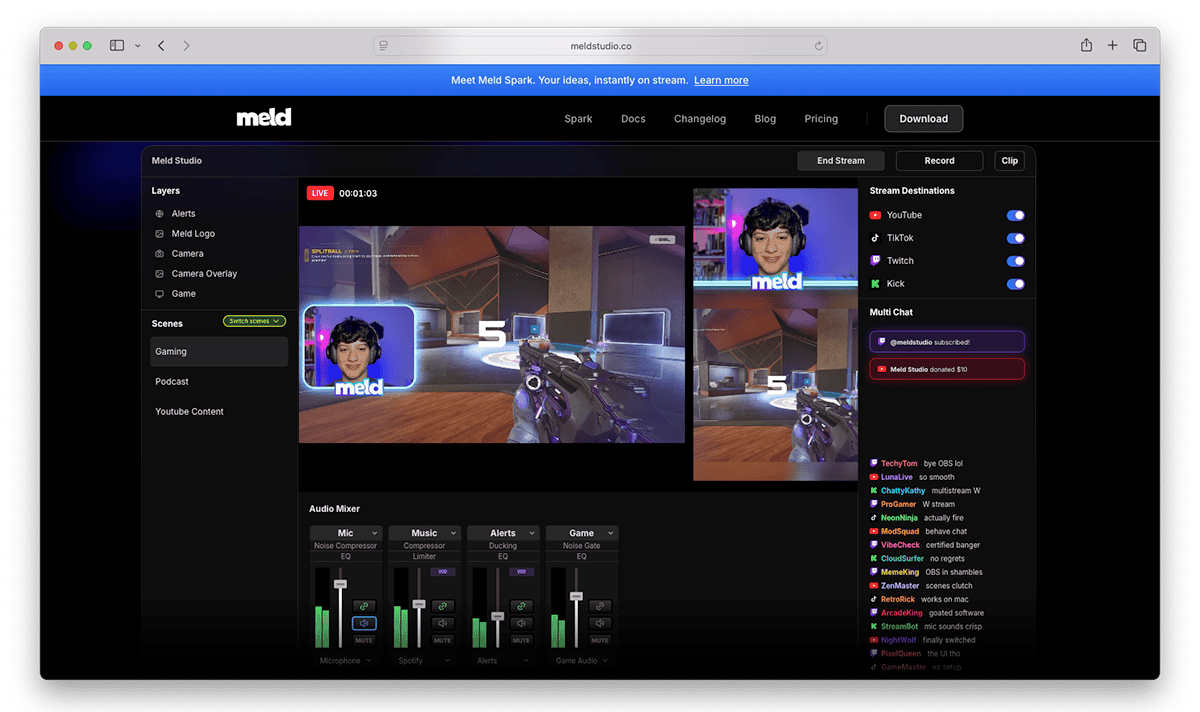
Meld Studio is a free, standalone app for live streaming and recording on Windows and macOS.
You can set up scenes, route audio per scene, trigger clips or instant replay, and start or stop streams from a single interface.
But what really sets it apart is its Spark tool, which acts as an AI production assistant, allowing streamers to describe the type of widget, animation, chat, or scene they want, and then generate that code in full, which they can use during their stream.
Features That Make Meld Stand Out
- Stream on Twitch, TikTok, Kick, YouTube, and custom RTMP destinations without additional plugins.
- Livestream to multiple platforms simultaneously using its multistreaming feature.
- Create separate portrait and landscape layouts for different platforms.
- Full library of post-production effects, including gradient color, chroma key, drop shadow, blurs, color adjustments, and more.
- Record in 4K with multi-track audio support for easier editing later.
- Transfers you scenes from OBS to Meld with just a single click.
- Built-in audio mixer with VST plugin support, live monitoring, and audio routing controls.
- Unified multi-chat system that combines Twitch, YouTube, and Kick chat in one window.
- Built-in widgets like donation goals, subscriber alerts, chat overlays, and follower counters.
- Clip livestream moments instantly for TikTok, YouTube Shorts, and Instagram content.
StreamElements vs. Meld Studio
Meld offers a more robust setup than StreamElements by eliminating the need for separate tools and plugins to manage streams.
While StreamElements relies heavily on OBS Studio for community widgets, monetization features, and overall stream setup, Meld handles all of that on its own thanks to its Spark AI tool, which helps creators generate entirely new stream experiences on a single platform.
Pricing
- Core Software ($0/month): Free on Windows and macOS
- Spark Free ($0/month): Comes with full access to Meld’s Spark Elements gallery and limited AI requests.
- Spark Pro ($20/month): More Spark requests, faster processing, and access to stronger AI models.
- Spark Max ($60/month): Highest AI limits, priority access, advanced Spark models, and early access to new features.
StreamElements Alternative #2: Aitum

Aitum is a creator-focused toolkit built to expand what OBS Studio can do without forcing streamers to use separate apps and plugins.
It helps automate parts of your stream setup, making it easier to multistream and convert your stream's moments into vertical videos for TikTok, Reels, and YouTube Shorts.
Features That Make Aitum Stand Out
- Turn audience interactions into live stream effects, scene changes, sound triggers, and custom events without coding.
- Stream horizontally and vertically simultaneously across platforms like Twitch, YouTube, TikTok, and Instagram.
- Create separate layouts and canvases for different platforms directly inside OBS.
- Multistream to multiple platforms for free through the Aitum Multistream plugin.
- Use the Vertical Plugin to create TikTok and YouTube Shorts content directly from your livestreams.
- Save instant vertical clips and backtrack recordings while live with a single hotkey.
- Control OBS, Streamlabs Desktop, and connected plugins from one dashboard using Nexus.
- Manage chats, activity feeds, stream titles, tags, and categories across multiple platforms in one place.
- Connect with tools like Streamlabs, StreamElements, Philips Hue, Voicemod, Elgato Stream Deck, and VTube Studio.
- Let moderators or viewers trigger stream changes and automations during broadcasts.
- Use playlist-style automation, variables, queues, and advanced triggers to create interactive stream experiences.
StreamElements vs. Aitum
Though both act as direct plugins for OBS Studio, the biggest difference is that StreamElements focuses more on stream presentation, monetization, and viewer interaction tools, while Aitum leans much harder into stream automation, vertical content creation, and controlling multiple outputs directly inside OBS.
Pricing
- Aitum Multistream ($0/month): Stream to Twitch, YouTube, TikTok, and other platforms directly from OBS without paying for an extra multistreaming service.
- Aitum Vertical ($0/month): Adds a second vertical canvas inside OBS so you can create TikToks, Shorts for YouTube, and mobile-friendly livestreams alongside other horizontal streams.
- Aitum Stream Suite ($0/month): Combines Aitum’s main OBS tools into one setup with built-in multi-chat, activity feeds, stream controls, and support for multiple stream layouts.
- Aitum Nexus ($5.49/month or $49.99/year): Unlocks automation tools that let you control scenes, triggers, viewer interactions, multistream settings, and OBS workflows with much less manual work during streams.
StreamElements Alternative #3 Blerp

Blerp is a soundboard app for Twitch, TikTok, Kick, and YouTube streamers that lets viewers actively participate in their broadcast through sounds, text-to-speech, memes, overlays, and other sound emotes.
Viewers can spend Channel Points, Twitch Bits, or Blerp Beets to trigger custom sounds and alerts that create running jokes, funny reactions, and memorable stream moments that feel unique to each creator’s community.
Features That Make Blerp Stand Out
- Create custom soundboards using audio clips, YouTube clips, or meme sounds.
- A vast library of user-created sounds and sound effects.
- Built-in text-to-speech tools that allow viewers to send spoken messages live on stream.
- Supports Twitch Bits, Channel Points, and Blerp Beets for monetization.
- Walk-on sounds let VIPs and subscribers trigger custom entrance audio when joining streams.
- Includes Subathon timers that automatically react to subscriptions, donations, and sound alerts.
- Fullscreen overlays, GIFs, emotes, and video assets for more animated stream reactions.
- Viewer moderation tools like cooldowns, pricing controls, sound blocking, and pause timers.
- Community editors can help manage sounds, alerts, and stream interactions.
- Multi-language TTS support across 30+ languages.
StreamElements vs. Blerp
Though Blerp provides a ton of community engagement features for viewer interaction, it lacks the necessary features for stream management.
If you’re looking for a cool plugin to create interactive sound emotes for your viewers, Blerp is your go-to. However, if you need a software studio for livestream editing, StreamElements is the better option.
Pricing
- Free Plan ($0/month): Streamers can set up free sound alerts, channel points rewards, Twitch Bits support, text-to-speech interactions, and community-triggered meme sounds.
- Unlimited Plan ($10.99/month or $79.99/year): Unlocks the full Blerp Unlimited experience with premium sound packs, advanced customization, Blerp Buckets, custom branding, expanded TTS tools, video alerts, VTuber integrations, and premium creator features.
- Blerp Beets: Currency that allows viewers to purchase sound emotes, TTS messages, and other interactive alters during streams.
StreamElements Alternative #4: Streamlabs
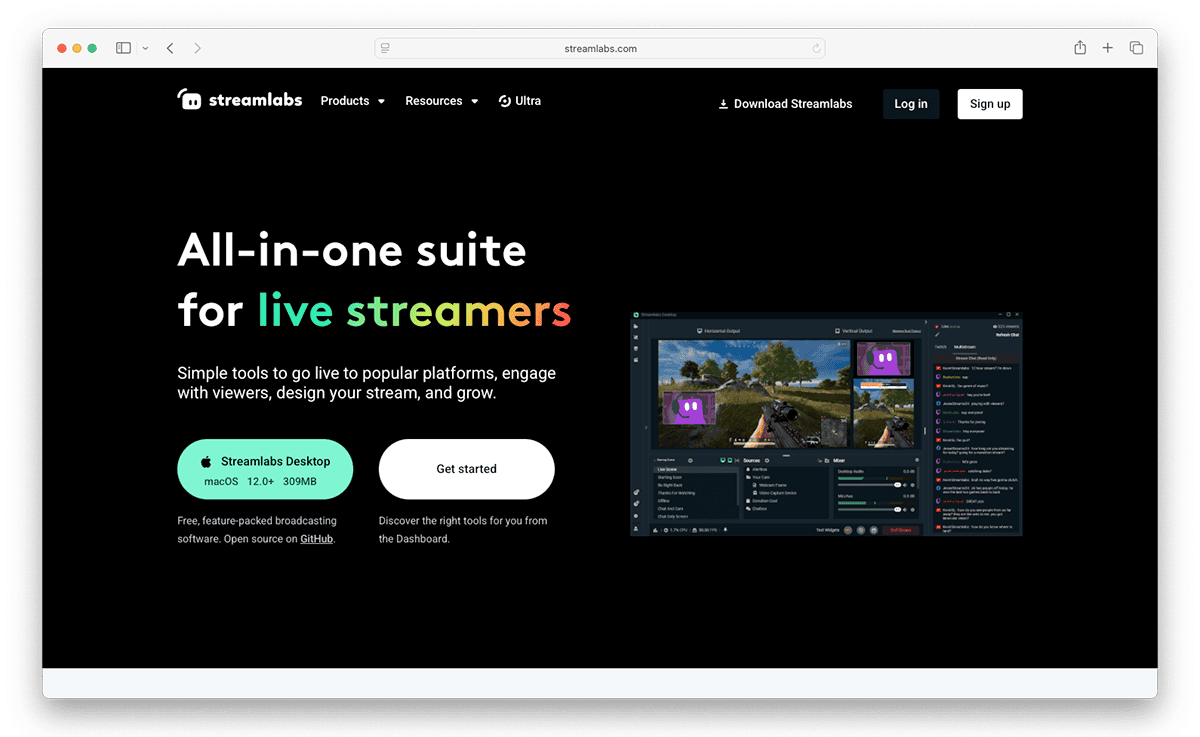
Streamlabs is a livestreaming software designed for creators who want an easier way to manage and grow their streams from a single platform.
It includes dozens of streaming tools and features, such as overlays, alerts, widgets, donation tools, chat moderation, and multistreaming support for platforms like Twitch, YouTube, TikTok, and Facebook.
Streamers can even link their Fourthwall store and set real-time purchase alerts that trigger whenever someone buys merch from their store. It's a setup that makes your livestreams feel more interactive while promoting your products without having to mention it in the link chat.
Features That Make Streamlabs Stand Out
- Stream on multiple platforms, including Twitch, YouTube, TikTok, and Facebook.
- Dual Output mode lets you stream vertical and horizontal content simultaneously.
- Customize your streams with overlays, themes, alerts, widgets, and themed layouts.
- Invite guests onto your streams with browser-based Collab Cam tools.
- Use Cloudbot to moderate chats, run commands, and add viewer games.
- Create custom alerts for followers, new subscribers, donations, and raids.
- Turn stream highlights into short clips for TikTok, Instagram Reels, and YouTube Shorts.
- Rearrange video, audio, chat, and event panels to fit your workflow.
- Get tutorials, guides, and livestream education resources with Streamlabs University.
- Build your own merch store or install tipping tools to help monetize your streams.
StreamElements vs. Streamlabs
While StreamElements offers strong cloud-based customization for your streams, it relies heavily on separate tools like OBS, which can make setup feel more technical for beginners.
Streamlabs, on the other hand, provides an all-in-one solution that combines streaming, alerts, overlays, tipping, sponsorships, merch tools, and mobile streaming, all without additional software.
Pricing
- Starter Plan (Free): Comes with basic overlays, stream alerts, widgets, tipping tools, limited themes, basic Cloudbot access, and one guest/camera through Colab Cam.
- Streamlabs Ultra ($27/month): Includes Dual Output, multistreaming, a full overlay library, full Cloudbot access, expanded storage, and more.
StreamElements Alternative #5: Restream
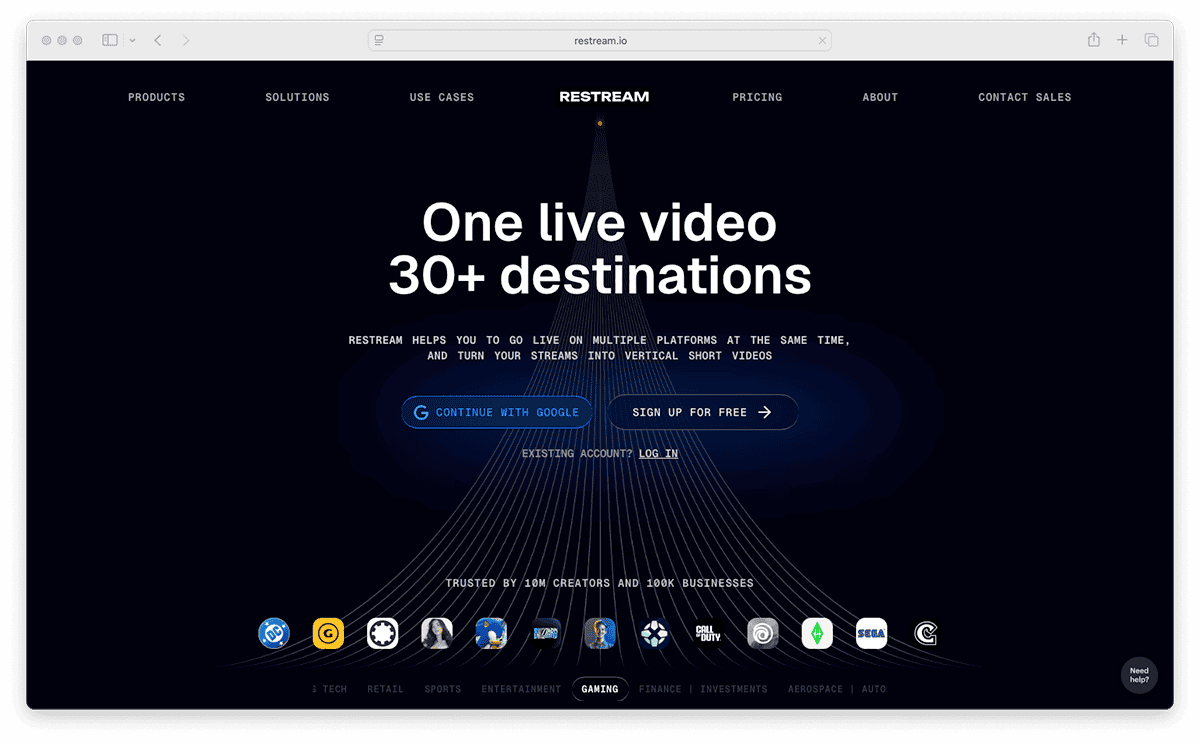
Restream is a browser-based livestreaming platform that lets you stream to multiple channels simultaneously.
It includes features for guest collaboration, unified chat management, analytics, and AI-powered clipping tools that help creators turn livestreams into short-form content for TikTok, Reels, and YouTube Shorts.
You can even customize your streams with logos, overlays, banners, and calls to action while using cross-platform chat tools to interact with viewers across multiple streaming platforms in real time.
Features That Make Restream Stand Out
- Use Restream Studio to host livestreams directly from your browser.
- Manage messages from every streaming platform in a single chat window.
- Invite guests, sponsors, moderators, or co-hosts onto your stream with role-based access.
- Schedule pre-recorded livestreams in advance for automated broadcasts.
- Create separate recordings for each guest with split-track recording for easy editing.
- Add custom overlays, logos, background, graphics, and branding elements to your streams.
- Track audience engagement and stream performance across all connected platforms.
- Automatically turn livestreams into short clips with AI-powered editing and vertical formatting tools.
- Connect Restream to other streaming software such as OBS, Streamlabs, XSplit, and Ecamm.
StreamElements vs. Restream
StreamElements focuses more on tools to customize your streams, while Restream is designed for multistreaming your broadcasts across streaming platforms.
Though StreamElements can multistream through SE.Live, it needs to run through OBS, meaning your hardware and upload speed handle more of the workload.
Pricing
- Free Plan ($0/month): Stream up to 2 channels at once with Restream branding included.
- Standard Plan ($19/month): Stream up to 3 channels with Restream branding removed. Access guest channels and clips.
- Professional Plan ($49/month): Stream up to 5 channels, stream in 108-p, record in 4K, access to dual-format streaming, and unlock split recordings.
- Business Plan ($239/month): Stream up to 8 channels, access team workspaces, co-producer mode, and web player support.
StreamElements Alternative #6: OBS Studio

OBS Studio is a free streaming and recording software that a lot of gamers, podcasters, and content creators use to manage and edit their livestreams and recordings.
It gives you more control over how your stream looks and runs, with tools to edit scenes, audio, overlays, transitions, and video sources.
Though OBS does take more time to learn compared to simpler browser-based streaming tools, it is a good option if you’re looking for more control over your streaming setup and don’t mind editing your videos yourself.
Features That Make OBS Studio Stand Out
- Free, open-source software with no subscription fees or locked features.
- Works across Windows, Mac, and Linux devices.
- Stream directly across Twitch, YouTube, and Facebook Live.
- Create custom scenes using webcams, browser windows, gameplay captures, and other media sources.
- Set up unlimited scenes and switch between them with custom transitions.
- Audio Mixer is packed with controls for noise suppression, gain, filters, and audio balancing.
- Supports plugins, scripts, and community integrations for added customization.
- Use Studio Mode to preview scenes and edits before pushing them live.
- Customize hotkeys for switching, muting audio, starting recordings, and other stream actions.
- Rearrange interface layout with modular dock controls to fit your workflow
StreamElements vs. OBS Studio
OBS Studio is the actual program that powers your stream, while StreamElements acts more like a companion platform that connects with OBS to help creators manage their stream features from the cloud.
Pricing
- Free to Use ($0/month): OBS is completely free to download and offers full access to streaming, recording, and broadcasting tools.
StreamElements Alternative #7: StreamYard
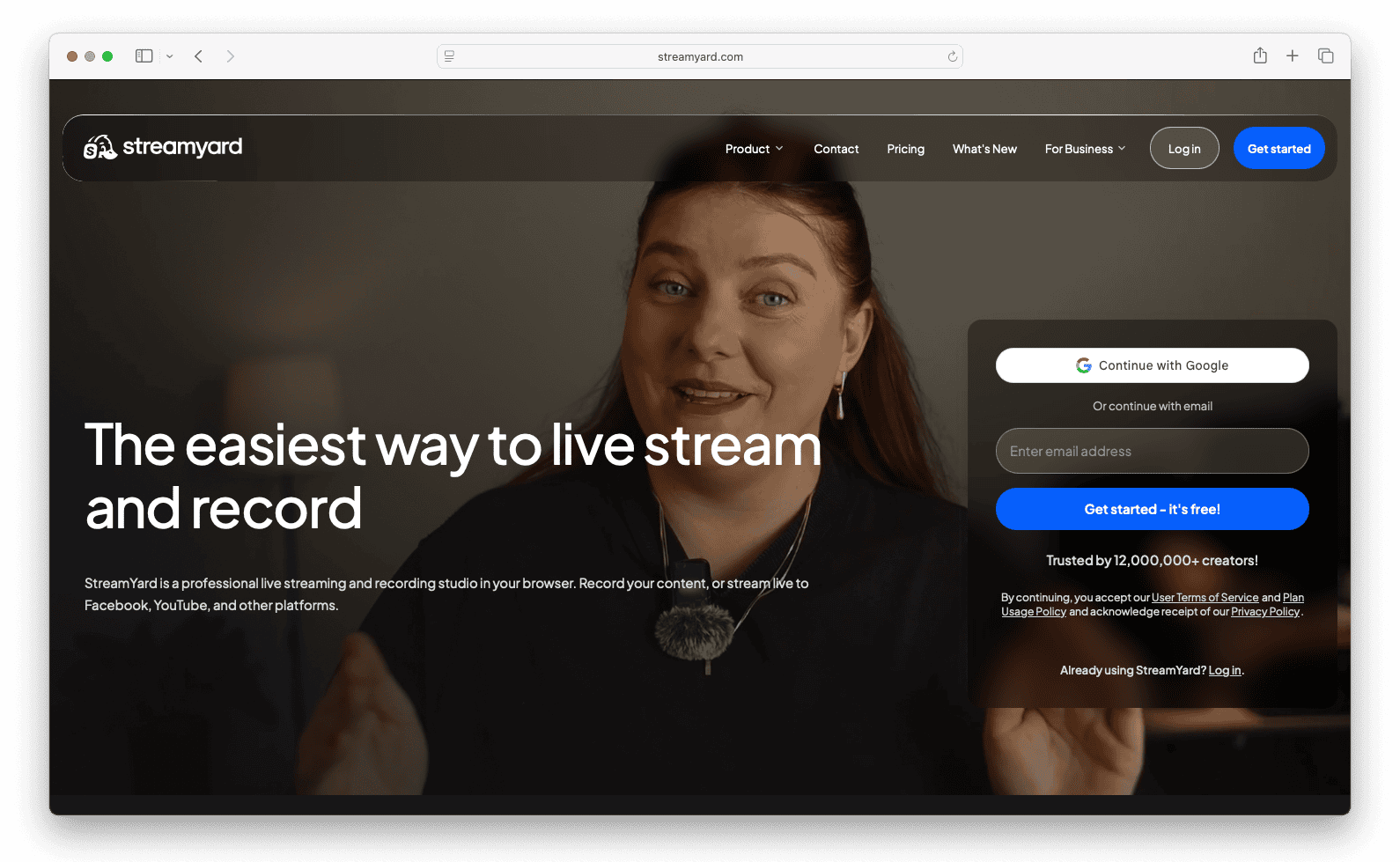
StreamYard is a livestreaming app that lets you stream directly from your browser without installing any additional software.
It focuses on making livestreaming easy with tools for guest interviews, multistreaming, webinars, and branded broadcasts that work well for podcasts, live shows, business streams, and remote guest content.
Features That Make StreamYard Stand Out
- Multistream up to 8 platforms at the same time.
- Bring guests onto your livestreams by sending a browser link.
- Show viewer comments, questions, and chat messages during your streams.
- Customize your streams with logos, overlays, banners, backgrounds, and different layouts.
- Record separate audio and video tracks for cleaner podcast and interview recordings.
- Use AI Clips tools to turn livestream highlights into short-form videos with captions.
- Host webinars, Q&As, podcasts, and panel discussions with StreamYard On-Air.
- Share screens, videos, and other media files during livestreams.
- Access built-in recording, editing, and repurposing tools along with cloud storage.
StreamElements vs. StreamYard
StreamElements and Stream Yard are built for different kinds of creators.
While StreamElements is aimed towards gaming streamers and creators who use OBS, StreamYard is more focused on conversation-based content like podcasts, interviews, and webinars.
Pricing
- Free Plan ($0/month): Comes with basic streaming tools along with StreamYard branding. Get up to 6 on-screen participants, and up to 2 hours of local recording a month.
- Core Plan ($44.99/month): Includes full HD streaming, custom branding tools, AI clips, unlimited recordings, and up to 10 on-screen participants.
- Advanced Plan ($88.99/month): Everything in the Core Plan, plus 4K local recordings, webinars, custom fonts, downloadable transcriptions, and 8 multistream destinations.
StreamElements Alternative #8: Streamer.bot
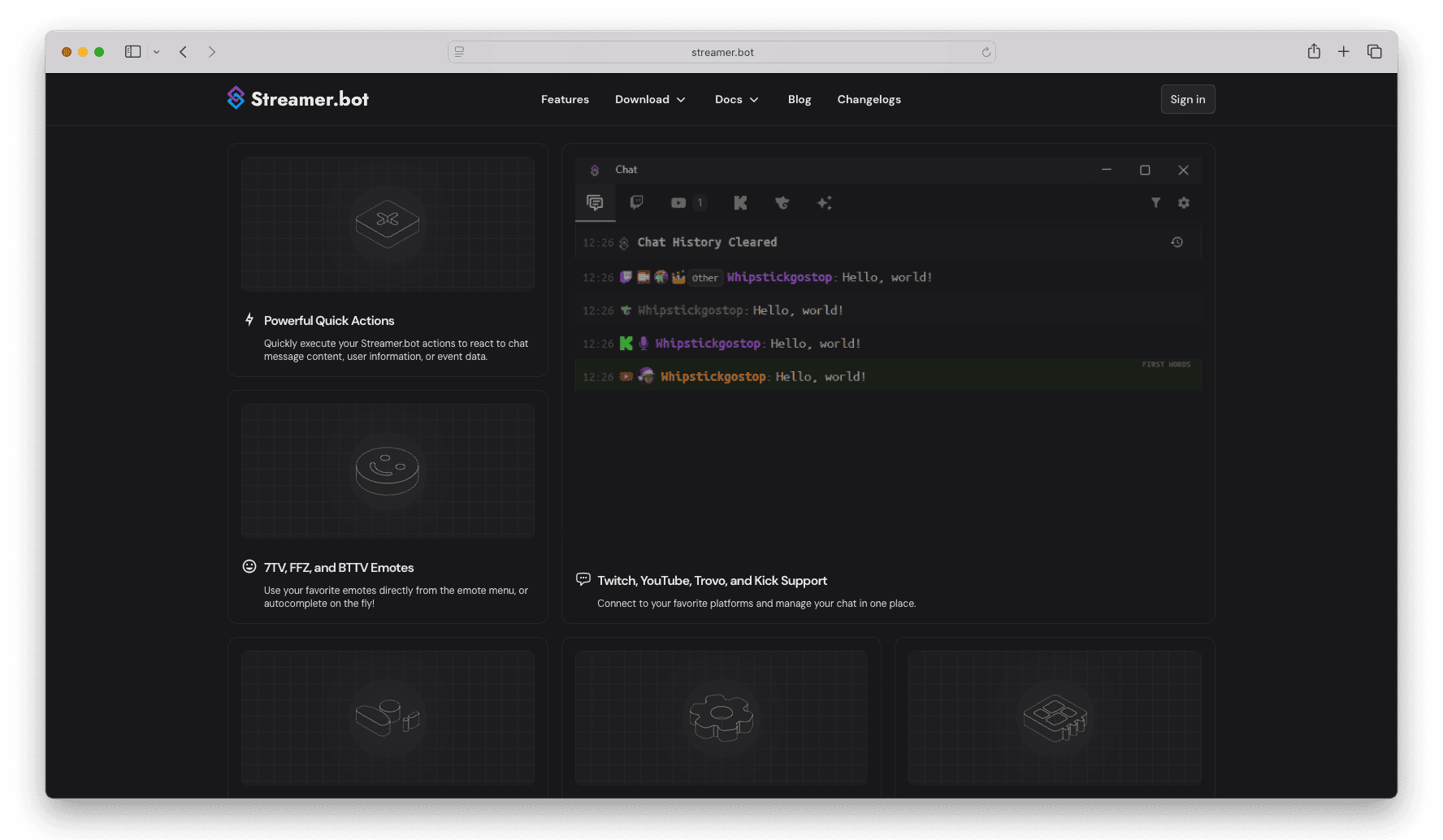
Streamer.bot is a free chatbot and automation tool that helps creators run more interactive livestreams without constantly managing every little detail themselves.
It connects your chat, OBS setup, alerts, Discord, channel points, and other apps together so your stream can automatically react to viewer activity with sounds, scene changes, commands, text-to-speech, moderation tools, and other live effects in real time.
Features That Make Streamer.bot Stand Out
- Automate stream events, live alerts, sound effects, and OBS actions in real time.
- Connect with Twitch, YouTube, Kick, and Trovo from a single dashboard.
- Trigger scene changes, filters, overlays, and animations through channel point rewards.
- Set up advanced automations, such as auto-posting Discord messages when you go live.
- Use built-in voice recognition to control parts of your stream hands-free.
- Supports custom C# scripting for advanced creators building unique interactions and mini-games.
- Runs locally on your PC rather than relying on cloud-based servers.
- Control OBS Studio actions, hotkeys, media sources, and stream workflows automatically.
- Track chat activity, memberships, follows, raids, polls, and moderation events.
- Build multi-step viewer interactions that combine sounds, visuals, chat events, and stream effects together.
StreamElements vs. Streamer.bot
While both platforms provide a similar set of comprehensive tools for automating and stream management, Streamer.bot goes a little further with advanced features that let you integrate multiple apps and tools into its setup.
Pricing
- Free to Use: Streamer.bot is free to download and includes most of the features and tools mentioned on the platform’s site. However, if you want to unlock the software’s premium features, you must subscribe to Streamer.bot’s “Thank You” tier on its Patreon.
StreamElements Alternative #9: Be.Live

Be.Live is a livestreaming platform built for creators who want to make more interactive broadcasts that keep viewers engaged while promoting products, affiliate links, or live shopping content.
It includes tools for displaying viewer comments on screen, highlighting products during streams, adding branded visuals, and turning livestream moments into short shoppable clips that can keep driving traffic after the stream ends.
Features That Make Be.Live Stand Out
- Create livestreams that showcase products and offer shoppable content for platforms like Amazon Live.
- Customize your streams with logos, overlays, banners, background, and on-screen graphics.
- Multistream to Facebook, YouTube, LinkedIn, and Amazon Live, through RTMP support.
- Use the AI Comment Assistant to automatically display viewer comments during livestreams.
- Add interactive widgets like lotteries, comment games, and other engagement tools during livestreams.
- Bring guests onto your livestreams by sending them an access link.
- Trim and edit clips from past streams using Be.Live’s video editor
- Track audience activity to see which moments got the most engagement.
StreamElements vs. Be.Live
The main difference between these two platforms comes down to your livestream’s purpose.
While StreamElements is typically geared toward gamers and content creators, Be.Live is built with sellers in mind, with tools and features to make your shoppable livestreams more interactive.
Pricing
- Free Plan ($0/month): Get up to 3 streams per month, along with 2 on-screen participants. Also includes 720p streaming, on-screen graphics, and branded streams with watermarks.
- Starter Plan ($17/month): Get up to 7 streams per month, 3 multistream destinations, and 4 on-screen participants. Also comes with 30-day recording storage and custom branding tools.
- Pro Plan ($29/month): Comes with unlimited streaming and 8 on-screen participants. Also includes 5 multistream destinations, AI Comment Assistant, 1080p streaming, and up to 60 days of recording storage.
- Growth Plan ($46/month): Unlimited stream, 10 on-screen participants, 8 multstreaming destinations, expanded team access, and up to 90 days of recording storage.
StreamElements Alternative #10: Dacast

Dacast is a professional video streaming platform for media companies and organizations.
Unlike simpler creator-focused streaming apps, Dacast focuses more on secure video delivery, monetization, analytics, and large-scale broadcasting for professional use cases.
It even supports both live streaming and video-on-demand hosting while giving users tools for paywalls, subscriptions, white-label video players, and audience analytics.
Features That Make DaCast Stand Out
- Stream live events in Full HD 1080p with unlimited viewers.
- Host video-on-demand libraries with storage management.
- Monetize streams with built-in paywalls, subscriptions, and ad integrations.
- Customize video players with white-label branding.
- Secure streams with password protection and domain or country restrictions.
- Access audience analytics and detailed stream performance reports.
- Supports adaptive bitrate streaming for smoother playback on different internet speeds.
- Stream using RTMP and HLS streaming protocols across multiple devices.
- Use APIs for custom video apps, OTT platforms, and advanced integrations.
- Includes 24/7 customer support with live chat and phone assistance on select plans.
StreamElements vs. Dacast
With StreamElements, the goal is usually to grow a community around live content through viewer interaction and stream presentation. Dacast is less about “streamer culture” and more about controlling and delivering your videos professionally.
Pricing
- Starter Plan ($39/month - billed annually): Includes live streaming, 1080p broadcasting, unlimited viewers, video hosting, analytics, simulcasting, and 500 GB of storage.
- Event Plan ($63/month - billed annually): Adds live monitoring, multi-CDN delivery, scheduling tools, paywall support, and advertising integrations for live events.
- Scale Plan ($165/month - billed annually): Includes unlimited channels, advanced library management, DRM protection, additional team members, and phone support.
- Custom Plan (Custom pricing): Enterprise-level plans with added support. Also includes migrations, integrations, custom SLAs, and tools for large-scale streaming events.
StreamElements Alternative #11: XSplit
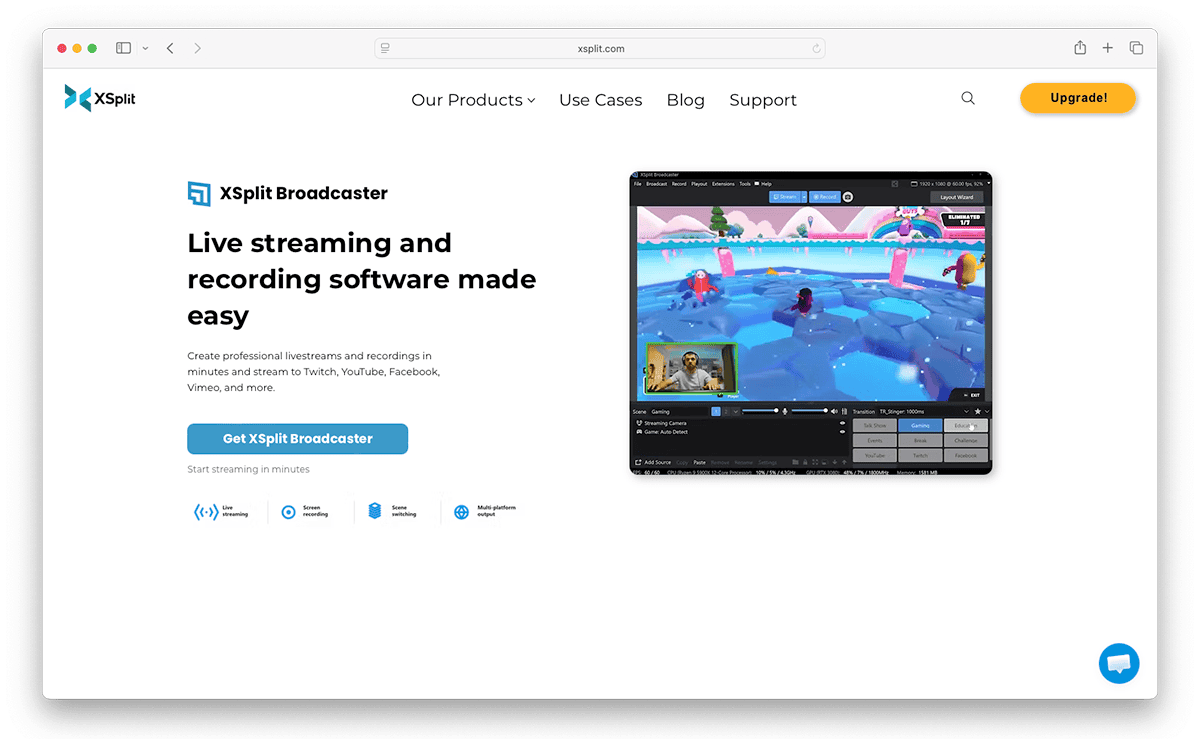
XSplit is a livestreaming and recording software suite designed for gamers, podcasters, and virtual event hosts who want greater control over their content.
The platform combines streaming, screen recording, webcam tools, and scene customization into one system that works across Twitch, YouTube, Facebook, and custom RTMP destinations.
It’s a popular solution for Esports broadcasts as it comes with multiple tools for multistreaming, background effects, and multi-scene production, which is helpful for managing gameplay feeds, player cameras, commentators, sponsor graphics, replays, and live transitions all during the same livestream.
Features That Make XSplit Stand Out
- Stream and record content directly on Twitch, YouTube, Facebook, Vimeo, and other streaming platforms.
- Drag, resize, and arrange media sources like videos, images, GIFs, web pages, and webcams.
- Add Zoom, Team, Discord, or Skype calls directly into livestreams.
- Use Layout Wizard tools to quickly create podcasts, interviews, or livestream sessions.
- Remove, blur, or replace webcam backgrounds without needing a green screen.
- With XSplit Connect, you can turn your phone into a wireless webcam.
- Customize scene transitions, animations, overlays, and broadcast effects.
- Record multiple scenes and audio tracks separately for easier editing.
- Access plugins, extensions, scripts, and other customization tools.
StreamElements vs. XSplit
StreamElements is more about improving an existing stream setup, while XSplit is built more like a complete production studio.
Though they both help creators run better livestreams, XSplit handles the actual recording and broadcasting side directly inside the software, while StreamElements relies on OBS for streamer tools and interaction features.
Pricing
- Free Plan ($0/month): Includes basic streaming and recording tools with support for streaming up to 720p without a watermark.
- Monthly Plan ($14.99/month): Unlocks premium features, advanced customization, and high-quality streaming tools.
- Yearly Plan ($59.99/yearly): Includes full access to premium features at a discount rate.
- Lifetime Plan (one-time payment of $199.99): Get lifetime access to all premium features and future versions of XSplit Broadcaster.
StreamElements Alternative #12: OneStream Live
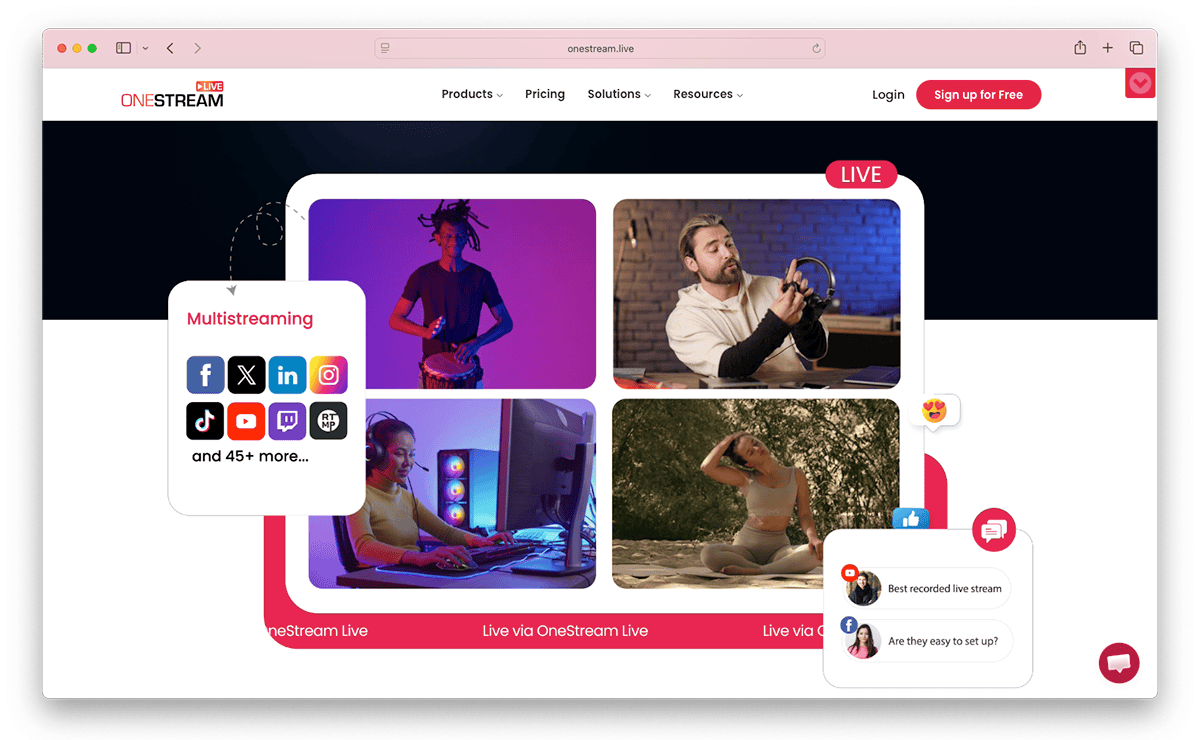
OneStream Live is a cloud-based broadcasting platform that lets creators send live or pre-recorded videos to dozens of social platforms from one place.
It works with tools like OBS, Zoom, and XSplit, with features that let users automate their streams, build video playlists, and schedule broadcasts weeks in advance.
Features That Make OneStream Stand Out
- Multistream live or pre-recorded videos across 45+ platforms.
- Schedule streams in advance so you don’t have to manually start each broadcast.
- Run livestreams from your browser with guests, overlays, branding, and screen-sharing tools.
- Stream 24/7 using looping videos and playlist-based livestreaming.
- Read and reply to comments from different platforms in one chat window.
- Embed livestreams directly to your website, blog, or online store.
- Create custom live pages with your own branding, layouts, social links, and buttons.
- Invite team members to help manage streams and broadcasts together.
- Save old broadcasts so you can clip, reuse, or rebroadcast them later.
- Add password protection, stream analytics, and custom RTMP support for more privacy and control.
StreamElements vs. OneStream Live
Onestream stands out because, unlike StreamElements, it's built around automation and distribution—not just the stream itself.
Another big difference is how each platform handles workflow. Since StreamElements is heavily tied to OBS, it works better if you’re looking to actively manage your livestream, while OneStream Live is more designed for scheduling broadcasts ahead of time.
Pricing
- Free Plan ($0/month): Access to the studio with 720p streaming. Also lets you go live on up to 2 social platforms, schedule a few streams, and store up to 1 GB of content.
- Basic Plan ($15/month): Adds 5 GB of storage, downloadable recordings, longer livestream sessions, one custom webpage, and support for streaming to up to 5 platforms at once.
- Standard Plan ($39/month): Includes 1080p streaming, teleprompter tools, more team support, 20 GB of storage, and multistreaming to up to 10 destinations.
- Professional Plan ($49/month): Expands your setup with support for up to 30 streaming destinations, playlist streaming, password-protected streams, RTMP support, larger storage limits, and extra team access.
- Enterprise Plan: ($99/month): Access to 24/7 streaming in 1080p. Also includes up to 50 streaming destinations, 150 GB of storage, 10 team seats, and 10 custom webpages.
Turn Every Fourthwall Purchase Into a Livestream Moment
Want to make your livestreams feel more rewarding for your viewers?
Connect your Fourthwall shop to StreamElements or Streamlabs, and you can show live alerts whenever someone buys your merch, subscribes to a membership, or supports your stream.
Customize alerts with sounds, messages, text-to-speech, and add product images so that every purchase feels like it’s part of your stream.
It’s a fun way to keep your streams engaging while giving your viewers instant recognition every time they support your brand.
FAQ
StreamElements is a cloud-based streaming platform for Twitch and YouTube creators that provides free overlays, alerts, chat moderation, tipping widgets, and stream automation. The tools run entirely in the browser, so streamers can layer widgets on top of OBS Studio, Streamlabs, or any broadcasting software without additional installs. The free tier covers most core features, and creators typically add StreamElements Prime subscriptions for premium overlay templates and priority support.
StreamElements is free to use for its core streaming tools, including overlays, chat bots, and alerts on Twitch and YouTube. Paid features come through add-ons like custom sponsorship widgets and premium templates, but most creators can run a full livestream on the free plan. Every alternative featured in Fourthwall's guide also offers a free tier, so switching from StreamElements never requires a paid subscription.
Most StreamElements alternatives let creators keep the visual look of their overlays and alerts by re-importing image files, animations, and browser sources rather than migrating the source integration directly. Tools like Streamlabs, Aitum, and Meld Studio let streamers replicate widgets by pasting existing browser-source URLs or uploading .webm and .png files exported from StreamElements. There is no one-click cross-platform migration, so plan on spending roughly an hour reconfiguring alerts and scenes.
Be.Live is the strongest StreamElements alternative for direct monetization because it powers Amazon Live shoppable streams with product overlays, comment games, and lottery widgets built for on-stream sales. Streamers who want to sell their own merch instead of Amazon products pair OBS Studio, Streamlabs, or Restream with a Fourthwall shop to feature custom products, run giveaways, and earn a share of every purchase during a broadcast. Blerp adds Twitch Bits and Channel Points monetization on top of any stream setup.
Fourthwall integrates with OBS Studio, Streamlabs, and every major StreamElements alternative through browser sources, chatbot commands, and Twitch extensions that display product cards and live sales counters during a stream. Creators can set up a !merch chat command, on-screen product popups when a sale happens, and shoppable overlays without leaving their broadcasting software. The same widget URLs work whether the streamer switches to Aitum, Meld Studio, Restream, or another alternative.
Matt Keyser is a writer at Fourthwall who lives at the intersection of social media and Creator culture. With 4+ years of experience covering industry trends, his work focuses on helping Creators and brands understand how to turn their passion into a thriving business while maintaining a constant pulse on the latest eCommerce and social media trends.


You might also like

9 Best Kajabi Alternatives for Course Creators in 2026

What to Sell Online: How to Find a Product People Want

8 Best Spreadshirt Alternatives for Print-on-Demand in 2026

7 Best Sellfy Alternatives for Creators and Brands in 2026

27 Best Digital Products to Sell as a Creator
.webp)
Top 8 Wix Alternatives for Creators Building an Online Store in 2026

How to Create and Sell Print on Demand Journals and Notebooks

9 Gumroad Alternatives for Digital Creators in 2026

10 Best Stan Store Alternatives for Creators in 2026

Keep up with the latest from Fourthwall
New features, product updates, trend breakdowns, and creator stories — straight to your inbox.